
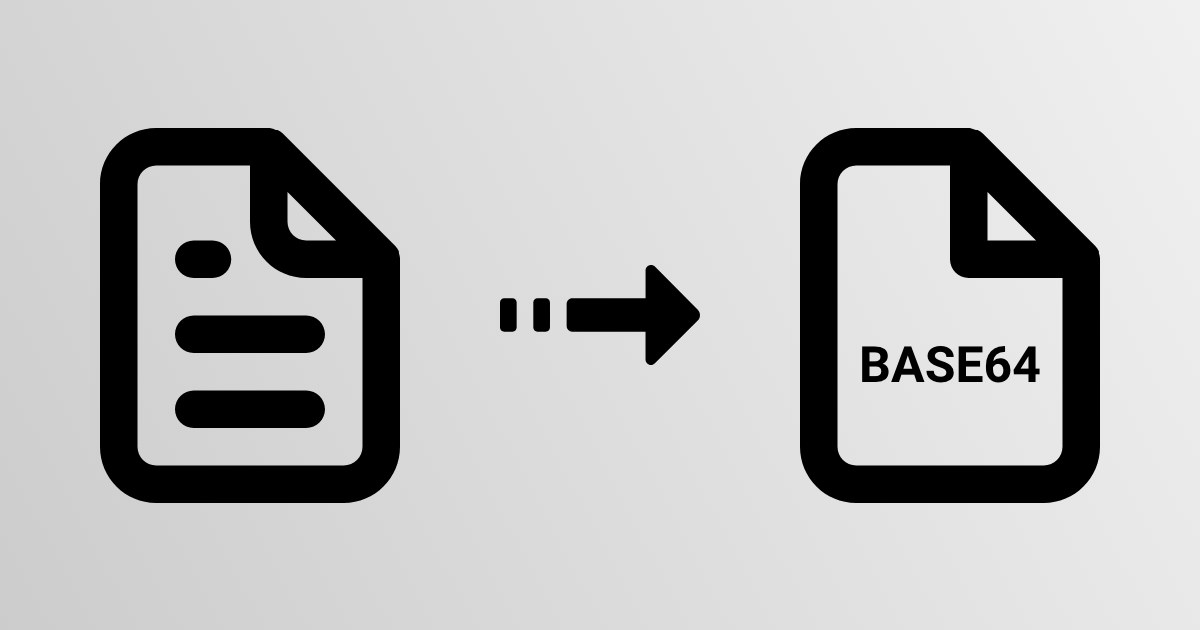
A base64 pdf is simply a PDF document that has been converted into a text string using base64 encoding, so it can travel through systems that only handle text safely. This comes up constantly in web development and API design, where binary files need to move through channels built for plain text. Understanding how base64 pdf conversion works, and when it actually makes sense, helps avoid both misuse and unnecessary confusion.
A base64 pdf is a PDF file whose binary bytes have been encoded into a text-safe base64 string, typically for embedding in JSON, XML, HTML, or email. It is not compression or encryption, just a text representation of the same binary data, decodable back into an identical PDF.
Base64 encoding is a method for representing binary data using only 64 printable ASCII characters: uppercase and lowercase letters, digits, plus two symbols (usually + and /). It was designed for situations where raw binary data can't safely pass through a system that expects text, such as older email protocols or text-based data formats like JSON.
So can you base64 encode a PDF? Yes, without qualification. A PDF file, despite containing structured elements like fonts, images, and page descriptions, is still just a sequence of bytes at the file system level. Base64 doesn't care what those bytes represent. It treats a PDF exactly the same way it treats an image, a ZIP archive, or any other binary file, converting the raw byte stream into a longer text string that represents the same data.
The reason to do this with PDFs specifically usually comes down to transport. Many APIs and data formats are built around text, not binary, and base64 for pdf encoding is the standard workaround for embedding a document inside something like a JSON payload or an XML node.
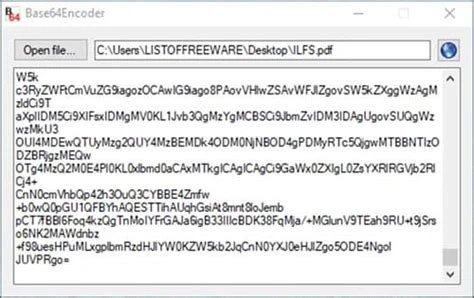
A PDF file is binary data: a sequence of bytes that don't necessarily correspond to readable characters. Some of those bytes, if opened in a plain text editor, would appear as garbled symbols or unprintable control characters. This is fine for a PDF reader, but it's a problem for systems that assume every byte is a valid text character.
Base64 solves this by regrouping the data. It takes the binary stream three bytes at a time, which is 24 bits, and splits those 24 bits into four groups of 6 bits each. Since 6 bits can represent 64 possible values (2^6 = 64), each group maps to one of 64 safe characters from the base64 alphabet. Three binary bytes become four text characters, all guaranteed to be safe for transmission as plain text.
This 3-byte-to-4-character ratio is why base64-encoded data is always larger than the original binary. If the total byte count isn't a clean multiple of three, padding characters (=) are added at the end to fill out the last group. The underlying rules of this scheme are formalized in RFC 4648, the standard that defines base64 encoding regardless of what kind of file is being encoded.
Encoding a PDF to base64 follows a consistent sequence regardless of programming language or platform:
The result is a single long string, often tens of thousands of characters for a modest-sized document, made up entirely of letters, digits, and the +, /, and = characters. Nothing about this string is human-readable in the sense of representing PDF content directly; it's a mechanical transformation, not a summary or compressed form.
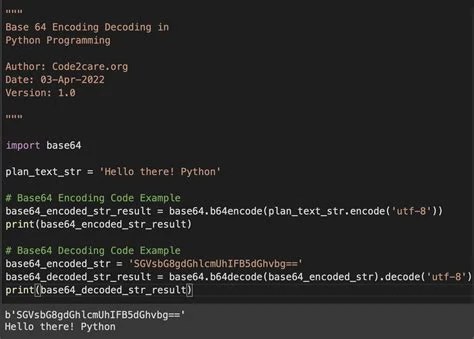
Base64 to pdf decoding reverses the encoding process exactly. The base64 string is read back in, and each group of four characters is mapped back to its corresponding 6-bit values, which are then reassembled into the original 24-bit groups, and finally back into the original 3-byte sequences. Padding characters are dropped during this step since they only existed to fill out the final group.
Because base64 is a lossless, reversible transformation, the decoded output is byte-for-byte identical to the original PDF, provided the encoding and decoding steps were both done correctly and the string wasn't altered or truncated in transit. Once decoded, the byte stream is written to a file with a .pdf extension, and it opens exactly like the original document, with the same fonts, images, and page layout.
A common practical failure point here is corruption or truncation of the base64 string itself, whether from copy-paste errors, character encoding mismatches, or a system silently stripping certain characters. Running a string through a tool like a base64 validator, encoder, and decoder before attempting to reconstruct a PDF is a reasonable way to confirm the string is well-formed before assuming the source file is broken. For more detail on the decoding mechanics themselves, see this technical reference on base64 decoding.
Base64 for pdf shows up almost exclusively in data transport contexts, not storage. Storing PDFs as base64 in a database, for instance, wastes space compared to storing the raw binary in a blob field or on disk. The value of base64 is in situations where a binary file has to travel through a text-only channel.
The most immediate cost of base64 pdf encoding is size. Because three binary bytes become four text characters, the encoded string is roughly 33% larger than the original file. A 3 MB PDF becomes roughly 4 MB once encoded. For large documents or high-volume systems, this overhead adds up in bandwidth, storage, and processing time.
There's also a performance cost beyond raw size. Encoding and decoding both require CPU cycles, and for large files or high-throughput APIs, this can become a bottleneck compared to just streaming binary data directly. Systems that support raw binary transport, such as file upload endpoints using multipart form data, often avoid base64 for this reason.
A frequent misunderstanding is treating base64 as a form of security or obfuscation. It isn't. Base64 is fully reversible by design, with no key, password, or secret involved, so anyone with the string can decode it back to the original PDF in seconds. If a document contains sensitive content, encoding it as base64 does nothing to protect it; encryption is a separate, unrelated step. This distinction is covered in more depth in Base64 Is Not Encryption, and it applies to PDFs exactly as it does to any other file type, including base64-encoded images or base64-encoded ZIP archives.
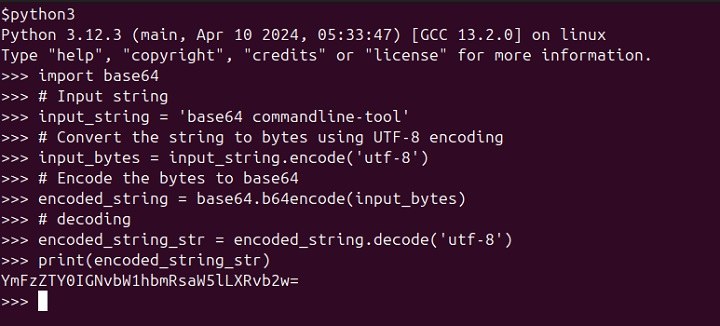
Most modern programming languages include built-in base64 support, so implementations tend to be short. The core idea is the same everywhere: read the file as bytes, run it through the language's base64 function, and reverse the process on decode.
In Python, encoding a PDF looks roughly like this:
import base64

with open("document.pdf", "rb") as f:

    encoded = base64.b64encode(f.read())
Decoding reverses it:
decoded = base64.b64decode(encoded)

with open("output.pdf", "wb") as f:

    f.write(decoded)
In JavaScript running in a browser, a PDF selected via a file input can be read with a FileReader and converted using its readAsDataURL method, which returns a base64 string prefixed with a data URI scheme. On the server side with Node.js, a buffer read from disk can be converted with buffer.toString('base64'), and reversed with Buffer.from(encodedString, 'base64'). Java, C#, and most other mainstream languages follow the same pattern: read bytes, call a built-in encoder, and call the matching decoder to reverse it. None of this requires custom algorithm implementation, since base64 is standardized and supported natively almost everywhere.
They embed base64 pdf strings in JSON request and response bodies when building document generation or upload endpoints that need a single text-based payload format.
They rely on base64 encoding as part of the MIME standard whenever a PDF is attached to an outgoing email message.
They convert user-selected PDFs to base64 in the browser to preview or upload documents without a separate multipart file transfer step.
They use base64 encoding to transmit PDFs between microservices that communicate exclusively through text-based message queues or REST calls.
They encode sample PDFs as base64 strings to embed directly into test fixtures and configuration files without managing separate binary test assets.
No. Base64 increases file size by roughly a third; it has nothing to do with compression and is unrelated to formats like ZIP.
No. The base64 string must be decoded back into binary form and saved as a .pdf file before any PDF viewer can open it.
Technically yes, using a data URI, but PDFs are usually too large for this to be practical given URL length limits in browsers and servers.
The equals signs are padding characters added when the original binary data isn't an exact multiple of three bytes, filling out the final group of four base64 characters.
It works, but it's inefficient. Storing raw binary in a blob field or as a file on disk with a reference in the database avoids the roughly 33% size overhead that base64 storage carries.
Base64 pdf encoding is a narrow but genuinely useful technique: a way to move binary PDF data through text-only channels like JSON APIs and email attachments without losing any information. It isn't a storage format, a compression method, or a security measure, and treating it as any of those leads to avoidable problems. Used for its actual purpose, text-based transport of binary data, it does exactly what it's meant to do.
Stay up to date with new tools, blogs, and improvements.
We respect your privacy. No spam, unsubscribe anytime.