
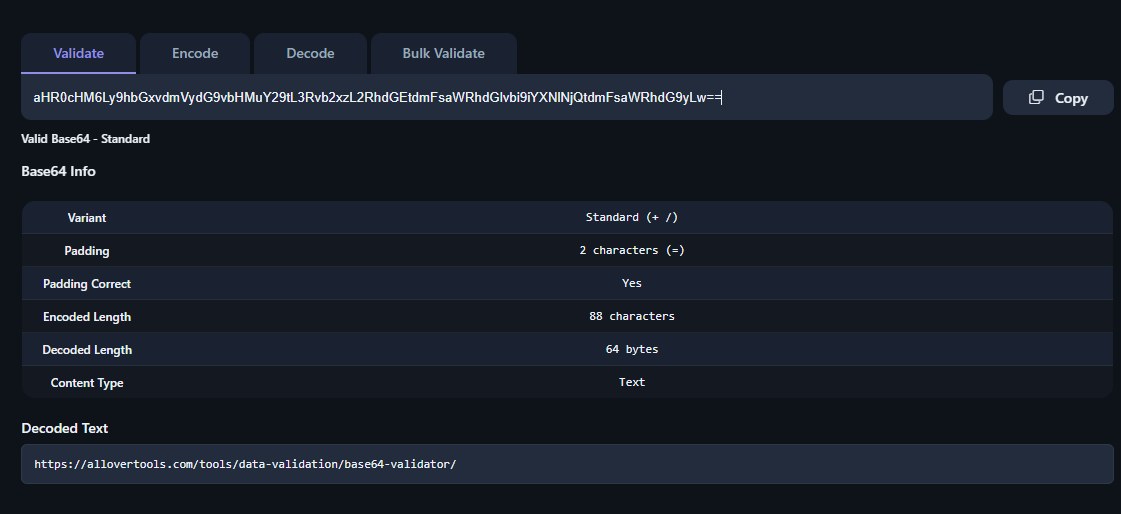
Base64 url encode is a variant of standard Base64 encoding built specifically for use in web addresses. It swaps out the two characters that cause trouble in URLs and drops the padding character that standard Base64 relies on, producing a string that can travel through a URL, query string, or path segment without breaking anything downstream.
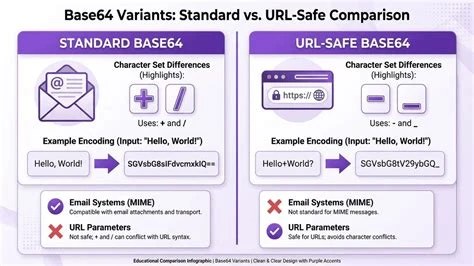
Base64 url encode is a modified form of Base64 that replaces the plus sign (+) and forward slash (/) with a hyphen (-) and underscore (_), and typically omits the trailing equals-sign (=) padding. It exists because standard Base64 output can collide with characters that already have special meaning in URLs.
Base64 was designed to represent binary data as text, using an alphabet of 64 printable characters: uppercase and lowercase letters, digits, plus (+) and slash (/), with equals signs (=) added at the end for padding when the input length isn't a clean multiple of three bytes. That works fine for email attachments or embedding data in JSON, but it runs into problems the moment that string needs to sit inside a URL.
Base64 url encode solves this by using a modified alphabet: hyphen (-) in place of plus, and underscore (_) in place of slash. Padding is usually left off entirely, since the length can be recalculated during decoding. The result looks almost identical to standard Base64 but is safe to place directly into a URL path, query parameter, or fragment.
URLs have their own syntax rules, and certain characters are reserved for structural purposes. The plus sign is interpreted as a space in query strings (a holdover from form-encoding conventions), the forward slash separates path segments, and the equals sign separates keys from values in query parameters. When any of these appear inside a raw Base64 string embedded in a URL, a server or browser can misread the URL entirely.
A plus sign silently turning into a space is especially dangerous because it doesn't cause an error. It just quietly corrupts the data. A stray slash can make a URL router think there are more path segments than intended, and an equals sign in the wrong place can truncate a parameter value. None of these failures are obvious from a glance at the URL, which makes them easy to miss until decoding fails downstream.
Standard Base64, unmodified, cannot be reliably used inside a URL. It will often appear to work in casual testing, but any input that happens to produce a plus, slash, or equals sign in the output risks silent corruption or a broken link. This is exactly the gap that base64 url encode fills.
Because base64 url encode replaces the unsafe characters, the resulting string is composed only of letters, digits, hyphens, and underscores, all of which are safe in every part of a URL without additional percent-encoding. This makes it the correct choice whenever binary or arbitrary text data needs to travel as part of a link rather than in a request body or header.
Base64 vs url encoding is a common point of confusion because both are ways of making data "safe" to transmit, but they solve different problems and work in different ways.
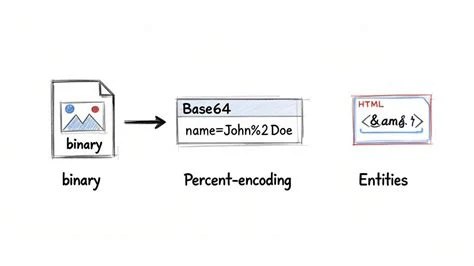
URL encoding, also called percent-encoding, takes any byte that isn't allowed in a URL and replaces it with a percent sign followed by its two-digit hexadecimal value. A space becomes %20, an ampersand becomes %26, and so on. It preserves the original character set as much as possible and only escapes what's necessary.
Base64 url encode works differently: it takes the entire input, treats it as raw binary, and re-represents every byte using a 64-character alphabet, regardless of whether the original data was already URL-safe. The output is typically longer and bears no visual resemblance to the input. It's also more compact and predictable than percent-encoding for binary data, since percent-encoding binary content byte-by-byte can triple the length of the string, while Base64 only increases length by roughly a third.
The substitution rules for base64 url encode are simple and fixed:
Every other character in the standard Base64 alphabet, the uppercase and lowercase letters and the digits 0 through 9, stays exactly the same. This is why base64 url encode output looks nearly identical to standard Base64 for most strings; the substitution only matters when the specific unsafe characters happen to appear.
The base64 url encode process follows a consistent sequence:
Base64 url decode reverses these steps in the opposite order:
Padding restoration trips people up more often than the character substitution does, since the padding length depends on the length of the encoded string modulo 4. For a deeper look at the decoding side specifically, including how different libraries handle padding, see this technical reference on Base64 decode. For quick manual checks, a Base64 validator, encoder and decoder can confirm whether a string is well-formed before it's passed into a decoder.
Base64 url encode shows up in several recurring situations across web development:
Cookies are not inherently base64 encoded. The HTTP cookie specification itself doesn't require or apply any particular encoding to cookie values; a cookie is just a name-value pair sent in a header. However, cookie values are restricted from containing certain characters, including whitespace, commas, semicolons, and some control characters, which makes raw binary or non-ASCII data unsafe to store directly.
Because of this restriction, developers commonly encode cookie values using base64 url encode before storing them, particularly when the value contains session tokens, serialized objects, or signed data. This is a common source of confusion: seeing a Base64-looking string in a cookie doesn't mean the browser or server automatically applies Base64 to every cookie, it means a developer chose to encode that particular value for compatibility reasons.
Base64 url encode provides no confidentiality and no integrity protection. It's a reversible, deterministic transformation, not a cryptographic function, and anyone who receives an encoded string can decode it back to the original data with nothing more than a standard decoder. Treating a Base64-encoded token as if it were secret or tamper-proof is a common and serious mistake. For a full explanation of why encoding and encryption are fundamentally different operations, see this piece on why Base64 is not encryption.
Padding mishandling is the other recurring source of errors. If a decoder expects standard Base64 padding but receives a URL-safe string with the padding stripped, decoding will fail or produce corrupted output. Correct implementations must either calculate and re-add padding based on string length, or use a decoder library specifically written to handle unpadded, URL-safe input.
The following pseudocode illustrates the core logic, independent of any specific programming language:
function base64UrlEncode(data):
  encoded = standardBase64Encode(data)
  encoded = replace(encoded, "+", "-")
  encoded = replace(encoded, "/", "_")
  encoded = removeTrailing(encoded, "=")
  return encoded
function base64UrlDecode(encoded):
  paddingNeeded = (4, length(encoded) % 4) % 4
  encoded = encoded + repeat("=", paddingNeeded)
  encoded = replace(encoded, "-", "+")
  encoded = replace(encoded, "_", "/")
  return standardBase64Decode(encoded)
Most modern programming languages include a URL-safe Base64 variant in their standard library, so implementing this manually is rarely necessary in production code. Understanding the steps still matters when debugging why a token fails to decode, or when working with a language or library that only supports standard Base64 and needs the substitution handled separately.
Use base64 url encode when generating tokens, cursors, or signed links that must be passed safely as URL query parameters.
Encode binary identifiers or compressed filter objects into query strings without needing additional percent-encoding.
Decode base64 url encoded data URIs to render embedded images or fonts directly in CSS and HTML without separate file requests.
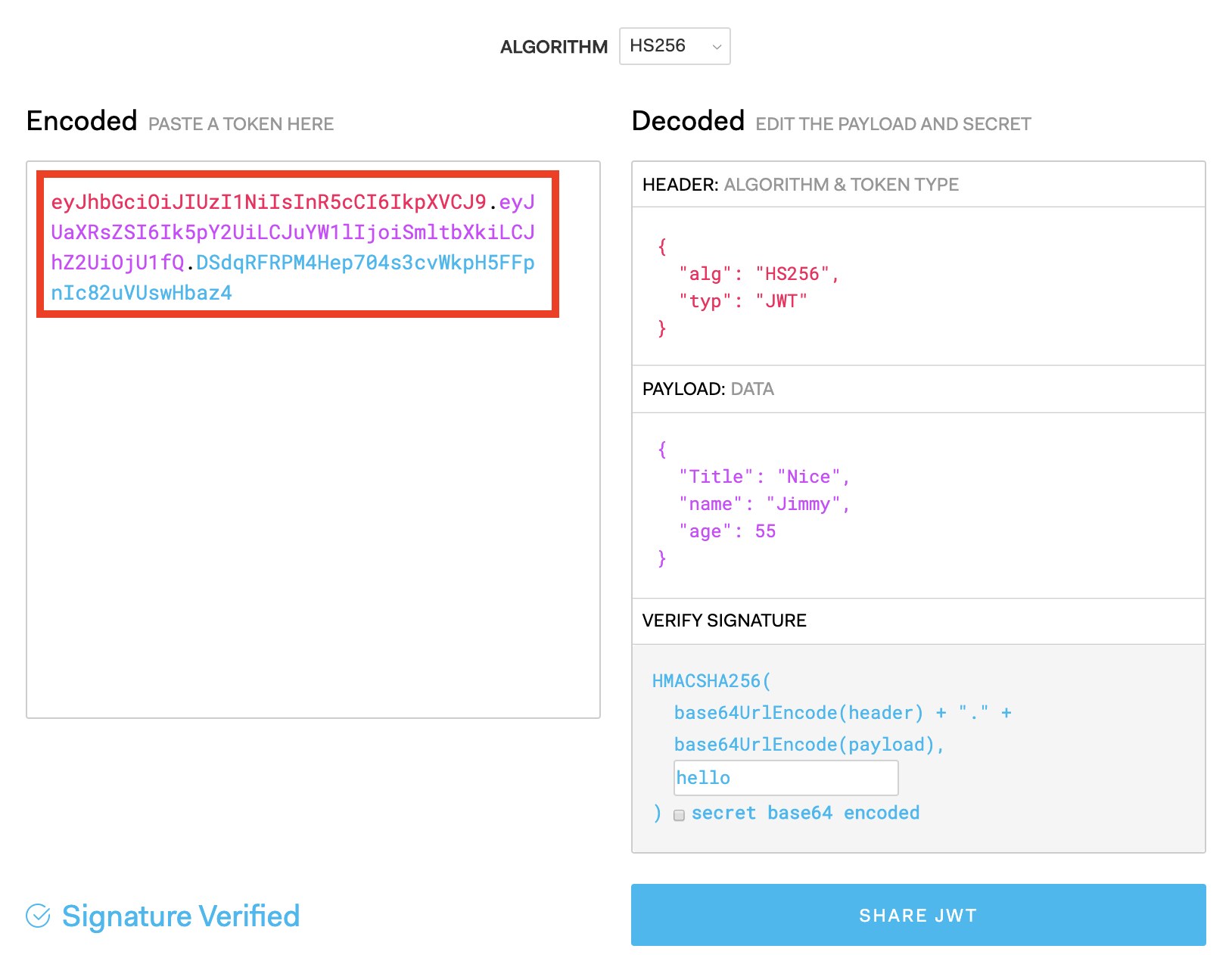
Audit systems to confirm that base64 url encode is not mistaken for encryption when reviewing token structures like JWTs.
Decode cookie values or URL parameters manually while debugging broken links or session issues caused by padding or character mishandling.
It's the same length or slightly shorter, since trailing padding characters are typically removed. The character-for-character length otherwise matches standard Base64.
Yes, unless the decoder you're using is specifically designed to accept unpadded, URL-safe strings. Otherwise, the padding must be recalculated from the string's length and added back before standard decoding.
Some implementations substitute the equals sign with a period rather than dropping it, since a period is also URL-safe and keeps the string length predictable without needing a separate recalculation step.
Technically yes, percent-encoding the plus, slash, and equals characters would also make the string URL-safe, but it produces a longer, messier string than simply using the URL-safe alphabet in the first place.
No. It actually increases size, by roughly 33%, since it re-represents 8-bit bytes using 6-bit groupings mapped to printable characters. It's about compatibility, not compression.
Base64 url encode is a small, mechanical fix for a specific problem: making binary or arbitrary text data safe to carry inside a URL. It doesn't add security, and it doesn't reduce size, but it reliably prevents the silent corruption that standard Base64 characters cause when they collide with URL syntax. Anywhere a token, image, or serialized value needs to travel as part of a link, this substitution is what makes the round trip work.
Stay up to date with new tools, blogs, and improvements.
We respect your privacy. No spam, unsubscribe anytime.