
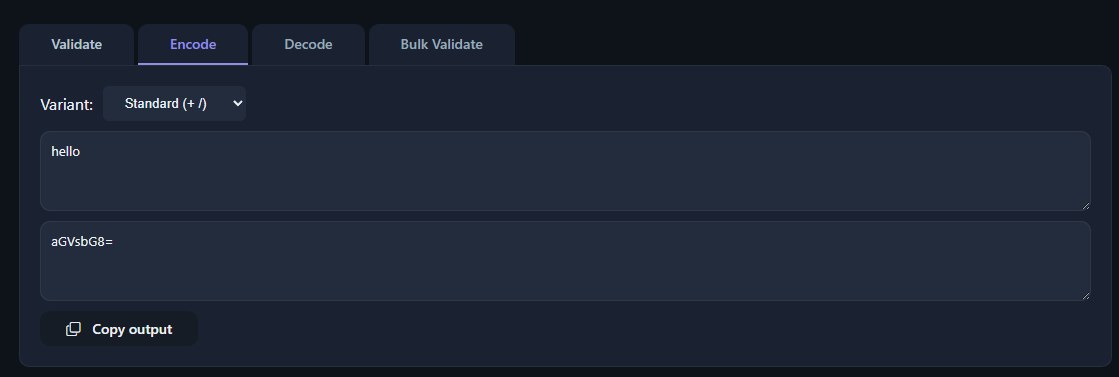
A base64 viewer takes an encoded string and shows you what it actually contains, whether that's text, an image, or some other binary payload. It's a simple idea, but the details matter, and most of those details trace back to a single document: RFC 4648.
A base64 viewer is a tool that decodes Base64-encoded strings and displays the resulting data in a readable form, such as plain text, hex bytes, or a rendered file. It follows the rules set by RFC 4648, which defines the character set, padding requirements, and variants of Base64 encoding.
Base64 is a binary-to-text encoding scheme. It takes raw binary data, which computers handle natively, and turns it into a string made up of printable ASCII characters. This matters because a lot of systems, especially older ones built around text, can't reliably carry arbitrary bytes. Email systems, URLs, JSON payloads, and config files all expect text, so Base64 gives binary data a safe way to travel through those channels without corruption.
RFC 4648 is the standard that governs how this encoding works. It specifies the exact 64-character alphabet used (uppercase and lowercase letters, digits 0-9, plus + and /), along with the padding character = that fills out incomplete groups at the end of a string. The RFC also defines related variants, like Base64URL, which swaps out + and / for - and _ so the output is safe to use inside URLs and filenames without extra escaping.
Under the hood, Base64 works by grouping input bytes into chunks of three (24 bits) and re-splitting that into four 6-bit groups, each mapped to one of the 64 characters. When the input doesn't divide evenly into three-byte chunks, padding characters make up the difference so decoders know exactly how to reverse the process.
At its core, a base64 viewer accepts an encoded string as input and reverses the encoding process to recover the original binary data. The interesting part is what happens after decoding: raw bytes aren't inherently readable, so a good viewer offers multiple ways to look at the result.
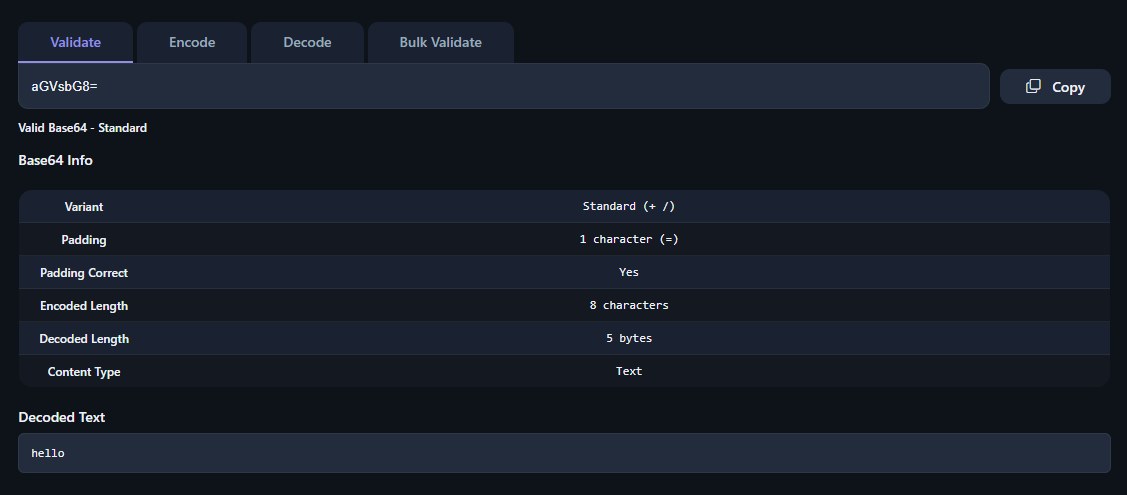
Common output formats include:
This flexibility is why viewers are used for debugging as much as for simple decoding. If you're working with encoded image data, a related walkthrough on Base64 image encoding and decoding covers how that specific format gets embedded and extracted. For a broader look at the decoding process itself, see this technical reference on Base64 decoding.
Not every string that looks like Base64 actually is Base64. A base64 validator checks a string against the rules laid out in RFC 4648 before attempting to decode it, which prevents garbage output or outright errors.
Validation typically checks three things: that the string length is a multiple of four (once padding is accounted for), that every character belongs to the defined alphabet, and that padding characters only appear at the end, in the correct pattern. A string can end in =, ==, or no padding at all, but never more than two padding characters, and never padding in the middle of a string. A viewer that skips this check risks silently producing corrupted or misleading output instead of flagging the string as invalid.
Tools like the Base64 Validator, Encoder & Decoder handle this check directly, confirming whether a string is well-formed before any decoding is attempted. This distinction between validating and decoding is worth keeping in mind: a string can be syntactically valid Base64 and still decode into meaningless bytes if it wasn't the data you expected.
It's worth being clear about what Base64 is not. Base64 morse code comparisons come up because both are ways of representing information using a limited symbol set, but the mechanics are completely different. Morse code uses variable-length sequences of dots and dashes, where common letters get shorter codes and rare ones get longer codes. There's no fixed unit size.
Base64, by contrast, always works in fixed 6-bit groups mapped to a 64-character alphabet, regardless of what the underlying data represents. A base64 viewer needs to tell these apart cleanly, because feeding Morse code into a Base64 decoder produces nonsense rather than an error in many cases, since dots, dashes, and spaces don't overlap much with the Base64 alphabet but can occasionally coincide with valid characters by accident. Good tooling checks structure and character composition, not just whether a string "looks encoded," before assuming it's Base64. For a comparison against a more directly related encoding, see Base64 vs Hex, which covers a case where the confusion is more understandable since both are common binary-to-text schemes.
Base64 xml usage is common wherever binary data needs to live inside an otherwise text-based document format. XML has no native way to store raw binary safely, since bytes like null characters or unescaped angle brackets would break the document's structure. Encoding the binary as Base64 and placing it inside a text element solves this cleanly.
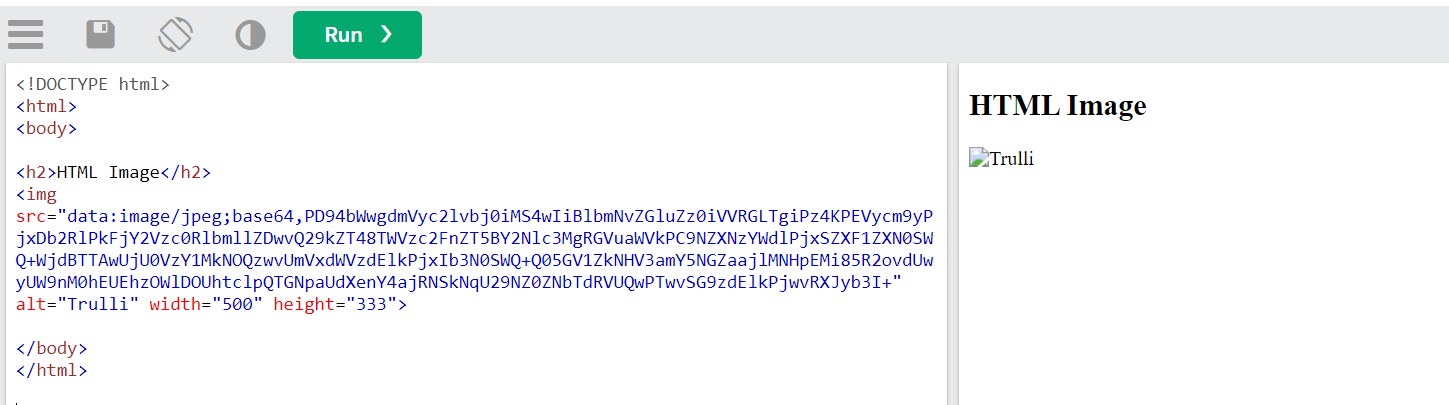
This pattern shows up in SOAP attachments, SVG images with embedded raster data, XML-based document formats storing embedded files, and various data interchange formats where binary content needs to travel alongside structured metadata. A base64 viewer used in this context typically needs to extract just the encoded portion from the surrounding markup before decoding, since the XML tags themselves aren't part of the encoded payload. Once extracted, decoding follows the same RFC 4648 rules as any other Base64 string.
For developers building tools programmatically, base64 rust implementations are a common building block. The Rust ecosystem has largely converged on the base64 crate as the standard choice, offering encode and decode functions that support the standard alphabet, the URL-safe variant, and configurable padding behavior.
Older Rust code sometimes used rustc-serialize, which included Base64 support, but that crate has been deprecated in favor of more focused, actively maintained alternatives. When integrating Base64 handling into a viewer or a backend service, the base64 crate lets developers specify exactly which RFC 4648 variant to use, since standard and URL-safe alphabets aren't interchangeable and mixing them up produces decode errors or subtly wrong output. A viewer built on Rust tooling benefits from this explicitness: it can validate input against the expected variant before attempting to decode, rather than guessing.
Base64 with salt refers to a pattern used in password hashing and token generation, where a random salt value is combined with a password or secret before the result is encoded. The salt itself isn't encrypted or hidden by this process, it's just combined with other data and then represented in text form for storage or transmission.
Typically, the salt is prepended or appended to a hash output, and the combined bytes are then Base64-encoded so the result can be stored in a database column or config file as a plain string. A base64 viewer used in this context is mainly a debugging aid: it lets a developer decode the stored string and confirm that the salt and hash are present and correctly formatted, without needing to write custom decoding code. It's worth being clear that Base64 itself provides no security here; it's purely a text-safe representation, and the actual security comes from the strength of the salt and the hashing algorithm used alongside it.
Base64 wrap 0 refers to a common command-line option, most familiar from tools like OpenSSL's base64 command, that disables automatic line wrapping in the encoded output. By default, many Base64 implementations insert a newline every 76 characters, a convention that dates back to MIME encoding standards where long unbroken lines could cause problems in email systems.
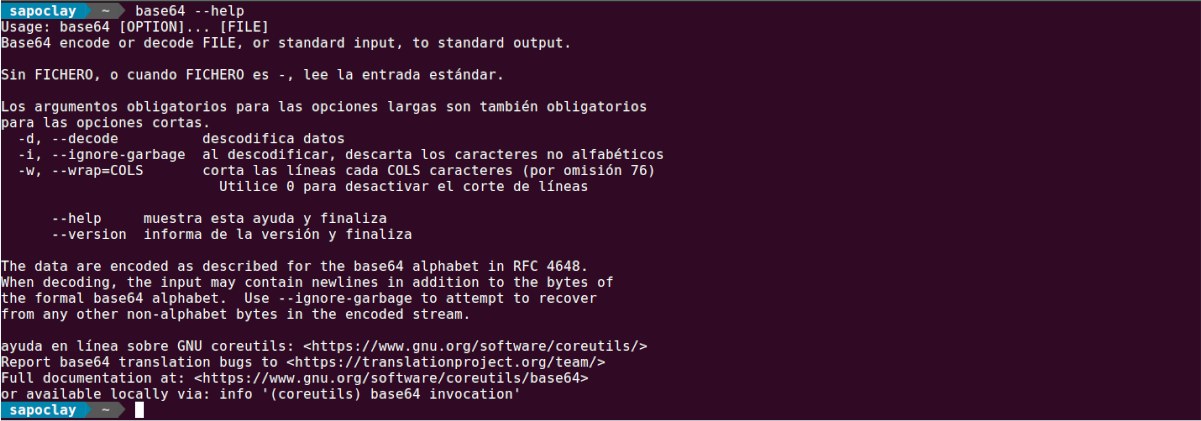
Setting wrap to 0 tells the encoder to skip the line breaks entirely and produce one continuous string. This matters for a base64 viewer because wrapped and unwrapped strings need to be handled differently during decoding: newlines inside a wrapped string have to be stripped before the string is valid input, while an unwrapped string can be decoded directly. For copy-paste use, unwrapped output is generally easier to work with in scripts, environment variables, or JSON fields, where an unexpected newline can break parsing. A well-built viewer strips whitespace and newlines automatically before validation, so it handles both wrapped and unwrapped input without the user needing to know which format they're looking at.
Use a base64 viewer to inspect encoded tokens, API payloads, or database fields during debugging, confirming the decoded content matches what the application expects.
Decode suspicious strings found in malware samples, phishing emails, or obfuscated scripts to reveal hidden commands or payloads.
Test and validate Base64 handling in their own applications, comparing crate output against a reference viewer to catch alphabet or padding mismatches.
Extract and verify embedded binary attachments inside XML messages before processing them further downstream.
Check configuration files and environment variables containing Base64-encoded secrets or certificates for correctness after deployment.
Use a viewer to see the direct relationship between raw bytes and their encoded representation, reinforcing how RFC 4648 encoding actually works.
No. Base64 is an encoding scheme, not encryption. It doesn't require a key and provides no confidentiality, since anyone can decode it using the same publicly known rules.
The equals signs are padding characters required by RFC 4648 when the input data doesn't divide evenly into 3-byte groups. One or two padding characters fill out the final 4-character block.
No, they use different alphabets and produce different output. See Base64 vs Base62 for a detailed comparison of when each is used.
You get the original binary ZIP data back, but it still needs to be unzipped separately since Base64 decoding only reverses the text encoding, not any compression. See decoding Base64-encoded ZIP files for that specific process.
No, as long as the newlines are stripped before decoding. Wrapped and unwrapped Base64 represent the exact same underlying data; wrapping is purely a formatting convention for display or transmission.
Base64 looks simple on the surface, a string of letters, digits, and a couple of symbols, but the rules behind it, from padding to alphabet variants to how it interacts with formats like XML or languages like Rust, all come from one consistent specification. Understanding RFC 4648 is what separates a viewer that just displays text from one that actually decodes data correctly and flags what doesn't belong.
Stay up to date with new tools, blogs, and improvements.
We respect your privacy. No spam, unsubscribe anytime.