
Anyone working with SSL/TLS certificates eventually runs into the base64 or der certificate question, usually while trying to figure out why a certificate that worked fine on one server won't load on another. The confusion is understandable. Both formats hold the exact same certificate data, an X.509 structure, but they package it differently. Knowing which one you have, and which one a given system expects, saves a lot of trial and error.
Base64 and DER are two ways of encoding the same X.509 certificate data. DER is a binary format, while base64 is a text-based encoding of that same binary data, typically wrapped in PEM headers. The choice between base64 or der certificate formats usually comes down to what a given system or tool expects, not any difference in the certificate content itself.
An X.509 certificate is a structured piece of data: it holds a public key, issuer information, validity dates, extensions, and a signature. That structure has to be encoded somehow before it can be stored in a file or sent over a network. The encoding rules used almost universally for X.509 certificates come from ASN.1 (Abstract Syntax Notation One), and DER is the specific set of rules that turns that abstract structure into actual bytes.
Base64 isn't a competing encoding scheme in the same sense. It's a way of representing binary data as text, described in detail in this reference on RFC 4648 encoding. When people talk about a "base64 certificate," they mean a DER-encoded certificate that has been run through base64 encoding and wrapped in specific header and footer lines. So the base64 vs der certificate distinction isn't really a fork in how certificates are structured; it's a difference in how the same structure gets stored on disk or transmitted.
DER stands for Distinguished Encoding Rules, a subset of the broader BER (Basic Encoding Rules) defined for ASN.1. DER is strict on purpose: for any given piece of data, there is exactly one valid DER encoding. That determinism matters for certificates because a signature is computed over the exact byte sequence of the data being signed. If there were multiple valid ways to encode the same structure, verifying signatures reliably would be much harder.
A DER certificate file is raw binary. Opening one in a plain text editor produces garbage, unreadable control characters and non-printable bytes. There's no header, no footer, no line breaks by convention. It's just a stream of bytes representing the ASN.1 structure. DER files commonly use the .der extension, though .cer is also used, sometimes ambiguously, since .cer can hold either DER or base64-encoded data.
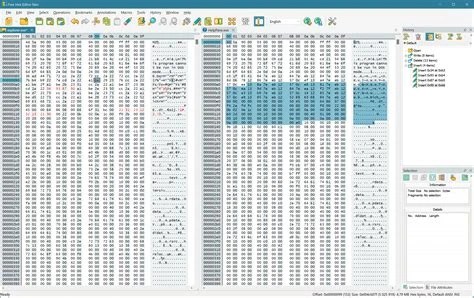
DER's strictness makes it well suited to environments where a certificate needs to be parsed quickly and unambiguously by software, without a human ever needing to read it directly.
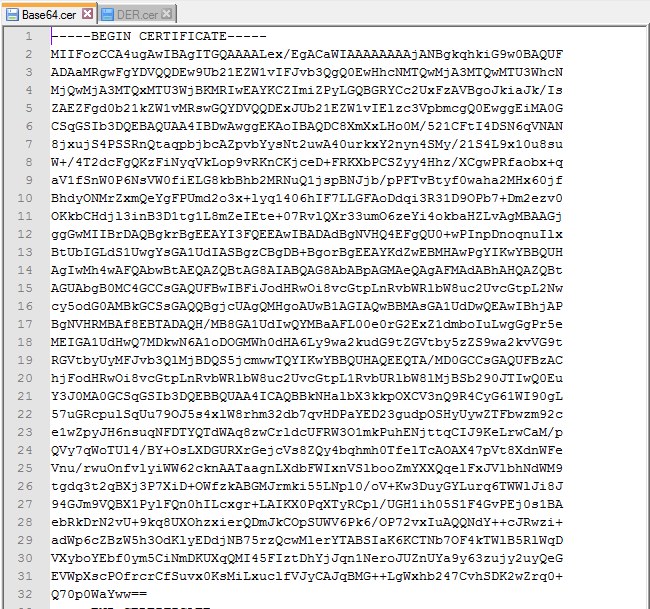
A base64 certificate, in the form most people encounter, is really a PEM file. PEM stands for Privacy-Enhanced Mail, a format that originated for encoding email content but became the standard container for cryptographic material on the web. To create a PEM certificate, the raw DER bytes are run through base64 encoding, which converts binary data into a restricted set of 64 printable ASCII characters. The result is then wrapped with delimiter lines:
-----BEGIN CERTIFICATE----------END CERTIFICATE-----This structure is explored in more depth in this piece on whether PEM files are base64 encoded. The short answer is yes, the payload inside a PEM file is base64-encoded DER data, and the header/footer lines exist purely to mark where that payload starts and ends, since PEM files can contain more than just certificates (private keys, CSRs, and certificate chains all use the same convention with different header text).
Because it's plain text, a PEM/base64 certificate can be pasted into an email, copied into a configuration file, or viewed directly with any text editor. That single property explains most of why base64 vs der debates come up in the first place.
Once you understand that both formats encode identical certificate data, the practical differences come down to representation rather than content.
Neither format is more "correct" than the other, and neither offers stronger security. The base64 vs der choice is purely about compatibility with whatever system is consuming the certificate.
Extensions offer a hint but not a guarantee. .pem and .crt are usually base64/PEM text. .der is almost always binary. .cer is the tricky one, since it's used by both Windows and other tools for either encoding, so the extension alone can't be trusted.
The fastest check is opening the file in a plain text editor. If you see readable text starting with -----BEGIN CERTIFICATE-----, it's base64/PEM. If you see unreadable binary characters, it's DER.
On Linux or macOS, running file certificate.ext will usually report whether the file is ASCII text or binary data. OpenSSL can confirm the format directly:
openssl x509 -in certificate.ext -inform PEM -text -noout will succeed if the file is PEM/base64.openssl x509 -in certificate.ext -inform DER -text -noout will succeed if the file is DER.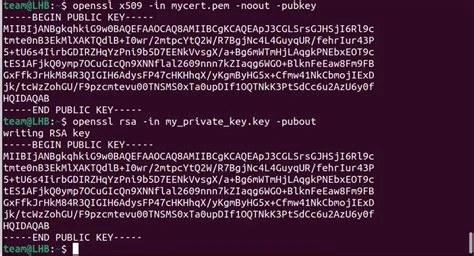
Apache and Nginx configurations expect PEM/base64 certificate files, so admins working with these servers deal almost exclusively with base64-encoded certificates and chains.
Java keystores (JKS/PKCS12) and many Java APIs work natively with DER-encoded certificates, making DER the more common format in Java-based enterprise systems.
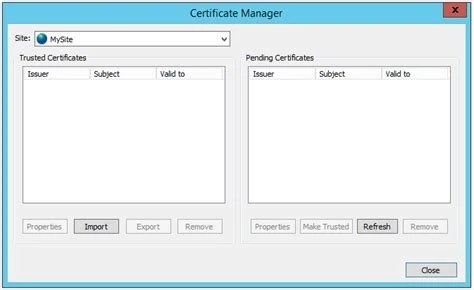
The Windows certificate store commonly imports and exports certificates in DER format, particularly through the Certificate Manager MMC snap-in.
Devices with limited storage and processing power favor DER because it avoids the size overhead and parsing cost of base64 text encoding.
Deploying certificates through configuration management tools, environment variables, or version control systems favors base64/PEM because text integrates more easily into these pipelines.
Systems that historically exchanged cryptographic material over text-based protocols rely on base64/PEM for the same reason PEM was designed for email in the first place.
Base64/PEM is the right choice whenever a certificate needs to move through a text-based channel or be read by a person. Web servers like Apache and Nginx expect certificate and key files in PEM format by convention, and their configuration files reference .pem or .crt paths accordingly. Email systems that exchange signed or encrypted messages also rely on the PEM convention, which is where the format's name originates.
Base64 is also the practical choice any time a certificate needs to be pasted directly into a form, a script, an environment variable, or a configuration management template. Version control systems handle text diffs far better than binary blobs, so certificates stored in a git repository are almost always kept in PEM form.
DER is the better fit when a system prioritizes compact size and fast, unambiguous parsing over human readability. Java keystores frequently store certificates in DER form internally, and many Java cryptography APIs expect DER input directly. Windows certificate stores and several Microsoft tools default to DER when exporting certificates, particularly in enterprise PKI deployments.
Embedded and IoT devices, where storage is limited and every parsing cycle counts, also favor DER. Skipping the base64 decoding step reduces both file size and processing overhead, which matters on constrained hardware. In general, anywhere a certificate is consumed entirely by machines and never inspected by a person, DER has a slight efficiency edge.
Because both formats hold identical data, conversion is a matter of encoding, not transformation of content. OpenSSL handles this directly:
openssl x509 -in cert.pem -outform der -out cert.deropenssl x509 -in cert.der -inform der -out cert.pem -outform pemThe -inform and -outform flags tell OpenSSL what to expect on input and what to produce on output; getting these backwards is the most common source of conversion errors. When converting to PEM, OpenSSL automatically adds the correct header and footer lines and wraps the base64 output at the standard line length, so there's no need to construct those delimiters manually. Anyone unfamiliar with how base64 decoding works under the hood may find it useful to review this technical reference on base64 decode before troubleshooting conversion issues.
In most real deployments, the base64 vs der decision isn't really a free choice; it's dictated by the receiving system. The practical question is usually "what format does this tool, server, or platform require," rather than "which format do I prefer."
A few factors that tend to drive the decision:
A few misunderstandings come up repeatedly. The first is treating "base64" and "PEM" as separate things. In the context of certificates, they're effectively the same: PEM is the container format, and base64 is the encoding used inside it. Referring to a certificate as "base64" is shorthand for PEM in almost every practical case.
A second misconception is assuming DER is always smaller and therefore always more efficient overall. It's true that DER is smaller than the equivalent base64/PEM file, but the difference for a single certificate is typically a few hundred bytes, rarely enough to matter outside of extremely constrained embedded environments.
A third and more consequential misconception is assuming base64 and DER files are interchangeable without conversion. Because they represent identical data, it's tempting to think a system that fails to load a certificate is somehow rejecting invalid data. More often, it's simply expecting the other encoding and needs the file converted first. The format mismatch, not a broken certificate, is the actual problem in a large share of certificate-loading errors reported in server and application logs.
Effectively yes. A PEM file contains base64-encoded DER data wrapped in BEGIN/END header lines, so "base64 certificate" and "PEM certificate" describe the same thing in nearly all common usage.
No. Conversion only changes the encoding, not the underlying certificate data, so the signature and validity remain identical after converting in either direction.
Yes. Unlike .pem or .der, the .cer extension is used for both encodings, particularly on Windows, so the extension alone doesn't tell you which format you're dealing with.
If the certificate opens as readable text, it's PEM/base64, but the server or application may expect DER (or vice versa). Converting the file with OpenSSL to the expected format usually resolves this.
No. Base64 and DER differ only in representation, not in cryptographic strength, key material, or signature validity.
Stay up to date with new tools, blogs, and improvements.
We respect your privacy. No spam, unsubscribe anytime.