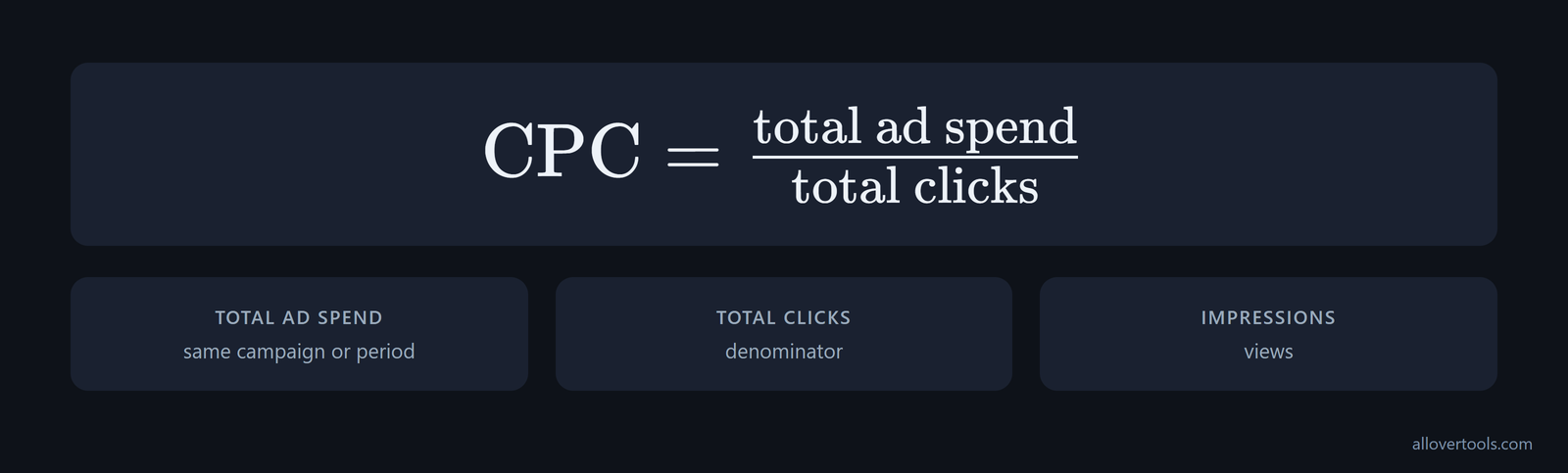
amazon ads cpc is the cost assigned to a click on a pay-per-click ad, while the bid is the maximum amount entered for the auction. Observed CPC equals total ad spend divided by total clicks for the same campaign or period. Impressions record views, but clicks supply the denominator. The CPC Calculator turns those reported totals into CPC locally in the browser.
What is Amazon Ads CPC?
CPC in Amazon Ads is the average cost assigned to clicks within a chosen campaign or period. You can read the bid as the auction ceiling, while CPC comes from spend attributed to clicks after the auction.
For sponsored ads cost per click, use one simple rule: divide total ad spend by total clicks from the same campaign and period. Don't pair a monthly spend total with a shorter click export. An impression records a view, so it doesn't belong in the denominator.
Which number belongs in the denominator? Clicks do.
Enter figures in the CPC Calculator; it processes them in the browser. Its code contains no network request for visitor-entered content.
CPC is not how every Amazon ad is priced
Check how the campaign charges before you read its spend. Sponsored Products are CPC ads. Sponsored Brands can use CPC or cost per 1,000 viewable impressions (VCPM), as described in Amazon's ad-model overview. With VCPM, viewable impressions can drive cost even when click volume is low.
The pricing model determines the useful denominator. Use clicks to interpret CPC for a CPC campaign or objective. Don't turn VCPM spend into a click-based comparison. When you compare ROAS, keep the pricing model beside the revenue and spend totals, or a low click count can look like a low-cost CPC result.
CPC, bids, and impressions are different fields
CPC is the realized cost per click. A bid creates an auction ceiling. An impression is a view of the ad. Different fields, different jobs.
Keep your spend and clicks tied to one campaign and interval before dividing, because mixing scopes can make the reported average misleading even when each source is accurate, especially when your report joins different time ranges or views. With no clicks in your report, observed CPC has no defined value, even when spend is zero, because there's no denominator.
How Amazon Ads auctions and targeting work
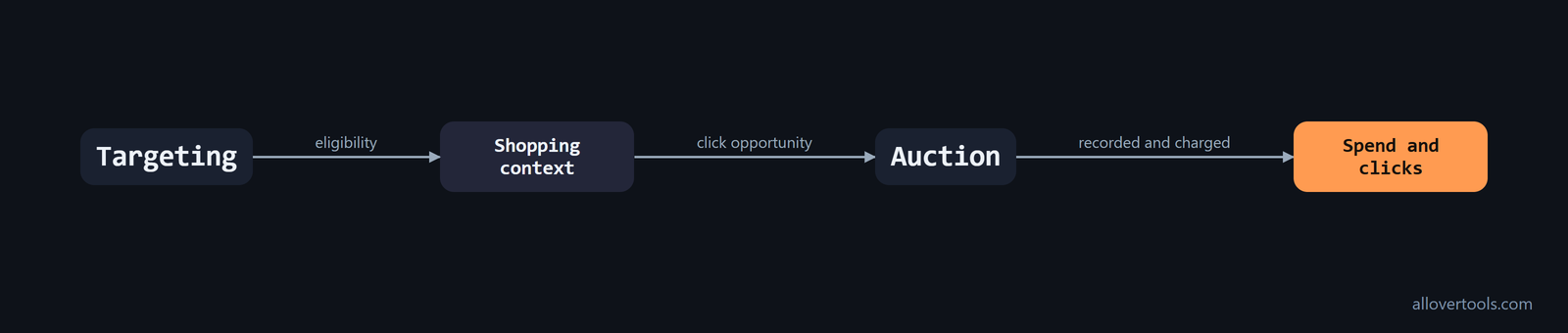
Set targeting, and your ad becomes eligible for a relevant shopping context. Eligible ads then compete in an auction. A win can create an opportunity for a click that is recorded and charged.
Your auction bid is the highest amount you're willing to offer for a click; it doesn't set the campaign budget or guarantee that amount as a charge. You won't pay that ceiling simply because you entered it.
That is the practical model behind amazon ppc basics: targeting opens eligibility, then the bid enters the auction, and reporting supplies the resulting spend and clicks. One bid doesn't become a universal price for every click.
What happens after targeting? Eligibility comes first.
Keyword targeting
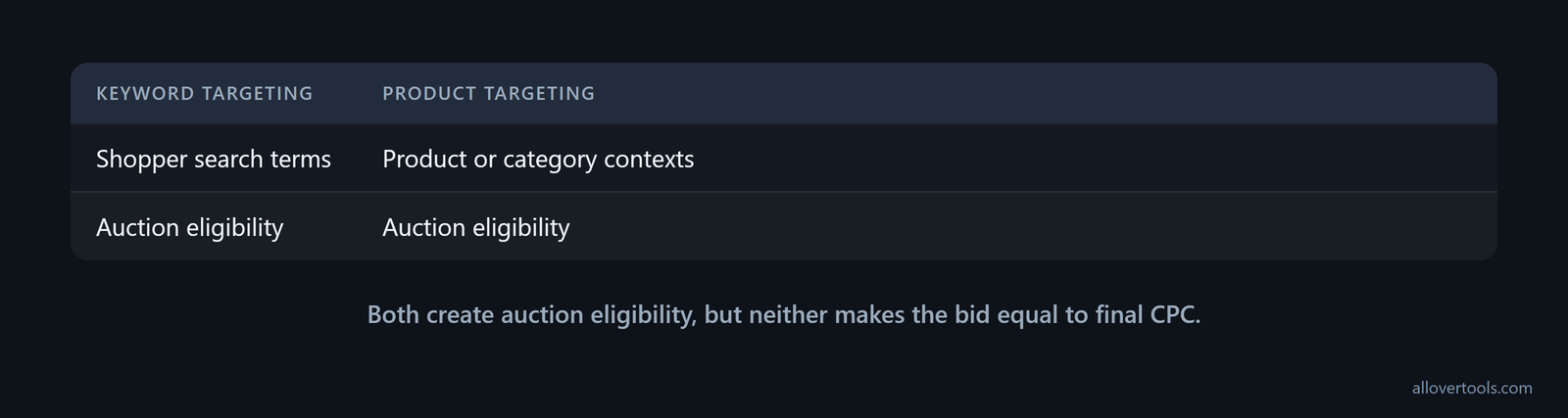
Keyword targeting connects an ad group or product to shopper search terms. The selected keyword and its match context help determine when the ad is eligible for an auction.
An eligible ad doesn't mean every impression becomes a click. Nor does it make the entered bid equal to the final CPC. You still need the report to determine the average from recorded spend and clicks.
If bids are set at more than one level, check the keyword before using the campaign or ad group default as the auction input. A keyword-level CPC bid takes precedence over the default CPC bid at the ad group or campaign level, according to Amazon's bid-setting rule.
This can explain an unexpected CPC or delivery pattern. The interface may show a broad default while one keyword uses its own bid. Check that individual keyword bid first, then compare it with the ad group or campaign default and the reported spend and clicks from the same scope.
Product targeting
Product targeting places a campaign into product or category contexts instead of relying only on a typed search term. Treat the selected product or category as the context for auction eligibility.
That context doesn't promise a particular CPC. Your reported clicks and spend determine the campaign's average.
Automatic targeting groups can have separate bids
Automatic targeting can use more than one CPC bid. You can use a single default bid or set separate bids for closest match, loose match, substitutes, and complements, as Amazon's targeting guide explains.
Read CPC by matching logic instead of assuming the campaign average applies equally to every automatic target. The group bid enters the auction for its own context, so compare each group's spend and clicks with the bid set for that group.
Amazon also ties this control to the campaign goal. Dynamic bids up and down can help maximize performance, while dynamic bids down only suit an advertiser optimizing for ROAS. Because that setting changes how the group bid is adjusted before the auction, record the strategy with the target group when diagnosing CPC.
What the auction decides
The auction combines the advertiser's bid with eligibility and auction conditions to decide whether an ad wins an opportunity. A successful outcome can allow a click to be recorded and charged.
Use campaign reporting for the exact realized amount. A universal second-price or next-bid equation wouldn't describe every reported result.
A bid is only one ranking input. Across retailers, Amazon says Sponsored Products auctions may consider the bid, how well the advertised product matches the shopper's context, and the likelihood that the customer will engage. A more relevant ad can win with a lower bid, according to Amazon's auction guidance. Improve the relevance of the keyword, product, or category context before assuming that a higher bid is the only way to win more opportunities.
The final price may not match the runner-up bid. A retailer may use a reserve that sets a minimum bid and charges at least that amount. A reserve can also affect the final price, letting the winning advertiser pay more than the runner-up bid without exceeding the adjusted maximum bid authorized. The second-price model is therefore an unsafe shortcut when you read CPC across retailers.
On retailer sites outside Amazon's own store, external demand sources may also compete. Retailers may combine Amazon Ads with other demand sources in one allocation process, so external-demand competition can change the winning CPC even when the advertised product and nominal bid are the same. Check the retailer context when comparing results from different sites.
How Amazon determines the final CPC
The CPC result reflects auction activity rather than a universal fixed rate. Your bid is the ceiling entered for an auction, while final CPC records the post-auction cost of a click, and it can be below that bid.
To calculate the observed result, take the spend total over the click total that matches the same selected scope. The bid field answers a different question.
Amazon pay per click describes the charge event: the click creates attributed spend, while the bid defines its auction ceiling.
A target CPC is useful for comparison during planning. It isn't a bid recommendation.
Dynamic bidding changes the bid used in the auction
The number typed into a campaign isn't always the number used in the auction. With dynamic bids up and down, Amazon can increase or decrease bids by up to 100% for all placements based on performance. A $1.00 base bid can therefore reach a maximum effective bid of $2.00, as Amazon's bidding guidance states.
Down-only bidding can reduce a bid by up to 100% for placements Amazon considers less likely to convert, effectively turning the bid off for low-quality traffic. Up-and-down bidding can apply the same range in both directions. Record the campaign's bidding strategy beside its base bid when you explain why CPC or delivery differs from the number entered.
Choose the adjustment range based on the campaign's objective. Amazon recommends dynamic up and down to help maximize performance, and dynamic down only when the main objective is to optimize for ROAS because it reduces lower-converting opportunities without raising bids. That goal-based choice is set out in Amazon's strategy guidance. Compare spend, clicks, and attributed revenue under the selected strategy instead of comparing base bids alone.
Rule-based bidding is its own control
Manual changes and Amazon's dynamic adjustments aren't the only options. Sponsored Products offers dynamic, fixed, and rule-based bidding strategies, so rule-based bidding is a separate option in the campaign setup, according to Amazon's bidding options.
Use a rule-based strategy when CPC should respond to defined performance or other criteria through a structured rule, rather than through repeated manual edits or only Amazon's dynamic adjustment. Keep the strategy in the audit trail. A change to the rule can change the bid that enters later auctions, so pair the rule setting with the campaign's spend, clicks, and reporting period when evaluating the observed CPC.
Bid versus actual CPC
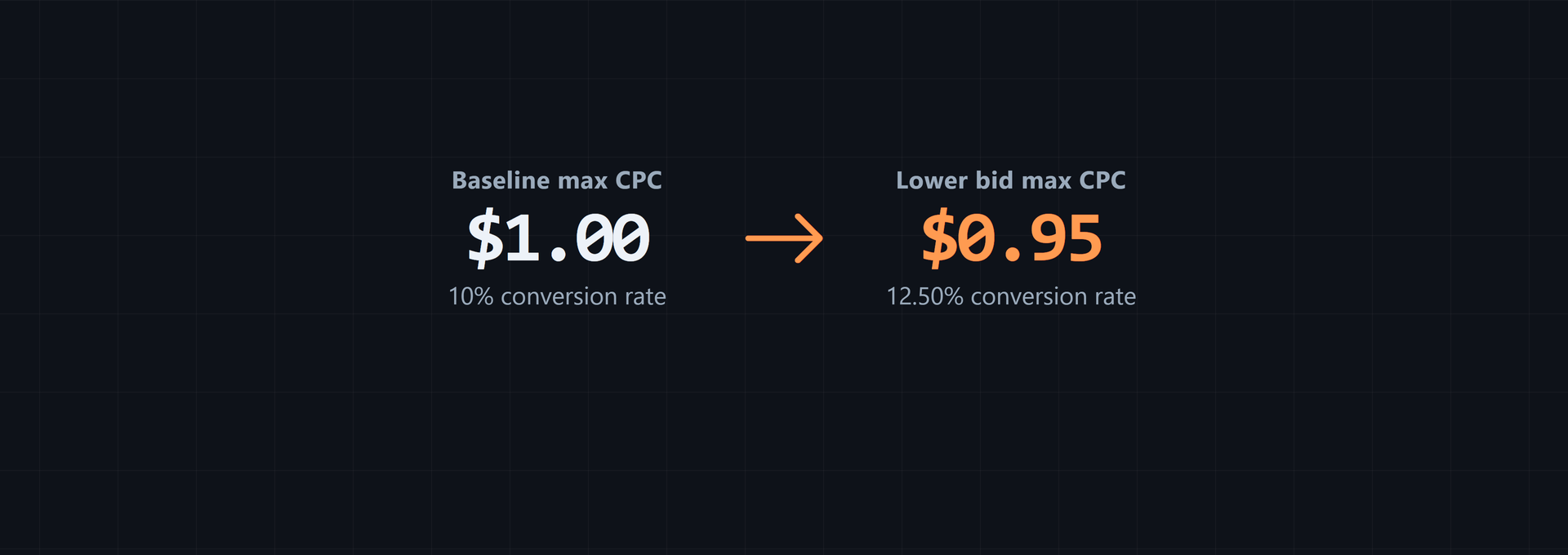
A $1.00 bid caps the auction offer. Actual CPC records a click's attributed amount. A chosen $1.00 bid can coexist with an actual CPC below $1.00.
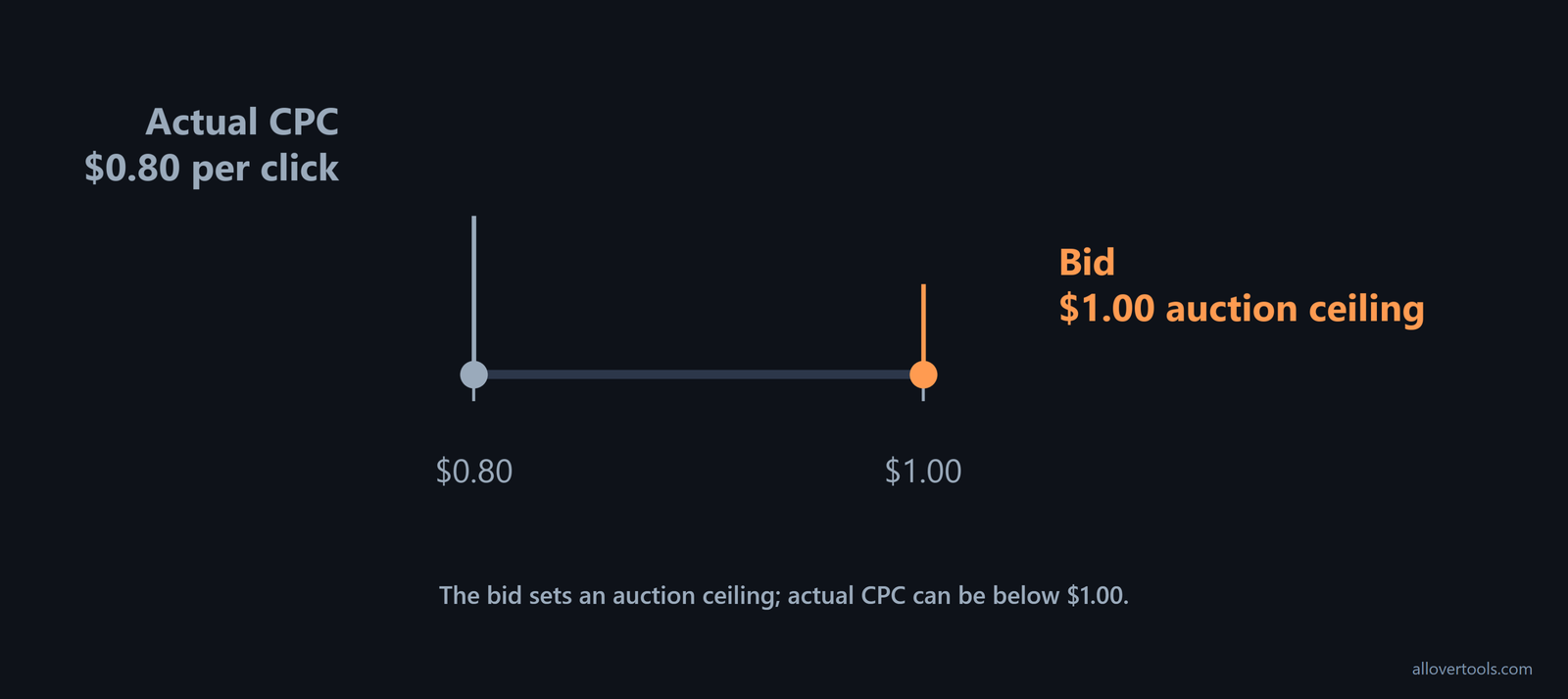
The gap can vary between auction outcomes. It isn't a guaranteed discount. Your report's click and spend totals show the realized average.
Placement and audience settings can widen that gap. Sponsored Products lets you adjust bids by audience or placement as well as choose a dynamic, fixed, or rule-based strategy. Those adjustments apply to the underlying bid selected by the strategy, as Amazon's placement guidance describes. If the same nominal keyword bid produces different CPCs, break the report out by placement or audience and check the adjustment before changing the base bid.
The safe calculation from a report
Divide the spend total by its paired click count for one campaign interval. You should confirm that both totals cover the same scope before doing the calculation.
CPC = total ad spend / total clicksThis gives the realized average CPC for the selected scope. It doesn't reconstruct each individual auction charge. A report with no clicks leaves observed CPC undefined.
Budget pacing is a separate check from average CPC. For CPC Sponsored Products, Sponsored Brands page visits, and certain Display campaigns, each click deducts the bid amount from the daily budget. Amazon also warns advertisers never to bid more than they are willing to pay for a click in its bidding rules. A high bid can deplete the daily budget faster than the historical average CPC suggests, especially when dynamic up-and-down bidding raises the effective bid.
Before increasing a bid, compare three values: the amount you're willing to pay for one click, the daily budget available for clicks, and the observed CPC calculated from spend divided by clicks. The last value describes what happened. It doesn't override the bid amount used for budget depletion.
Worked Sponsored Products campaign example
This Sponsored Products example uses chosen values for illustration, not a benchmark or Amazon recommendation. The target supplies auction eligibility, the bid takes part in the auction, with realized totals coming from the report. Check the result against the same campaign scope.
Chosen inputs and CPC math
The campaign total has $240.00 in ad spend and 300 clicks; its chosen bid is $1.00. Keep all three values tied to one reporting scope.
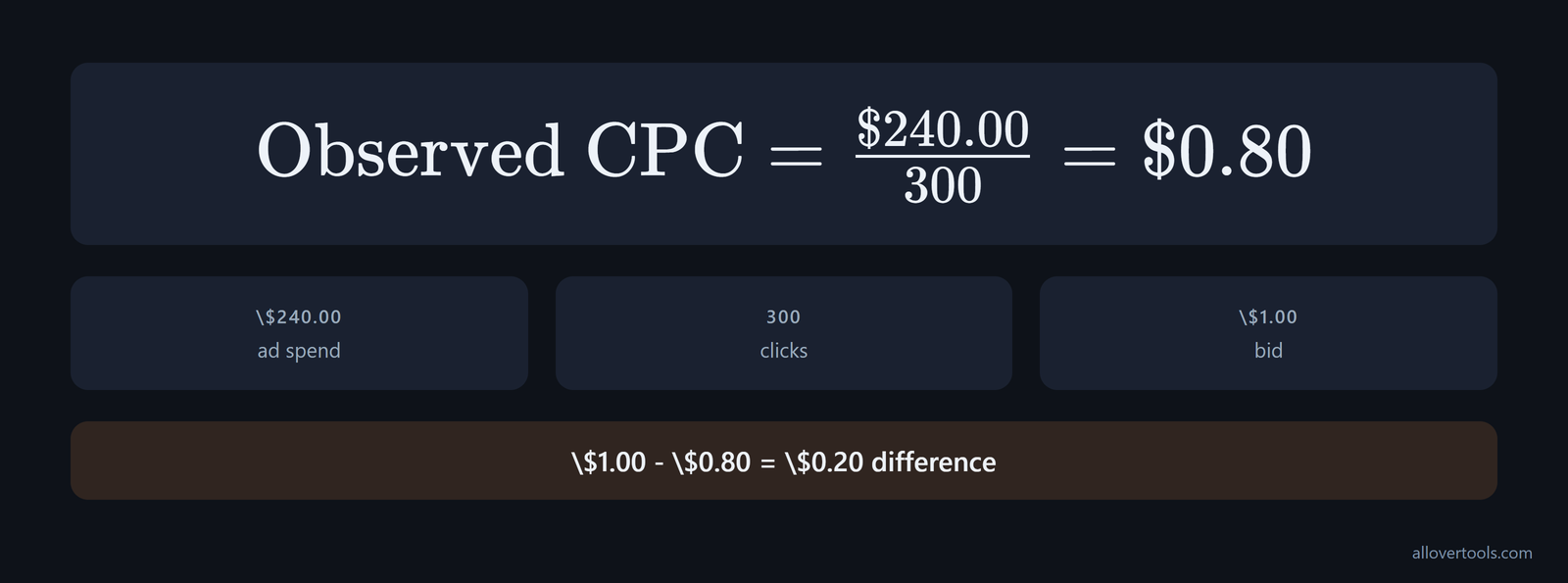
Total ad spend: $240.00
Total clicks: 300
Bid: $1.00

Observed CPC = $240.00 / 300
Observed CPC = $0.80 per click

Bid minus observed CPC = $1.00 - $0.80
Difference = $0.20 per click.
The $0.20 difference describes this chosen scenario only. It's arithmetic between the selected bid and observed average, not a promised auction discount.
Use the CPC Calculator to perform the same division from the spend and click totals.
Running the same figures through the calculator
Enter the figures through these visible controls:
- Choose Currency = USD ($).
- Choose Period = Campaign total.
- Enter Total ad spend = 240.
- Enter Total clicks = 300.
- Leave Target CPC - optional blank.
- Click Calculate CPC.
The CPC result should read Cost per click (CPC) = $0.8000. The other checks are Implied cost per 1,000 clicks = $800.00 and Total clicks (period) = 300.
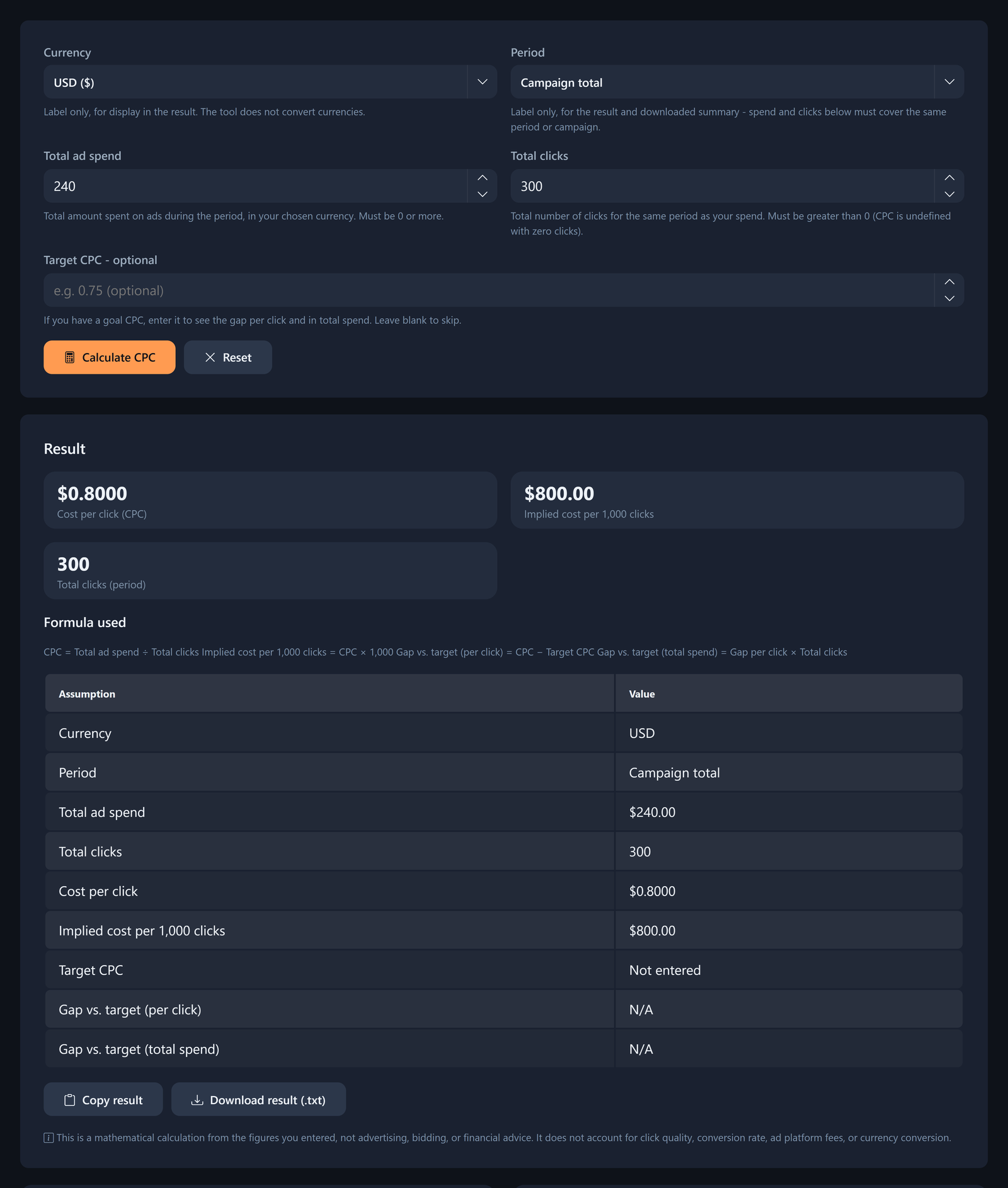
The $800.00 figure is $0.80 multiplied by 1,000. It scales a click-based CPC; it isn't an impressions-based CPM.
If you change an input, the result hides until Calculate CPC is clicked again. In this scenario, the keyword or product target opens an eligible context, while the bid joins the auction and the report supplies realized spend and clicks.
How to measure Amazon ROAS from CPC
Amazon ROAS divides attributed revenue by total advertising spend for one selected campaign or period. CPC supplies spend per click, but ROAS also needs attributed revenue.
Reuse the chosen $240.00 spend and add chosen attributed sales of $1,200.00. The report's revenue attribution supplies the revenue total.
CPC-to-ROAS calculation
Start with clicks multiplied by CPC to reconstruct spend. Then divide attributed sales by spend. That's the chain.
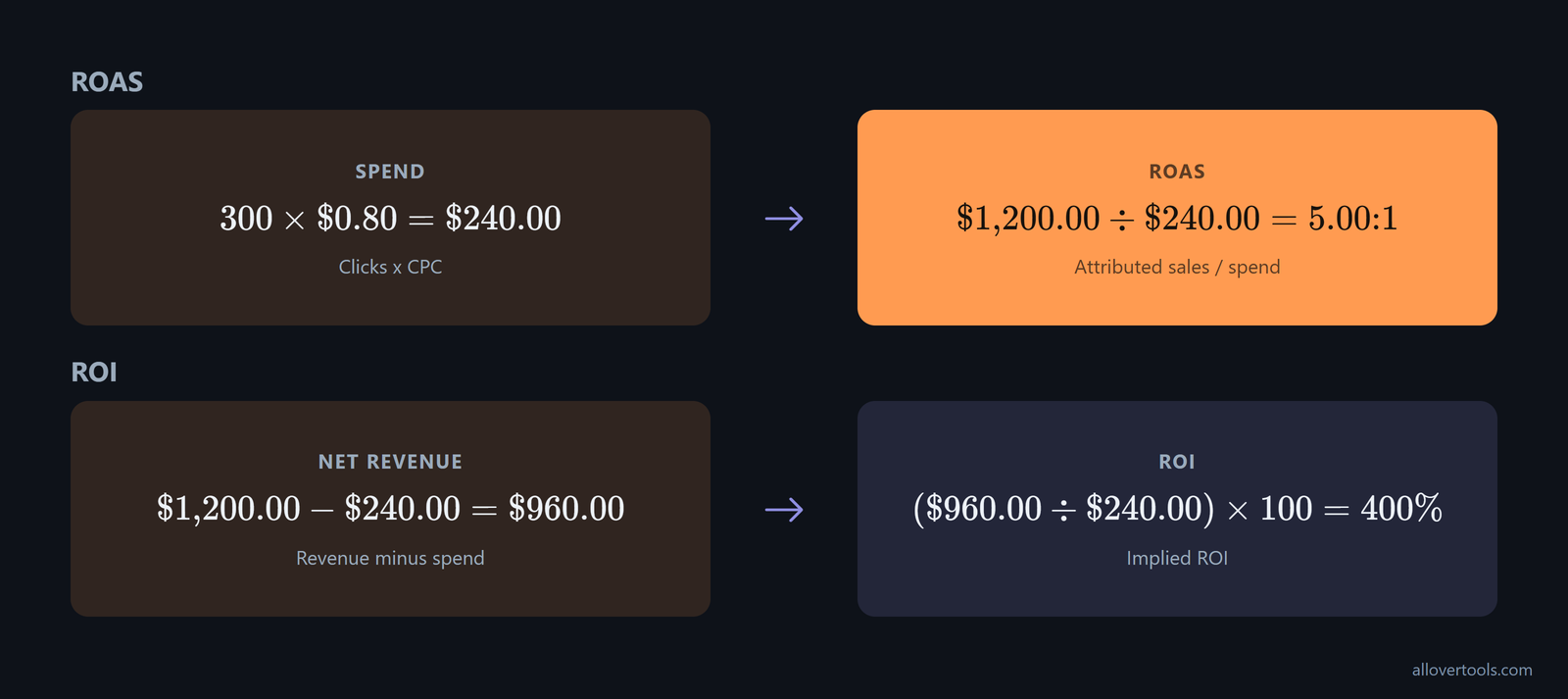
Clicks x CPC = 300 x $0.80 = $240.00 spend

ROAS = $1,200.00 / $240.00 = 5.00:1
Revenue minus spend = $1,200.00 - $240.00 = $960.00
Implied ROI = ($960.00 / $240.00) x 100 = 400%.
These are chosen outputs, not a claim about what a campaign should achieve. They depend on your report's revenue attribution. Non-ad costs are outside this calculation, so the result doesn't establish profitability.
For one campaign, use the ROAS Calculator with Currency and Period. Then enter Total advertising spend, Attributed revenue, Target ROAS - optional, and click Calculate ROAS. You can use the result as a direct ratio.
When to use the other calculators
For several campaign rows, the Marketing Metrics Calculator calculates CPC, ROAS, CPM, CTR, and conversion rate together. Compare the rows side by side.
Enter Campaign name, Spend, Impressions, Clicks, Conversions, and Revenue for each row. The remaining visible controls are Currency, Attribution assumption, and Calculate metrics. Your row still needs matching figures.
This calculator shows N/A when a metric has a zero denominator. Inspect actual CPC for auction efficiency, then inspect ROAS using attributed revenue. A bid or target CPC can't replace either result.
Frequently asked questions
Does Amazon Ads charge your bid or a lower CPC?
Your bid forms the auction ceiling. Actual CPC is the click charge after the auction and may be lower. Divide reported spend by reported clicks to see the realized average.
How can you calculate Amazon Ads CPC from a campaign report?
Use the reported spend with the click count from a single campaign or reporting period. No clicks means there's no observed CPC.
Are keyword targeting and product targeting the same for CPC?
No. Keyword targeting uses shopper search-term context, while product targeting uses product or category context. Both create auction eligibility, but neither makes the bid equal to final CPC.
How does CPC affect Amazon ROAS?
CPC helps determine ad spend from click volume, while ROAS is attributed revenue divided by ad spend. A ROAS calculation needs attributed revenue as well as CPC-related spend.
Can you calculate Amazon Ads CPC without connecting an ad account?
Yes. The CPC Calculator uses the entered Total ad spend and Total clicks values, with optional Currency, Period, and Target CPC - optional labels. Its code performs the arithmetic inside your browser and doesn't fetch account data or send the entered values to a server.