Average CPC is the average amount paid for each click within a defined campaign, ad group, channel, or reporting period. This guide shows how to calculate average CPC from total ad spend and total clicks, compare it with the price of one click, and check the result in the CPC calculators. Keep spend and clicks within the same scope and period.
What average CPC means
It's an aggregate measure, which folds the cost of every click in the selected campaign or ad group, so a channel or reporting period can define the same scope and keep the result as one figure.
Actual CPC is one click's charge. Those charges form the metric and are weighted by click count, so many cheap clicks can pull it down while dearer clicks pull it up.
Check the scope first.
Does your spend cover the same traffic and period as your clicks? Mismatch combines two data sets.
Average CPC versus an individual click price
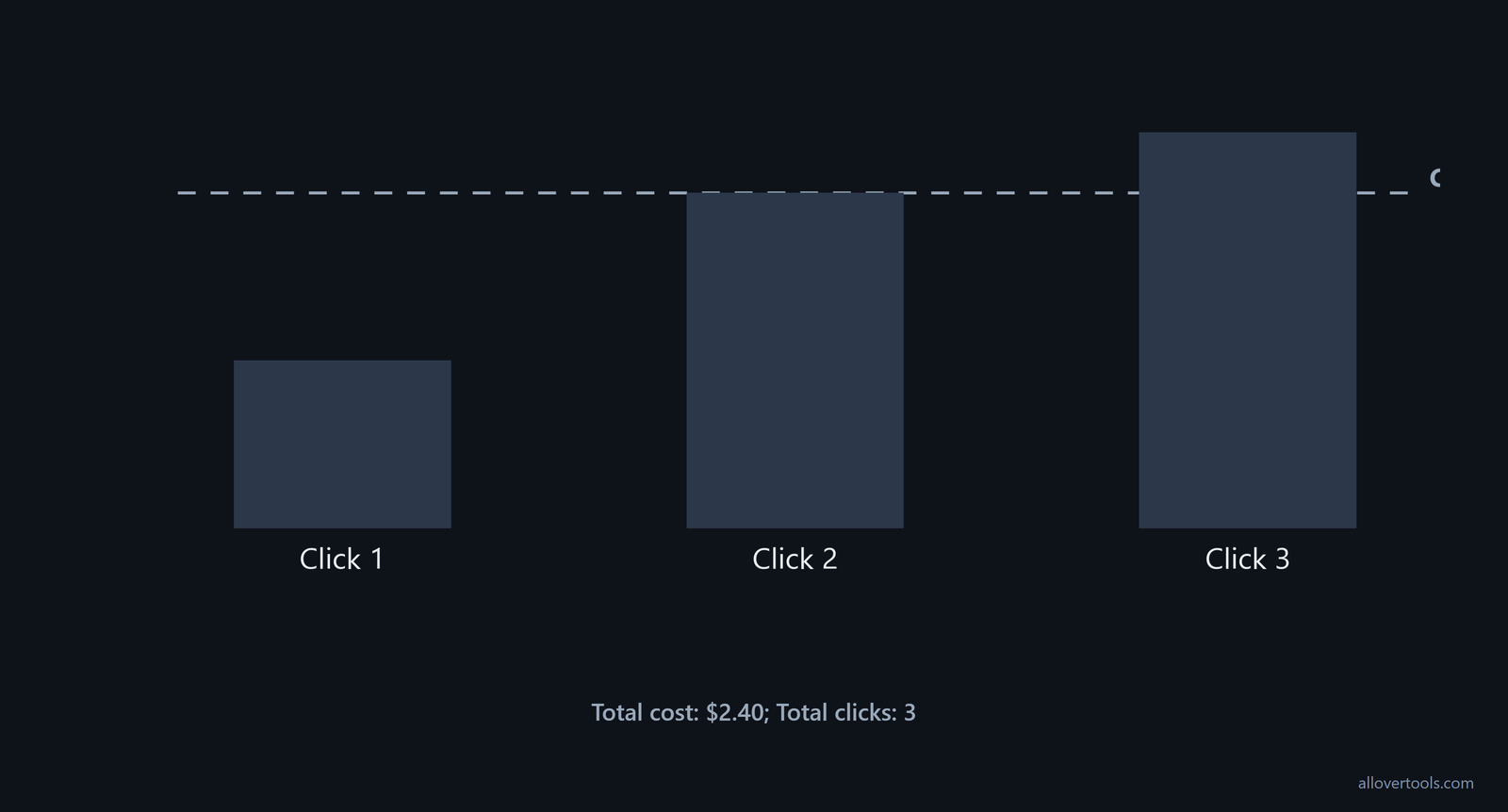
These chosen values show the point: an average doesn't need to match any individual price.
Click 1 actual CPC: $0.40
Click 2 actual CPC: $0.80
Click 3 actual CPC: $1.20

Total cost: $0.40 + $0.80 + $1.20 = $2.40
Total clicks: 3
CPC average: $2.40 ÷ 3 = $0.80
Each listed price is an actual CPC. The $0.80 result spreads $2.40 across three clicks, so it doesn't say every click cost $0.80.
How to calculate average CPC from spend and clicks
Use one currency label for both inputs. Match the campaign scope and reporting period, because the numerator and denominator must describe the same traffic before you compare the result.
Use CPC = total ad spend ÷ total clicks. Zero clicks leave the result undefined because division by zero has no answer.
The formula with a chosen report total
Use your chosen totals.
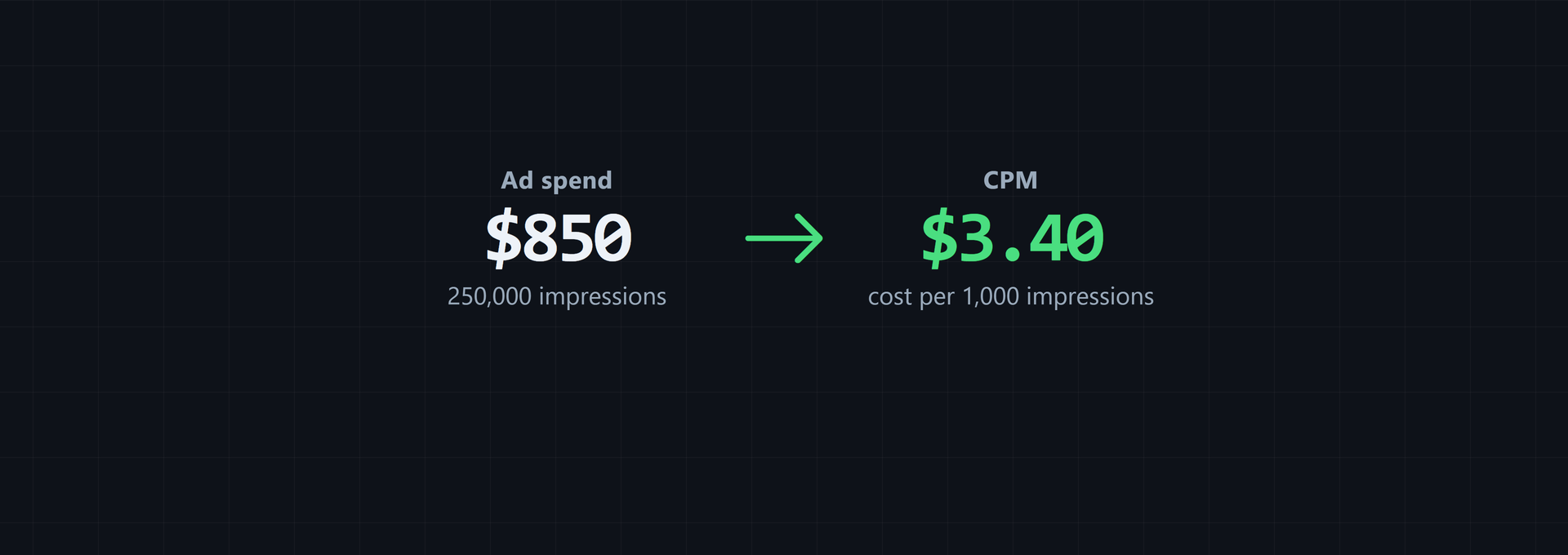
Total ad spend: $850
Total clicks: 1,200

CPC = $850 ÷ 1,200
CPC = $0.708333...
Rounded to four decimal places: $0.7083

Implied cost per 1,000 clicks = $0.708333... × 1,000
Implied cost per 1,000 clicks = $708.33
Rounding changes display precision, not the ratio. Use the original totals when you check a displayed value. Use the raw ratio.
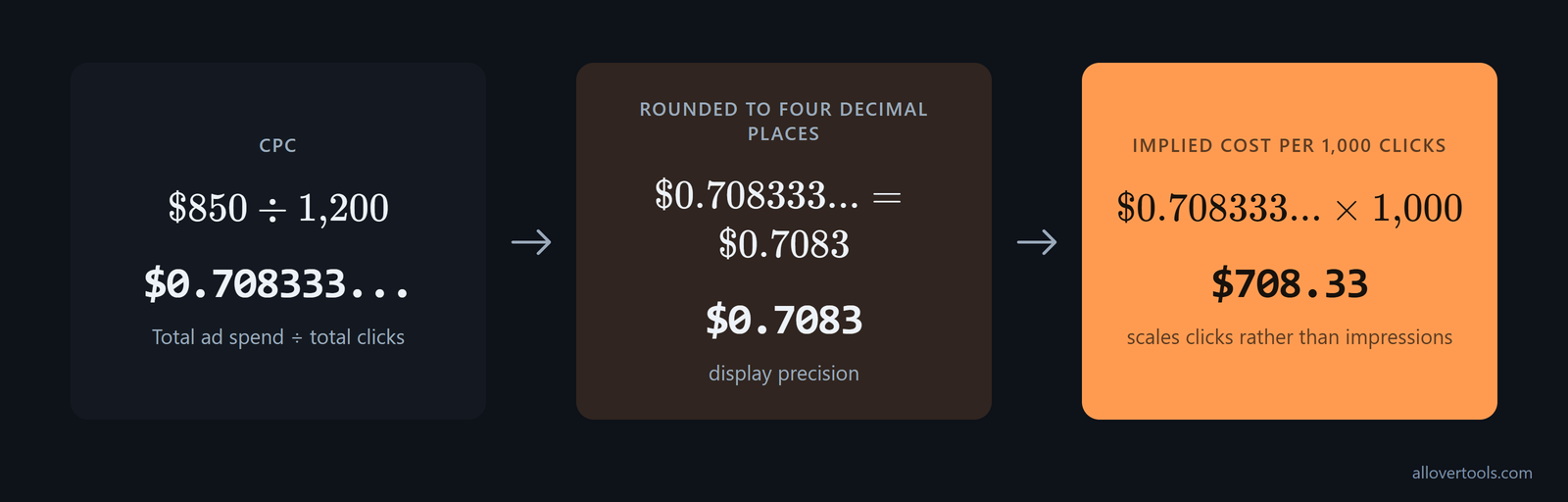
That tool also reports CPC x 1,000 as a separate figure. Why? It scales clicks rather than impressions, so it isn't an impression-based CPM.
To check the figures in the CPC Calculator, choose Currency and Period. Enter Total ad spend and Total clicks. Optionally enter Target CPC - optional, then click Calculate CPC.
You can change the label, but it will not convert currency or alter the arithmetic. Currency is a display label; Period labels the result. Enter totals that already share the intended currency and date boundary.
Need privacy reassurance? The calculator source has no fetch or XMLHttpRequest. It also has no sendBeacon or form-post calculation path carrying the entered figures, so your numbers stay in the browser and are not sent to a server.
Steps in the CPC Calculator
Enter your controls in this order.
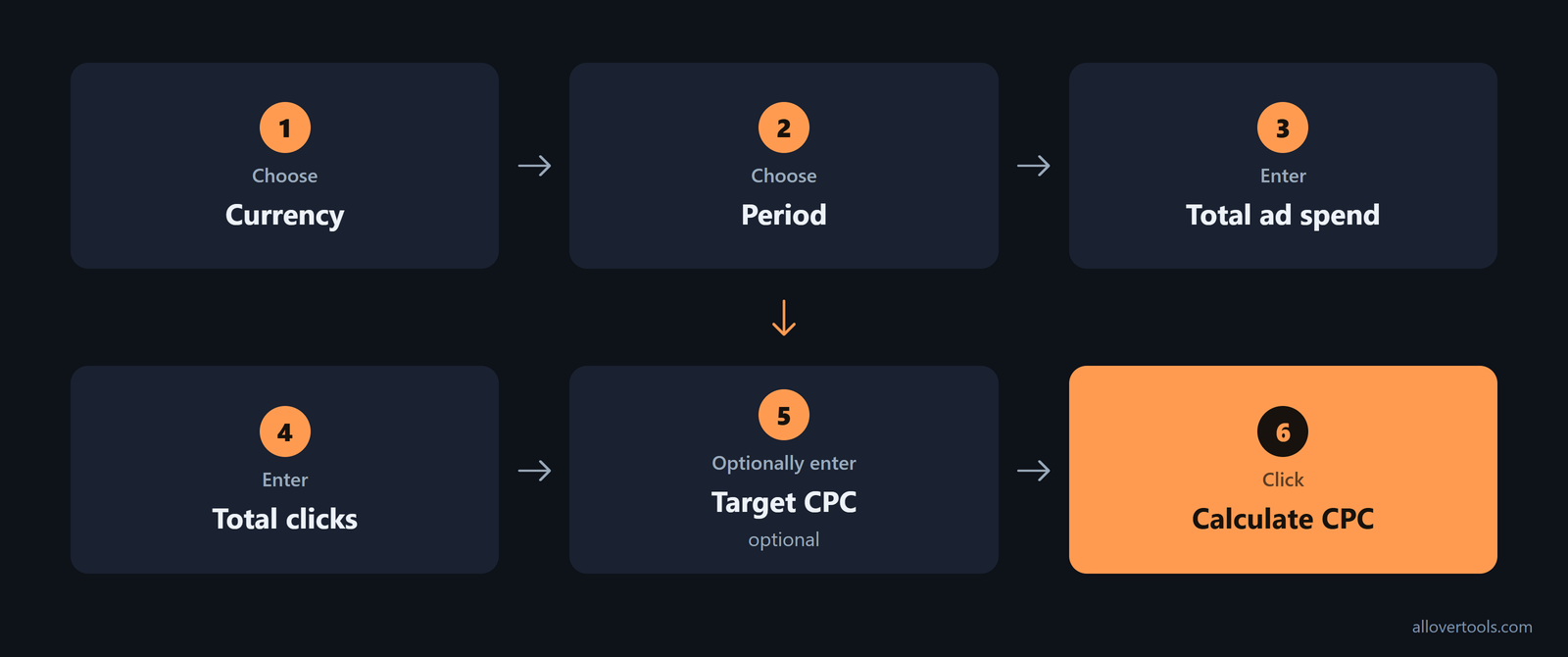
- Choose
Currency. - Choose
Period. - Enter
Total ad spend. - Enter
Total clicks. - Optionally enter
Target CPC - optional. - Click
Calculate CPC.
Total clicks must be greater than 0. The other two numeric fields accept 0 or more.
Change a value? The old result hides until you click Calculate CPC again.
How Avg. CPC appears in campaign reports
A campaign report usually shows the average as a currency metric for the chosen campaign or ad group, with channel and period rows handled the same way. The figure summarises the spend and clicks in that scope.
Before comparing rows, check the scope and date range. Confirm the currency and click definition too. One month's average can describe different traffic from another row.
Want to validate a row? Copy its spend and clicks into the formula because averaging rounded CPC values gives rows with different click counts equal weight.
For an avg cpc google ads row, use its spend and clicks. Match the currency and reporting boundaries before you interpret the cpc reporting metric.
How to compare average CPC benchmarks
Compare an Avg. CPC with the channel that produced the clicks before calling it high or low. One 2025-2026 statistics set reports about $0.08 on X (Twitter) Ads and $0.02-$1.00 on TikTok Ads, compared with $5.26 on Google Search and $5.58 or more on LinkedIn Ads.
It lists Google Display at $0.63, Microsoft/Bing Ads at $1.54, Facebook Ads at $1.11-$1.72, Instagram Ads at $1.43, YouTube Ads at $3.56, and Amazon Ads at $0.98. See the channel figures.
| Channel | Reported average CPC |
|---|---|
| Google Search | $5.26 |
| Google Display | $0.63 |
| Microsoft/Bing Ads | $1.54 |
| Facebook Ads | $1.11-$1.72 |
| Instagram Ads | $1.43 |
| LinkedIn Ads | $5.58+ |
| TikTok Ads | $0.02-$1.00 |
| YouTube Ads | $3.56 |
| Amazon Ads | $0.98 |
| X (Twitter) Ads | About $0.08 |
Industry is another comparison you need to make. In the same report, Google Search averages are $8.58 for Attorneys & Legal Services, $7.85 for Dentists, $6.23 for Education & Instruction, $5.81 for Personal Services, $5.70 for Beauty & Personal Care, $3.90 for Automotive Repair & Services, and $2.05 for Restaurants & Food. Education & Instruction also shows a 41.9% year-over-year increase, while Beauty & Personal Care shows a 60.1% year-over-year increase in the industry table.
| Google Search industry | Average CPC |
|---|---|
| Attorneys & Legal Services | $8.58 |
| Dentists | $7.85 |
| Education & Instruction | $6.23; 41.9% year-over-year increase |
| Personal Services | $5.81 |
| Beauty & Personal Care | $5.70; 60.1% year-over-year increase |
| Automotive Repair & Services | $3.90 |
| Restaurants & Food | $2.05 |
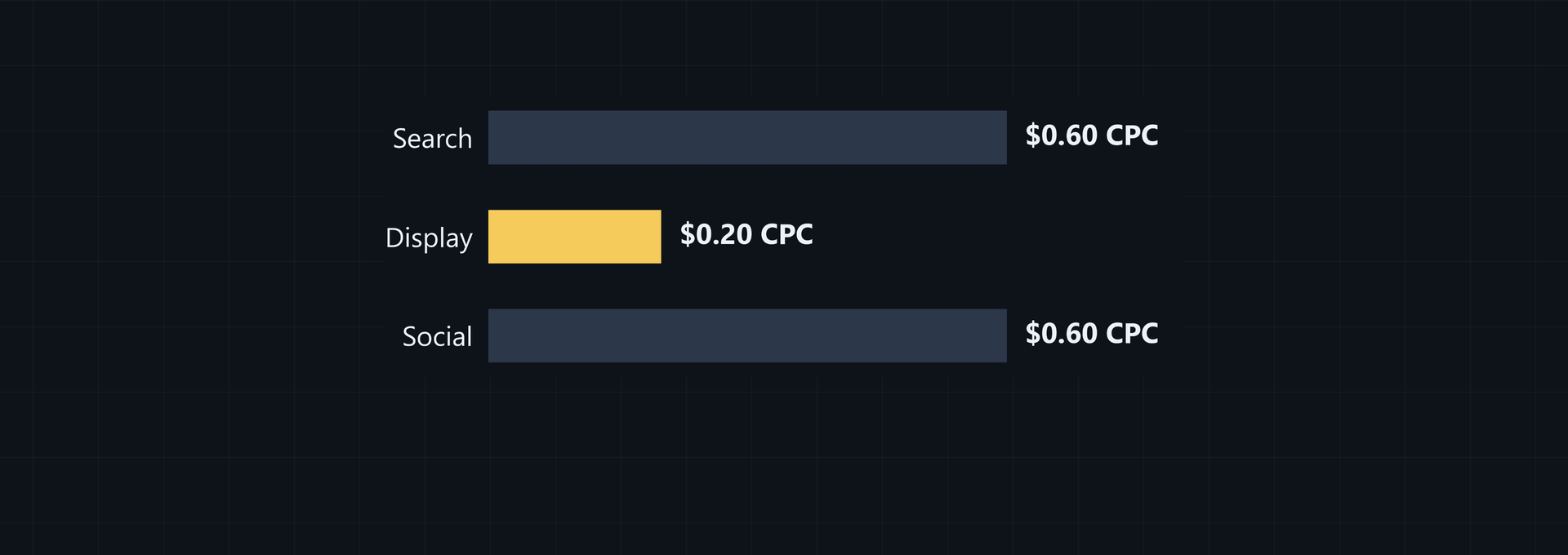
Channel mix can shift an account average even when the industry is unchanged. In U.S. data, social ad CPC is typically less than one-fifth of search ad CPC. For apparel and fashion, the comparison lists search at $4.44 and social at $0.86, according to the U.S. comparison.
When you read a blended Avg. CPC, check the channel mix before blaming a bid or campaign setting.
Geography can shift it as well. Facebook Ads CPC is about $0.97 per click in the U.S. and Canada, $0.90 in Australia, $0.85 in the United Kingdom, and $0.80 in Germany. Compare like-for-like markets before treating the difference as a setup problem; the figures are in country-level data.
Check search and display separately in a Google Ads account. In the 2026 ranges, average CPC is $2-$4 on search and $0.50-$1 on display. A higher search row next to a lower display row can fall within the stated ranges, not signal a calculation error.
Don't fixate on one published Google Search average. A 2026 compilation puts the Google-weighted benchmark at $5.26 CPC, 6.7% CTR, 7.5% conversion rate, and $70.11 cost per lead. WordStream's broad Search benchmark is $4.22 CPC, 6.1% CTR, 7.0% conversion rate, and $53.52 CPA/CPL. The gap between the two datasets is why external figures work better as rough references than exact targets.
Use Avg. CPC to optimize campaigns and keywords
Read the report at the level where you'll make the decision. Sort Avg. CPC by campaign and ad group to see what each click costs and find ad groups worth comparing. Pair that result with conversion and revenue metrics before favoring one ad group, as described in the ad-group guidance.
At campaign level, Avg. CPC is the average amount paid across the campaign. It shows which campaigns cost the most per click and gives you a basis for bid-strategy adjustments intended to improve return on investment.
Compare the row with campaign performance before moving budget: CPC describes cost, not the whole outcome. This use is set out in the campaign metric guide.
At keyword level, Avg. CPC narrows the check. Find terms that stay expensive, compare their cost with conversion value, then decide whether to lower bids, adjust match types, or refine targeting.
Spend more on terms with lower CPC and high value only when that comparison supports it. The keyword-level use is described in the keyword guidance.
Validate a report row with the Marketing Metrics Calculator
In that calculator, the first controls are Campaign name and Spend. You also use Impressions and Clicks, plus Conversions. The remaining controls are Revenue and Currency. They also include Attribution assumption and Calculate metrics.
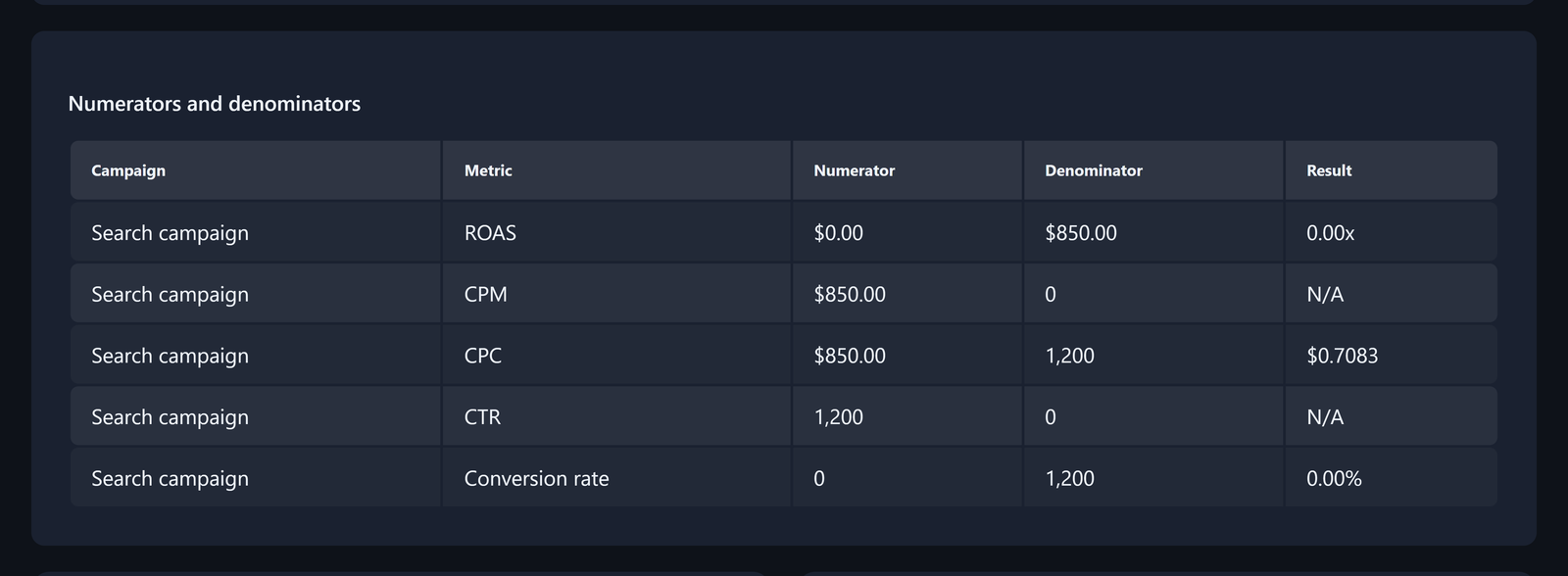
For the validation row, enter Search campaign for Campaign name and 850 for Spend. Enter 1,200 for Clicks. Leave unrelated numeric fields blank when there's no data; blank numeric fields are treated as 0.
Click Calculate metrics in the Marketing Metrics Calculator. The CPC result is:
$850 ÷ 1,200 = $0.708333...
Displayed CPC: $0.7083
You can see the CPC result in the Results table. The Numerators and denominators table shows $850 as the numerator and 1,200 as the denominator, so you can check the displayed value against the row inputs.
Attribution assumption labels the conversion and revenue figures already supplied. It doesn't alter CPC because CPC uses only Spend and Clicks.
This calculator's workflow has no fetch or XMLHttpRequest. It also has no sendBeacon or form-post request carrying the entered figures, so your inputs remain in the browser.
How bid adjustments change average CPC
A bid adjustment changes the aggregate only when new paid clicks and spend enter the calculation. A click priced above the current average pulls it up; a lower-priced click pulls it down.
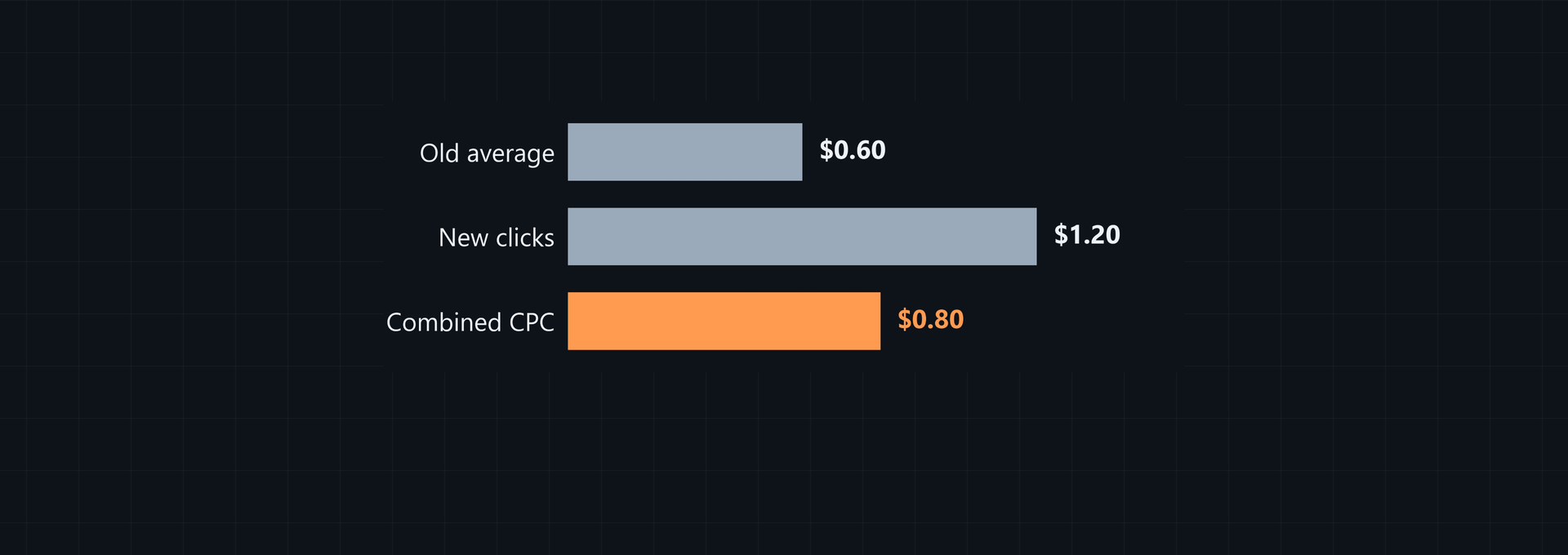
Suppose 100 clicks cost $0.60 each. Spend is $60, so the average is $0.60. Then 50 clicks at $1.20 each add another $60 of spend.
That's the mix.
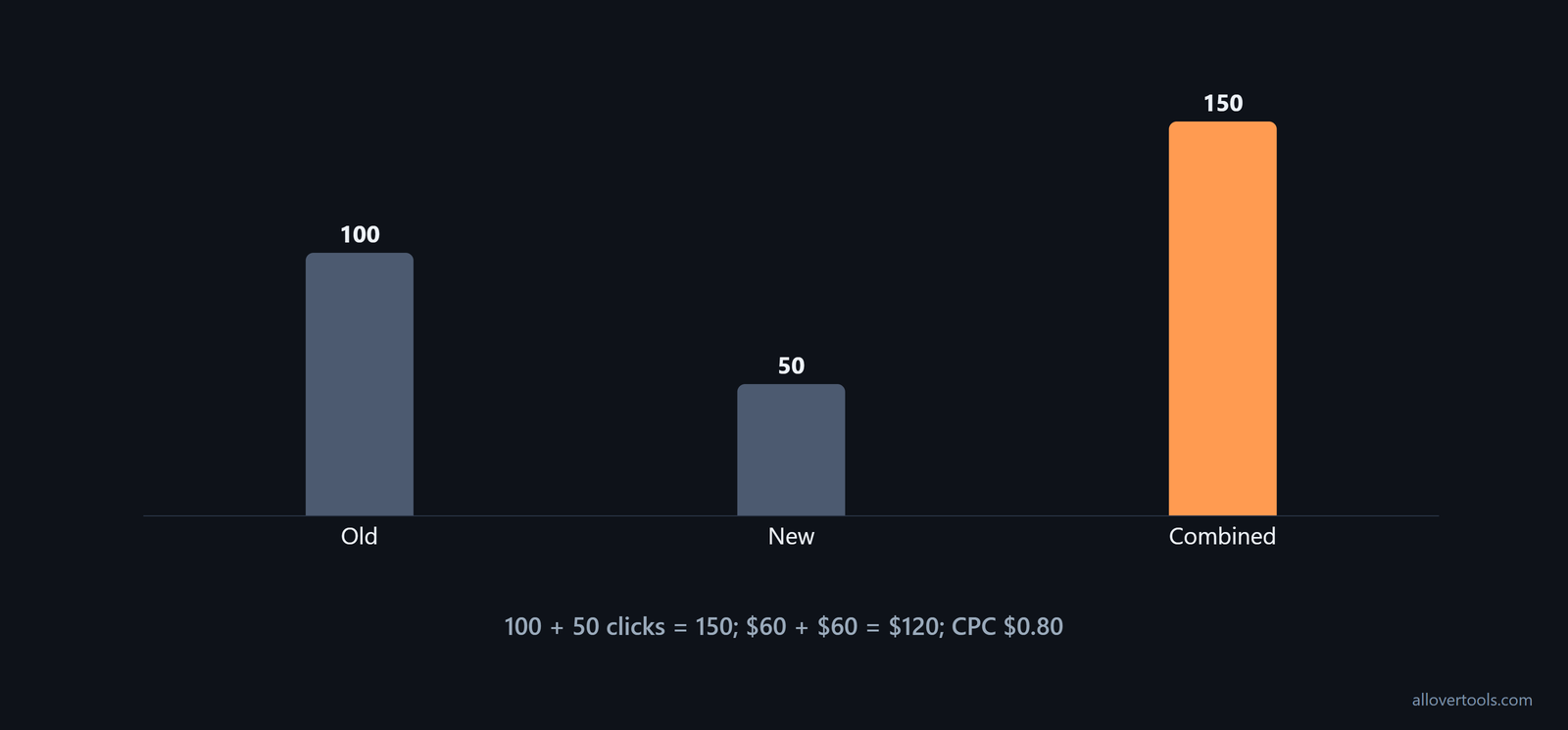
A bid adjustment isn't itself the reported average, because the report reflects paid clicks and spend produced by the auction within the selected scope.
The CPC Calculator compares calculated CPC with a target when you enter Target CPC - optional. It shows the gap, but it doesn't recommend a bid.
Why the click mix matters
Each new click adds its price to spend and one click to the denominator:
Old spend $60 + new spend $60 = $120
Old clicks 100 + new clicks 50 = 150
Combined CPC: $120 ÷ 150 = $0.80
The new $1.20 clicks are above the old $0.60 average, so the combined result rises even though the old group had more clicks. Directly averaging the two prices ignores their different click counts.
Common average CPC misreadings
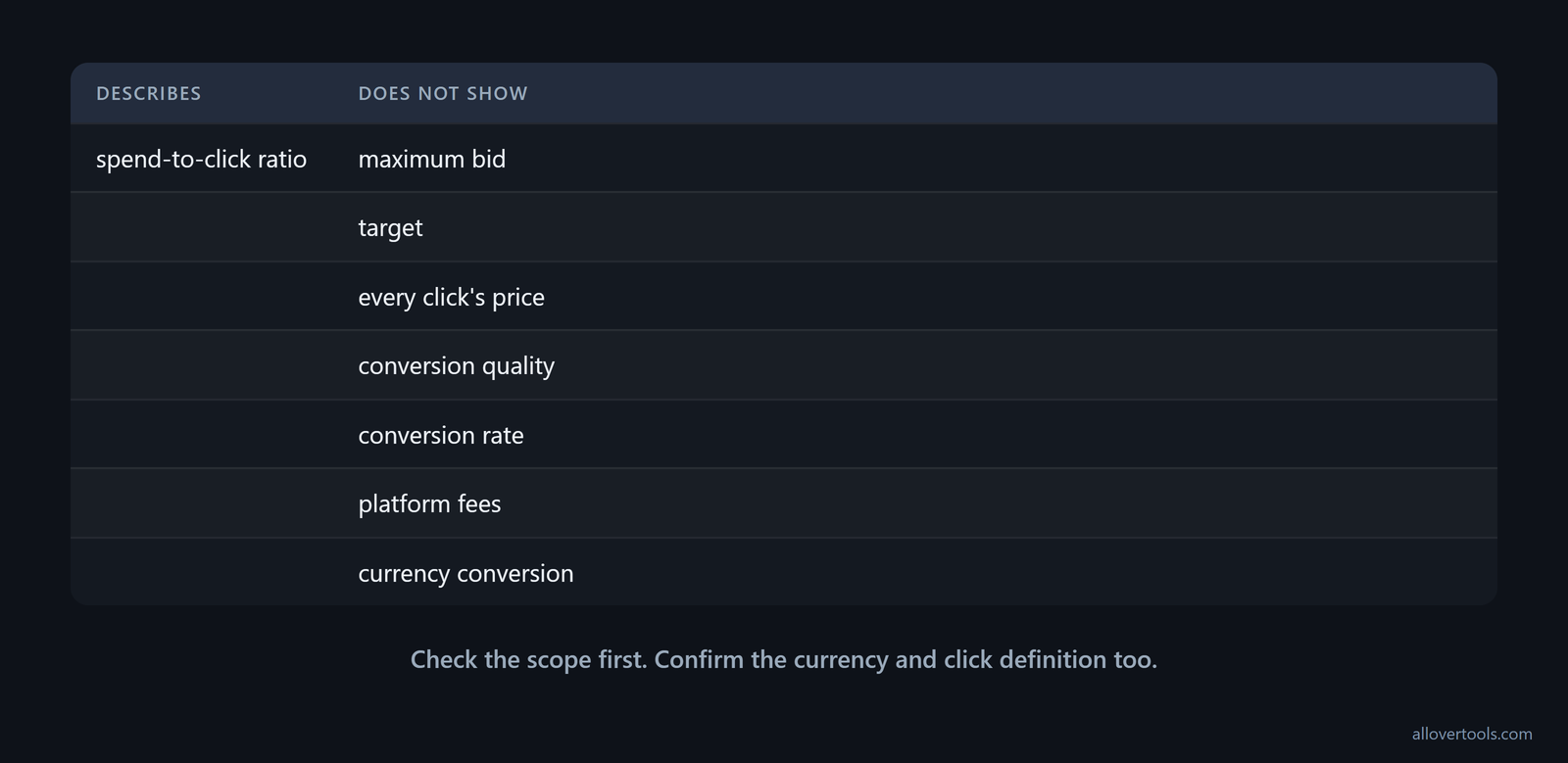
The metric is a spend-to-click ratio, not a full campaign diagnosis. Start with these checks.
Don't read it as the maximum bid or a target. Don't treat it as every click's price. Inspect the individual mix when you need that distinction. Use click-level data.
Do your periods and campaigns match? Do your currencies and scopes match? If they don't, the division may be correct while describing the wrong traffic.
Zero clicks aren't zero CPC. For zero clicks, the CPC Calculator requires Total clicks greater than 0. That calculator shows metrics with a zero denominator as N/A.
Don't call that click-scaled figure a CPM. It scales clicks, not impressions.
On its own, the metric can't show conversion quality or conversion rate. It also can't show platform fees or currency conversion. Confirm the scope, recompute total spend ÷ total clicks, compare the result with the individual click mix, then inspect downstream outcomes separately.
A higher CPC doesn't by itself mean lead economics got worse by the same proportion. Google Ads average CPC rose from $2.32 in 2016 to $5.42 in 2026, while cost per lead rose from $59.18 to $66.69 over the same decade, according to the 2026 benchmark. Put the CPC change next to cost per lead instead of treating click price as the outcome. The figures show why conversion efficiency and funnel optimization matter.
What average CPC cannot tell you
This measure describes the cost of clicks in the selected data. It doesn't show whether those clicks converted or whether fees were included. It also doesn't show whether two reports use the same currency and attribution context.
Use the ratio to describe your spend per click. Check conversion and revenue fields separately when you need a performance diagnosis.
Compare a benchmark with your own post-click conversion rate and revenue; absolute CPC alone isn't enough. A campaign can be above an industry benchmark and still be healthy if its conversion rate and revenue per click are strong enough to sustain a positive return on ad spend. That rule is stated in the post-click warning.
Use published CPCs to calibrate, not as standalone optimization targets. Quality Score, bidding strategy, audience targeting, ad creative, and time of year all shape CPC. Check those conditions before trying to force the result toward a benchmark; the benchmark guidance makes that distinction explicit.
A lower Avg. CPC can cost you qualified traffic or Quality Score, so lowering it isn't automatically the right move.
Frequently asked questions
Is actual CPC the same as the average?
No. Actual CPC is the charge for one click, while the metric combines total spend across all clicks and divides by total clicks. Individual click charges can be above or below the average.
How do you calculate cost per click in a report?
Divide total ad spend for the selected scope by its total clicks for that scope and date range. Keep the currency and reporting boundaries aligned before comparing the result.
Why did CPC increase after a bid adjustment?
If the adjustment leads to additional clicks priced above the previous average, those clicks pull the combined total upward. Recalculate with the new total spend and total clicks rather than comparing bid settings alone.
What is the metric when there are zero clicks?
It's undefined because the formula would divide by zero. The CPC Calculator requires Total clicks greater than 0. That calculator displays CPC as N/A.
Does the CPC Calculator use live advertising account data?
No. It calculates only from the values entered into its controls and doesn't connect to an ad platform or fetch live rates. The calculation workflow processes the entered figures in the browser.