A practical max cpc bidding process needs a starting bid, one controlled change, and a clear comparison after each change. This guide defines manual CPC bidding, separates the bid ceiling from average CPC, and uses matching reporting periods so each result can be read against the same baseline.
How manual CPC bidding works
Manual CPC bidding means you choose the bid amount for a click.
Your max CPC bid is the highest amount you set for a click in that setup. Average CPC is total ad spend divided by total clicks:
average CPC = total ad spend / total clicksAverage CPC can sit below the max CPC. With a $1.00 ceiling, the observed average can be $0.80 because it uses actual spend and clicks. It doesn't mean every click cost $1.00.
Actual CPC is what the auction charges for a click. It's often below the max CPC because the auction only charges what is needed to clear Ad Rank thresholds and beat the next-highest Ad Rank, as Google's bidding guidance explains. A higher max CPC mainly changes how often the ad clears those thresholds and wins a position; it doesn't set the amount paid directly. Keep the bid ceiling and actual CPC in separate comparison fields.
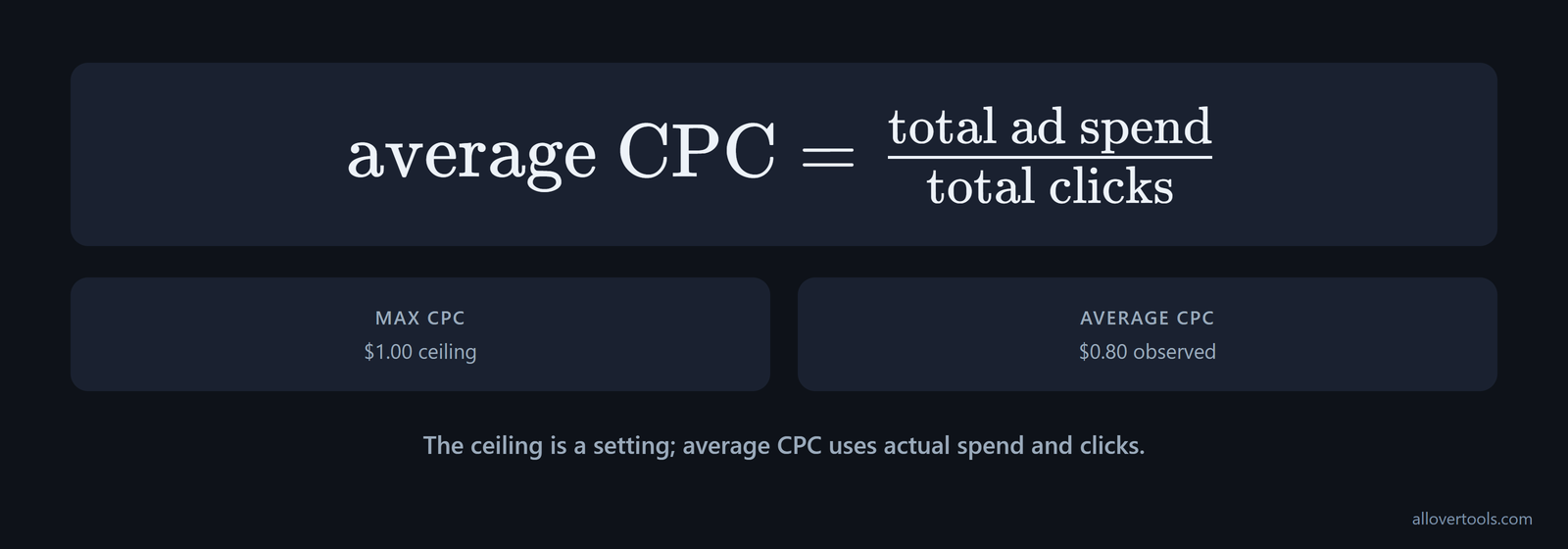
Which number is the ceiling? Your max CPC is the answer. A bid ceiling is a setting, not a bill, so compare matching periods or reporting slices and label the currency; these are chosen examples, not market benchmarks.
Max CPC isn't always a hard ceiling in a manual setup. Google Ads says the actual bid can exceed it when Enhanced CPC or manual bidding for search partners is enabled. Check those settings before treating a CPC above the ceiling as a calculation error: the documented exception.
Check automation whenever tooling creates or changes a bid test. Google Ads Scripts documentation says that switching a campaign to Manual CPC turns on Enhanced CPC by default unless you explicitly disable it. That can change auction bids, actual CPC, and the conversion mix compared with a strictly manual setup; the script example shows the setting that matters.
Which campaign types support manual CPC bidding
Performance Max campaigns don't support Manual CPC, so you can't apply a max CPC workflow there as you would to a standard campaign. Performance Max uses automated bidding strategies. Fine-grained max CPC control requires a campaign type that permits Manual CPC, or a bid limit in a compatible automated strategy, as the campaign-settings guide specifies.
Before reading a result, check what the selected strategy controls. Google's strategy taxonomy describes MANUAL_CPC as a click-focused strategy that uses advertiser-set maximum CPC bids. That differs from automated strategies such as Target CPC, which adjust bids toward a target cost per click. Record the strategy beside the bid rows so later comparisons don't mix controls.
How to set an initial max CPC bid
Start by defining the conversion you'll count. What counts as a conversion? Name the action and choose a period that includes its clicks, so you can compare rows.
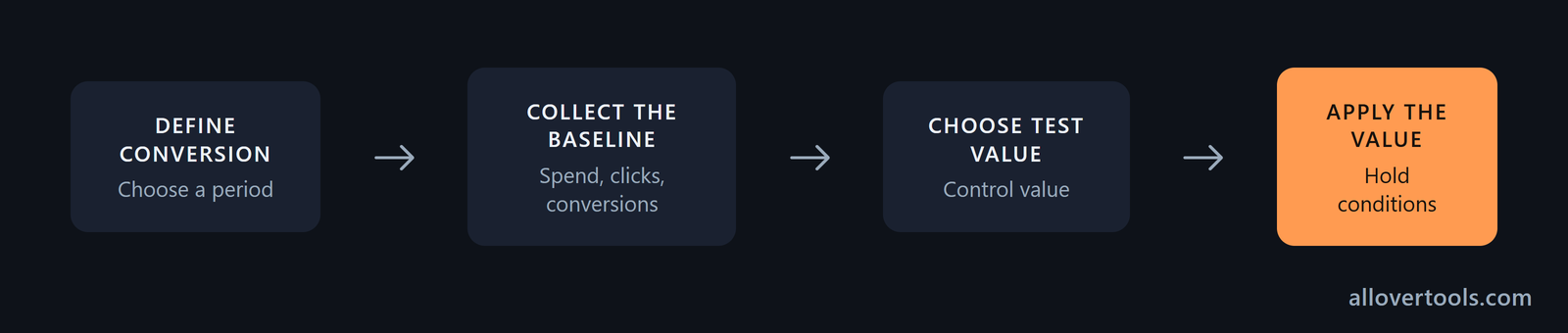
- Define the conversion and period. Pick the action that counts as a conversion. Use one period that includes the clicks and conversions you want to compare.
- Collect the baseline. Record spend first, then add clicks and conversions from one reporting slice, such as a keyword or ad group. Average CPC comes from spend over clicks. Conversion rate is conversions divided by clicks, multiplied by 100.
- Choose a test value. Pick a max CPC that fits your cost limit, then write it beside the baseline. To set cpc bid amount, enter a control value, not a forecast.
- Apply the value. When you enter the bid in manual bidding, leave other relevant conditions unchanged for the next comparison.
That first bid sets a starting point and is a control value. It won't predict the next period's traffic or cost, and it won't predict conversions.
Set the value where the bid actually lives. In Manual CPC, the ad group has a default max CPC for its keywords and placements. An individual keyword or placement bid overrides that default when it triggers an ad, according to Google's bid hierarchy. For a controlled test, record the ad group and any keyword- or placement-level override, not only the campaign name.
Manual CPC has no campaign-wide max CPC value that changes every bid directly. Make broad changes at the ad group level, or change keyword-level bids where overrides exist. Bulk editing or Google Ads Editor can update multiple ad groups, as the bid-setting explanation notes.
How device, location, and placement adjustments change a manual bid
A base max CPC can produce different effective bids in different contexts. Manual CPC supports positive and negative adjustments for mobile searches and specific locations. A higher-converting device or region can therefore receive a higher bid without raising the base max CPC for every auction; Google's adjustment guidance describes these controls. Record the base bid and adjustment context in the same review row, then read CPC and conversion rate for that context instead of treating the account-wide average as the result of one bid.
Display Network tests add another layer. Manual CPC can use bid adjustments for audiences, placements, topics, and other targeting methods. Those adjustments raise or lower the effective bid for selected inventory while leaving the base max CPC unchanged. A strong placement can then receive a different bid from weak inventory without rebuilding the campaign; use the Display bidding guidance when choosing the segment for the next comparison.
Record the baseline before changing the bid
Record the max CPC and total ad spend. Add clicks, conversions, average CPC, and conversion rate for your same scope.
The CPC Calculator calculates average cost from the visitor-facing controls Total ad spend and Total clicks when both values cover the same period. If the fields come from different slices, the result isn't a like-for-like check.
How to adjust max CPC bids from performance data
Review each bid change in the same order. Compare the new period with the baseline, calculate the ratios, decide how the row reads, then change one value or hold the bid.
First confirm that the campaign is actually using manual bidding. Manual edits to keyword or ad group max CPC values don't control auction bids under Maximize Clicks or other automated strategies; the campaign must be switched to Manual CPC before those edits become the bid control, as the bidding answer clarifies.
If the campaign uses Maximize Clicks, a max CPC bid limit is a cap on the bids generated by that automated strategy. It can control CPCs, but setting it too low can stop the system bidding high enough to compete, reducing impression share and click volume even when budget is available; Google's bidding FAQ sets out that trade-off. Treat a low-volume result as a possible cap problem before concluding that the keyword can't attract traffic.
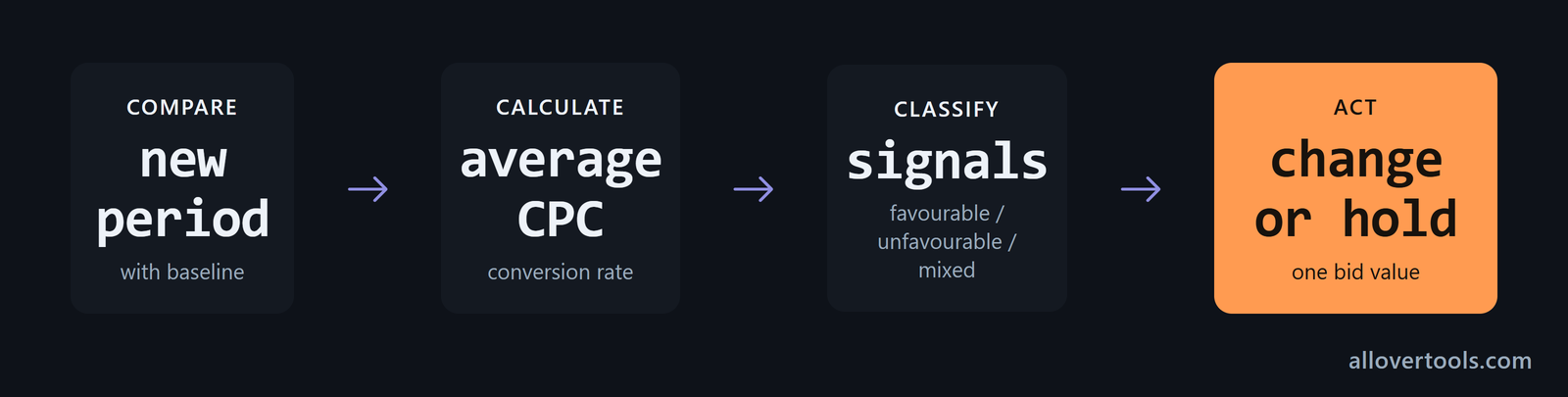
- Compare the new period with the baseline.
- Calculate your average CPC and conversion rate.
- Mark the row favourable or unfavourable; use mixed when signals disagree.
- Make one incremental change, or leave the bid where it is.
Choose the step for your own test. The worked series uses $1.00 to $1.10, then $1.10 to $0.95. These are chosen values, not a universal percentage.
The max CPC is the bid ceiling. The observed average uses the spend and clicks that occurred. A higher ceiling may be followed by more clicks, higher spend, a different click mix, or no visible change.
Your bid alone can't tell you which result occurred. Keep the period and currency fixed. When you compare rows, keep the conversion definition and reporting slice fixed too.
Why might conversion rate move? A change in total clicks changes the denominator, so the rate can move even when conversions stay flat. Your Google Ads bid strategy still needs a row-by-row check.
The Marketing Metrics Calculator can check a row with impressions and revenue. Make the next change only after the current row has a clear cost and conversion reading.
Why average CPC does not equal the max CPC bid
Average CPC uses the clicks that occurred. It's calculated from spend and clicks, not copied from the bid setting.
average CPC = total ad spend / total clicks
$48 / 60 clicks = $0.80
$60 / 66 clicks = $0.9091
The first max bid is $1.00 and the second is $1.10, while each observed average comes from that row's spend and clicks, which is why the ceiling and result aren't the same field.
Change one bid variable at a time
Change one bid value while keeping the comparison scope stable, because changing several conditions together makes the next row harder for you to read with confidence.
Write down the old and new max CPC values. After each change, record spend and clicks. Record conversions too. If several conditions change together, label the result mixed instead of assigning the whole movement to the bid.
Can you read the result? One change makes comparison easier.
Before a higher-risk change, save the new bidding settings as an experiment instead of applying them outright. The experiment duplicates the campaign settings, runs the changed bid strategy or max CPC configuration alongside the original, and lets you compare the performance impact before a full rollout, following Google's experiment workflow.
How to update max CPC bids with the Google Ads API
Large accounts can apply the same bid logic programmatically. The Google Ads API's ManualCpcBiddingStrategy requires the max_cpc_bid_micros field. It applies a bid to ad groups within a campaign and represents the amount in micros of the account currency; see the API field reference.
A repeatable process can read the performance row, choose the next max CPC under its stated rule, and write the new ad-group bid instead of relying only on hand-edited rows. Keep the same baseline, period, and one-change rule in the log so API updates remain comparable with UI changes.
When low CPC and high conversion rate support a bid increase
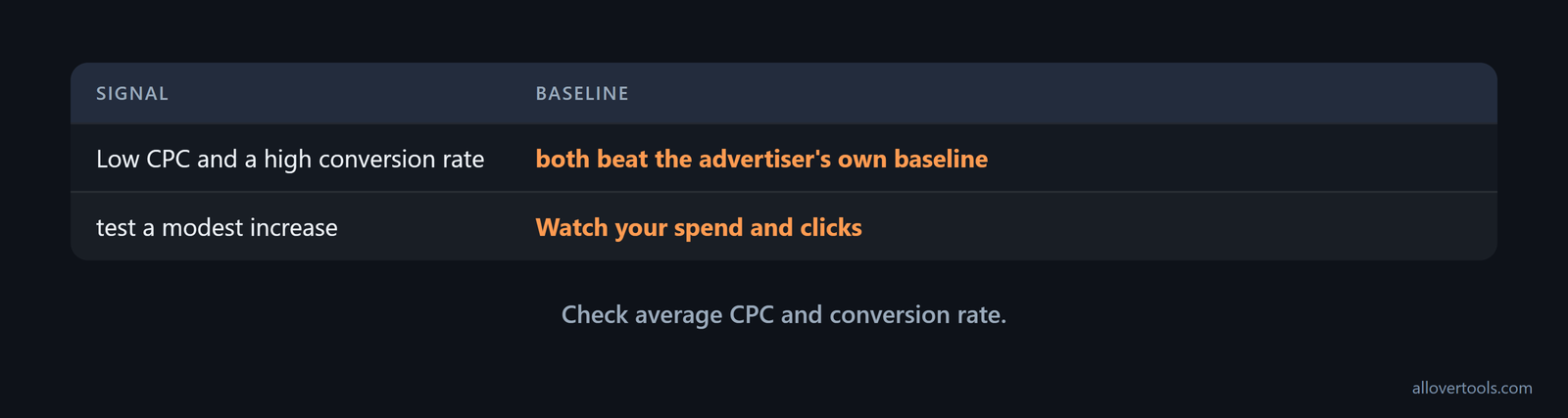
Low CPC and a high conversion rate support an increase only when both beat the advertiser's own baseline.
Match the period and conversion definition first. Check that the low average CPC isn't caused by a denominator problem or a tracking gap. If you want more qualified traffic, test a modest increase and watch the next row.
Watch your spend and clicks. Check average CPC and conversion rate.
To divide conversions by a matching click total, use the Conversion Rate Calculator. Select Clicks under Denominator type, then enter the same-scope conversion and click values.
Low CPC alone isn't a reason to raise a bid. A higher bid can change the click mix, so evaluate your next row before making another increase.
Check the conversion signal before raising the bid
Match the click denominator to the conversion total, then calculate the rate before you change the bid, because a mismatched denominator can make a good-looking rate meaningless.
Missing or inconsistent conversion data isn't enough evidence for an increase, even when average CPC is low. Fix the gap or label the result before changing the bid.
When high CPC and low conversion rate call for a reduction
High CPC and a low conversion rate call for a reduction when the row is worse than the same-scope baseline and outside your chosen cost limit.
Confirm the spend and click totals. Recalculate average CPC, then check that conversions were recorded for the same period and definition before you lower the max CPC in a controlled step or stop the test if traffic misses your cost limit.
A high average CPC can come from higher spend or fewer clicks. It can come from both. Check the numerator and denominator before reacting to the label.
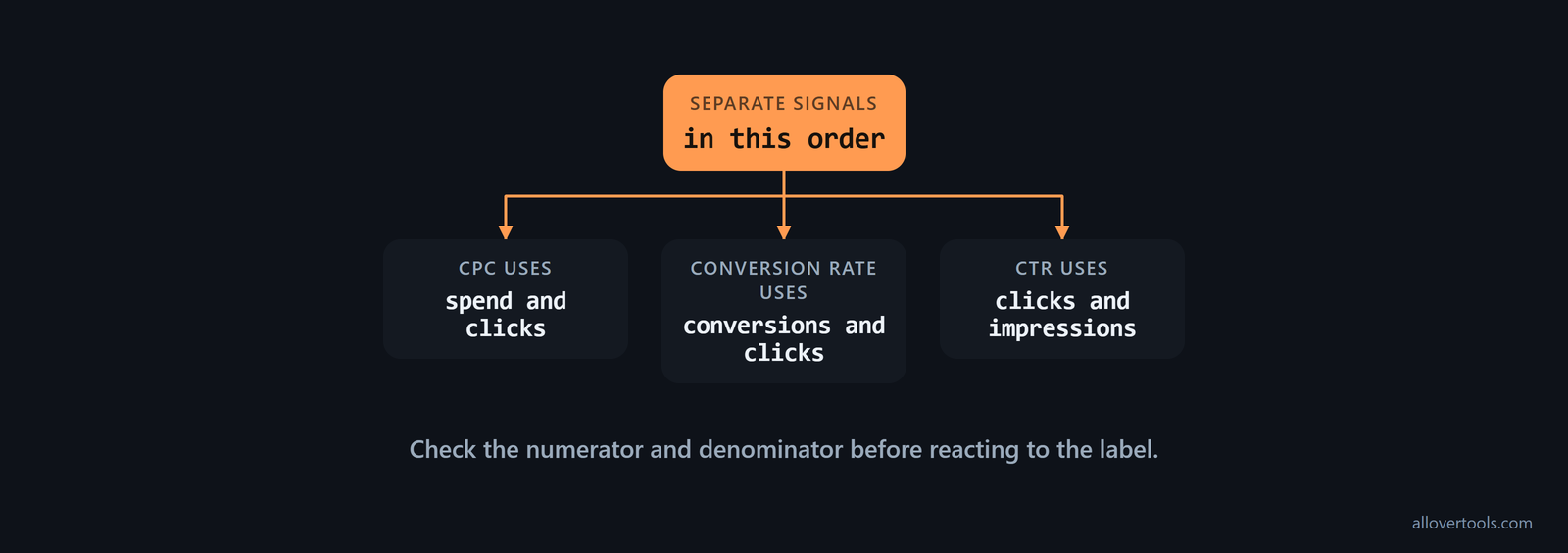
When impressions are available, use the CTR Calculator for clicks divided by impressions. For conversions divided by clicks, use that rate tool. A click problem and a post-click conversion problem point to different parts of the funnel.
Separate expensive clicks from weak conversion tracking
Separate the signals in this order. CPC uses spend and clicks. Conversion rate uses conversions and clicks. CTR uses clicks and impressions.
Does a zero denominator give you a result? No. It makes the relevant result undefined or N/A in the calculators, so fix or acknowledge the missing denominator before making a bid decision. Otherwise, the comparison may describe missing data rather than a bid effect.
Worked max CPC bid adjustment example
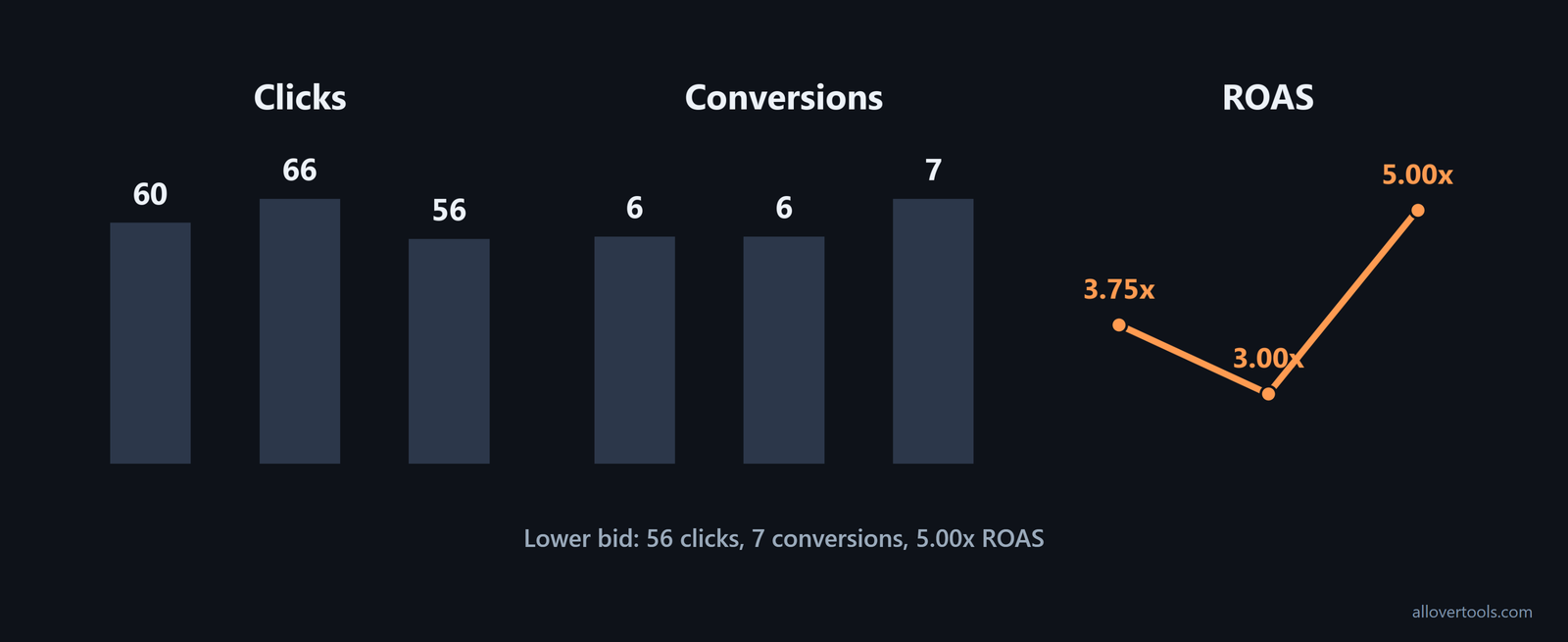
This three-row max CPC bid adjustment series compares each chosen bid with the row that followed it. The values are illustrative, not a forecast or benchmark.
| Row | Chosen max CPC bid | Spend | Impressions | Clicks | Conversions | Revenue | Average CPC | CTR | Conversion rate | ROAS | CPM | Next action |
|---|---|---|---|---|---|---|---|---|---|---|---|---|
| Baseline | $1.00 | $48 | 1,200 | 60 | 6 | $180 | $0.80 | 5% | 10% | 3.75x | $40.00 | Test a chosen increase |
| Raise bid | $1.10 | $60 | 1,320 | 66 | 6 | $180 | $0.9091 | 5% | 9.09% | 3.00x | $45.45 | Compare, then test a chosen reduction |
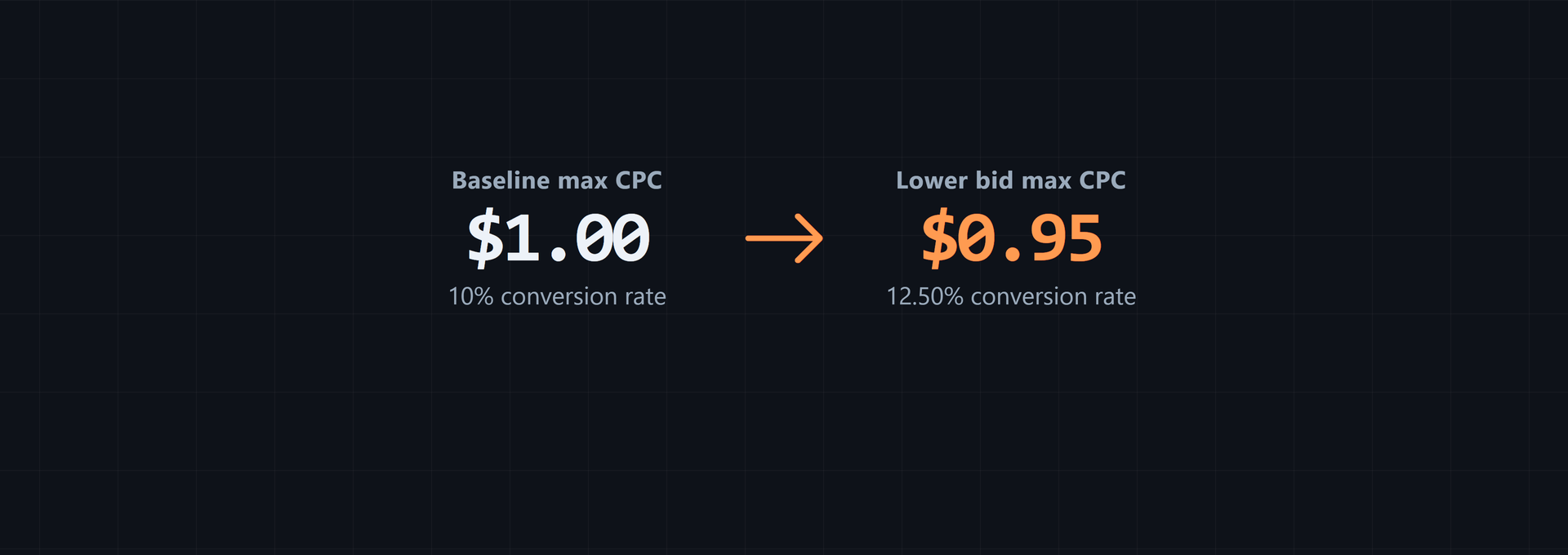
| Lower bid | $0.95 | $42 | 1,120 | 56 | 7 | $210 | $0.75 | 5% | 12.50% | 5.00x | $37.50 | Hold for the next same-scope row |
Re-run the arithmetic from the chosen inputs:
Baseline: $48 / 60 = $0.80 CPC
60 / 1,200 x 100 = 5% CTR
6 / 60 x 100 = 10% conversion rate
$180 / $48 = 3.75x ROAS
($48 / 1,200) x 1,000 = $40.00 CPM

Raise bid: $60 / 66 = $0.9091 CPC
66 / 1,320 x 100 = 5% CTR
6 / 66 x 100 = 9.09% conversion rate
$180 / $60 = 3.00x ROAS
($60 / 1,320) x 1,000 = $45.45 CPM

Lower bid: $42 / 56 = $0.75 CPC
56 / 1,120 x 100 = 5% CTR
7 / 56 x 100 = 12.50% conversion rate
$210 / $42 = 5.00x ROAS
($42 / 1,120) x 1,000 = $37.50 CPM
For the CPC Calculator check, enter each row in Total ad spend and Total clicks. For a side-by-side check, enter Campaign name, Spend, Impressions, Clicks, Conversions, and Revenue in the metrics calculator.
Both tools calculate from entered values only. Their scripts make no fetch, XMLHttpRequest, sendBeacon, or form-post request with those values, so the figures stay in the browser.
From baseline to raise, clicks rise from 60 to 66 and spend rises from $48 to $60 while conversions stay at 6, which shows more traffic with the same conversion count. Then clicks fall from 66 to 56 and spend falls from $60 to $42 while conversions move from 6 to 7.
Read the bid, click, and conversion movements together
Read the max CPC beside average CPC and the click count, then check the conversion-rate column too, because each measure describes a different part of the same row.
The higher bid didn't improve conversion rate in these chosen rows. The lower row has a lower average CPC and a higher conversion rate, but this series doesn't show that lowering always wins.
That result isn't a rule. The baseline max bid is $1.00 while its average CPC is $0.80. The final max bid is $0.95 while its average CPC is $0.75.
A repeatable max CPC bid review checklist
A max CPC bid review needs matching definitions and visible arithmetic. Make one chosen change, then record the next row.
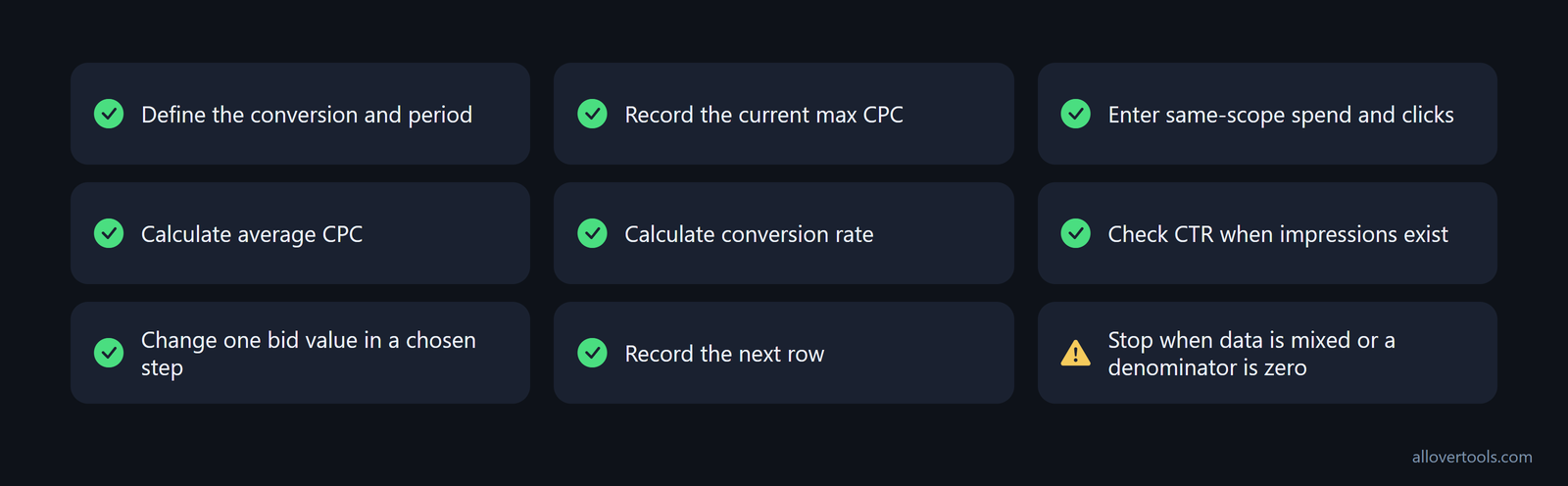
- Define the conversion and period.
- Record the current max CPC.
- Enter same-scope spend and clicks.
- Calculate average CPC.
- Calculate conversion rate.
- Check CTR when impressions exist.
- Change one bid value in a chosen step.
- Record the next row.
- Stop when data is mixed or a denominator is zero.
The metrics calculator accepts multiple campaign rows and reports ROAS, CPM, CPC, CTR, and conversion rate. The focused CPC check is spend divided by clicks.
Total clicks must be greater than zero for a CPC result. With a zero denominator, the metrics calculator displays N/A. Fix or label the missing input before using that row.
Review bids regularly; the first setting isn't permanent. Internet traffic changes, and so do user behavior, competition, and traffic patterns. That can change the volume and conversion mix attached to a bid that was previously efficient, so Google's review guidance recommends periodic re-evaluation. Put the review on a recurring schedule and compare each new row using the same definitions before making another change.
Frequently asked questions
Is a max CPC bid the same as average CPC?
No. The max CPC is the bid ceiling selected for the setup, while average CPC is total ad spend divided by total clicks that occurred. The average can be below the max bid.
How often should max CPC bids be changed?
Change a bid after the current comparison has a defined period and matching click and conversion data. It also needs a readable cost signal. Make one chosen incremental change at a time so the next row can be interpreted.
Should a low CPC and high conversion rate always lead to a higher bid?
No. Verify the conversion definition and click denominator first. Check the reporting scope too. A higher bid can change spend and click mix, so treat an increase as a controlled test.
What should I do with high CPC and few conversions?
Recheck spend and clicks, then verify conversion tracking and compare the result with the same-scope baseline. Consider a controlled reduction or stop the test when the row remains outside the chosen cost limit.
Can a CPC calculator choose my Google Ads bid?
No. The CPC Calculator performs arithmetic from Total ad spend and Total clicks, with an optional target comparison. It doesn't make a bid recommendation or fetch ad-platform data.