Cost per click (CPC) tells you how much advertising spend is assigned to each recorded click. This guide defines CPC, gives the cost-per-click formula, explains CPC pricing in search, display, and social campaigns, and works through figures in the CPC Calculator and Marketing Metrics Calculator.
What cost per click means in digital advertising
For your campaign, CPC is spend divided by recorded clicks from the same period. That is your average click cost.
What does that number leave out? It says nothing about click quality or conversions. It also says nothing about revenue or profit. Your campaign can have a low CPC and a poor next step.
PPC, or pay-per-click, is the charging model: you pay when a click occurs. CPC is the per-click amount used to describe or calculate that charge.
CPC and PPC are related but not identical
PPC tells you when the charge happens. CPC shows the amount for each click, either as a reported figure or as the quotient from spend and clicks.
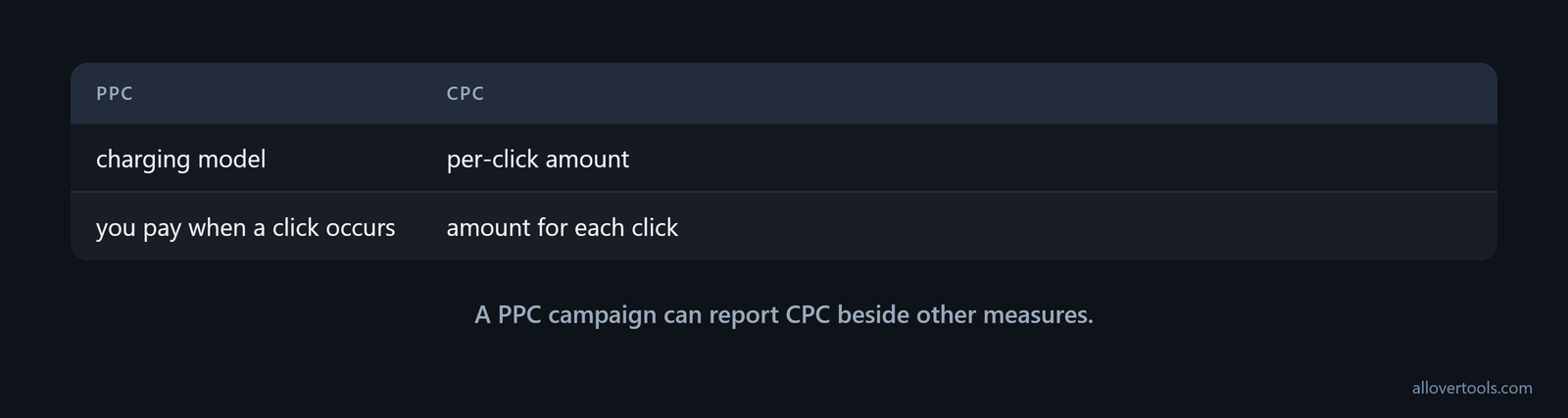
One names the model. The other names the number. A PPC campaign can report CPC beside other measures.
Reports sometimes blur the labels. Common platform glossaries use PPC and CPC interchangeably for a system in which brands pay per click, while CPC is the metric for those clicks, as Amazon Ads' terminology illustrates. Use PPC for the charging model and CPC for the per-click amount in column names and report comparisons.
How to calculate CPC from spend and clicks
To calculate CPC, divide total ad spend by total clicks from one period or campaign. The two inputs must cover the same slice of time.
Mix monthly spend with weekly clicks and the answer becomes misleading. Use the CPC Calculator to enter matching figures and see the result or the 1,000-click cost. It can also show a target comparison.
CPC formula
CPC uses ad spend as the numerator and clicks as the denominator. The denominator matters.
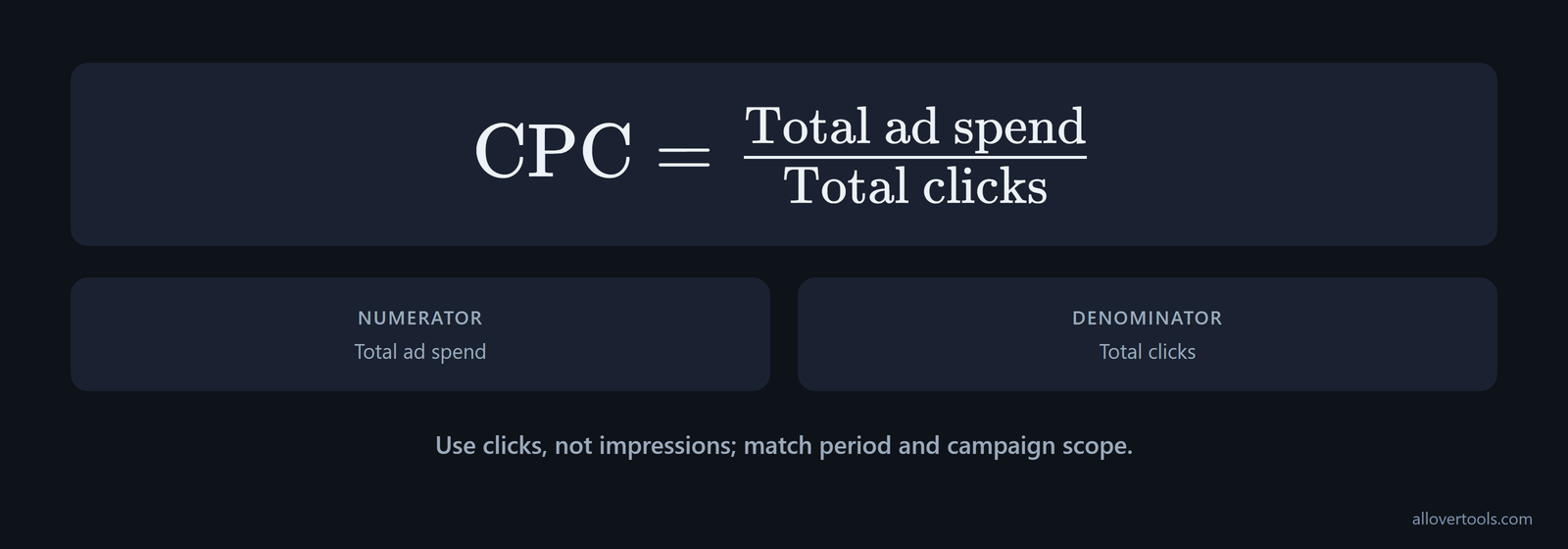
CPC = Total ad spend ÷ Total clicksUse figures from one scope. If your dates or campaign scope don't match, the currency can also make the result misleading.
Use clicks here, not impressions. Impressions count ad views, so they belong in a different formula. Keep your dates and campaign scope aligned.
Average CPC is a reporting summary, not a single auction price. It divides the total cost of recorded clicks by total clicks, turning individual charges into one number and hiding their spread. For example, $0.60 in total cost for two clicks priced at $0.20 and $0.40 produces an average CPC of $0.30, as Google's average-CPC definition shows.
Use the average to compare a reporting slice. If the spread between opportunities matters, inspect the underlying click charges.
Worked CPC example with chosen values
Use these chosen inputs: Currency = USD ($) and Period = Monthly. Total ad spend = $850; Total clicks = 1,200. They illustrate the arithmetic, not a market benchmark.
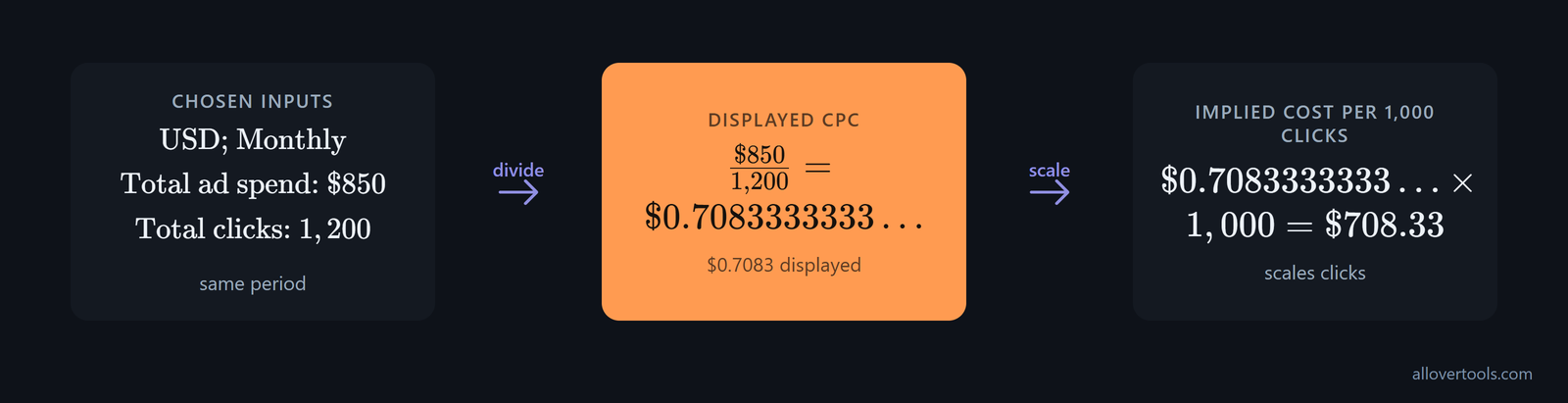
Nothing fancy here.
Total ad spend: $850
Total clicks: 1,200

$850 ÷ 1,200 = $0.7083333333...
Displayed CPC: $0.7083
$0.7083333333... × 1,000 = $708.33
For these inputs, the CPC Calculator displays $0.7083 as CPC and $708.33 for Implied cost per 1,000 clicks. The second figure scales clicks rather than impressions, so it differs from impression-based CPM.
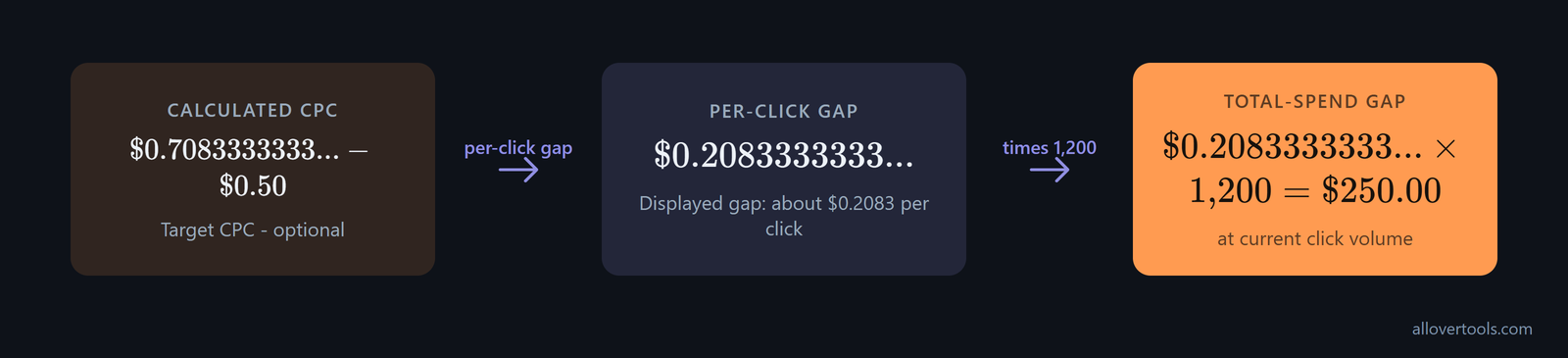
Want to compare a target? Enter $0.50 in Target CPC - optional. The calculator subtracts that target from the result, then applies the difference to the current click count.
$0.7083333333... - $0.50 = $0.2083333333...
Displayed gap: about $0.2083 per click
$0.2083333333... × 1,200 = $250.00
The $250.00 figure is the total-spend gap at 1,200 clicks. It's arithmetic, not bidding advice. After you enter the figures, choose Calculate CPC.
Leave Target CPC - optional blank when you only need the main result. Total ad spend may be 0 or more, but Total clicks must be above zero because zero clicks make CPC undefined.
Zero clicks break the result. Currency labels the values but doesn't convert them, while Period labels the result without checking or reconciling dates.
The CPC Calculator processes entered figures in your browser, and its code has no fetch call or server post, while its other checks find no XMLHttpRequest or sendBeacon call. No form post involves those inputs, so the figures stay local.
Where CPC is used: search, display, and social campaigns
The same spend-divided-by-clicks calculation can describe search and display rows. Social rows use it too. Context changes who sees the ad and where the click occurs. It also changes what that click is meant to do.
Before comparing rows, match your period and currency. Otherwise, a neat number may combine unlike inputs. If you compare rows with different scopes or periods, each CPC can still be correct while the combined comparison answers a question that neither campaign actually asked.
Before comparing campaign rows, check which pricing model the product uses. Google lists Search Ads and Shopping campaigns as CPC products, while other products use pricing tied to visibility or user actions. Don't assume CPC is the default for every Google campaign; Google's product-cost overview separates those cases.
The same CPC formula across three campaign contexts
These are chosen values for showing the formulas. They aren't industry statistics or performance claims.
| Campaign | Chosen inputs | Calculated outputs |
|---|---|---|
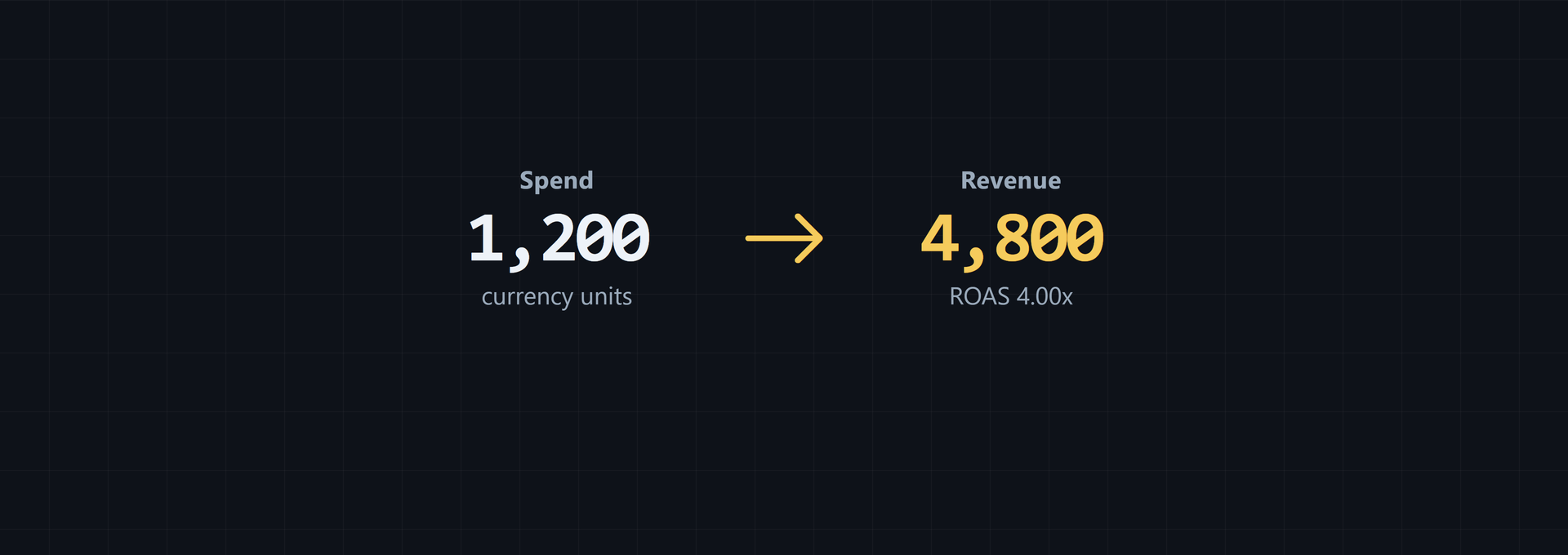
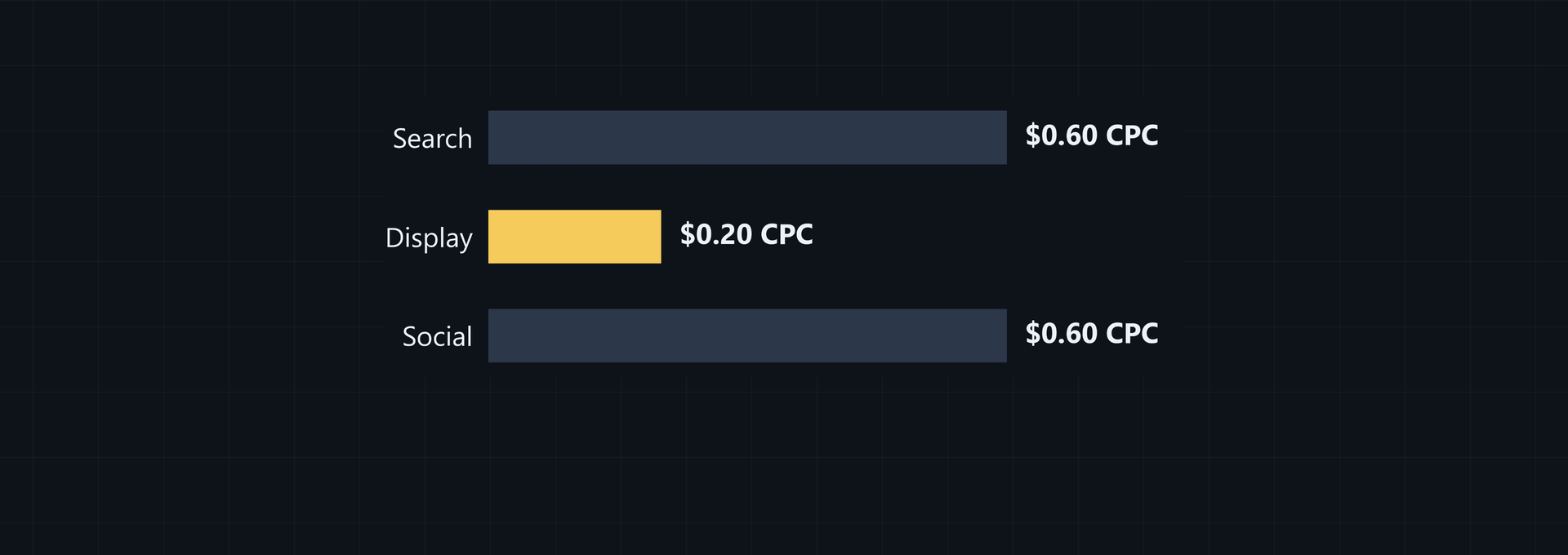
| Search | $900 spend, 30,000 impressions, 1,500 clicks, 120 conversions, $3,600 revenue | CPC $0.60, CPM $30.00, CTR 5.00%, conversion rate 8.00%, ROAS 4.00x |
| Display | $600 spend, 60,000 impressions, 3,000 clicks, 90 conversions, $2,400 revenue | CPC $0.20, CPM $10.00, CTR 5.00%, conversion rate 3.00%, ROAS 4.00x |
| Social | $750 spend, 25,000 impressions, 1,250 clicks, 100 conversions, $3,000 revenue | CPC $0.60, CPM $30.00, CTR 5.00%, conversion rate 8.00%, ROAS 4.00x |
Search gives $900 divided by 1,500 clicks, or $0.60 CPC; Display gives $600 divided by 3,000, or $0.20, while Social gives $750 divided by 1,250, or $0.60.
Display has the lowest chosen CPC at $0.20, but its chosen conversion rate is 3.00%. Search and Social each show 8.00% in these rows.
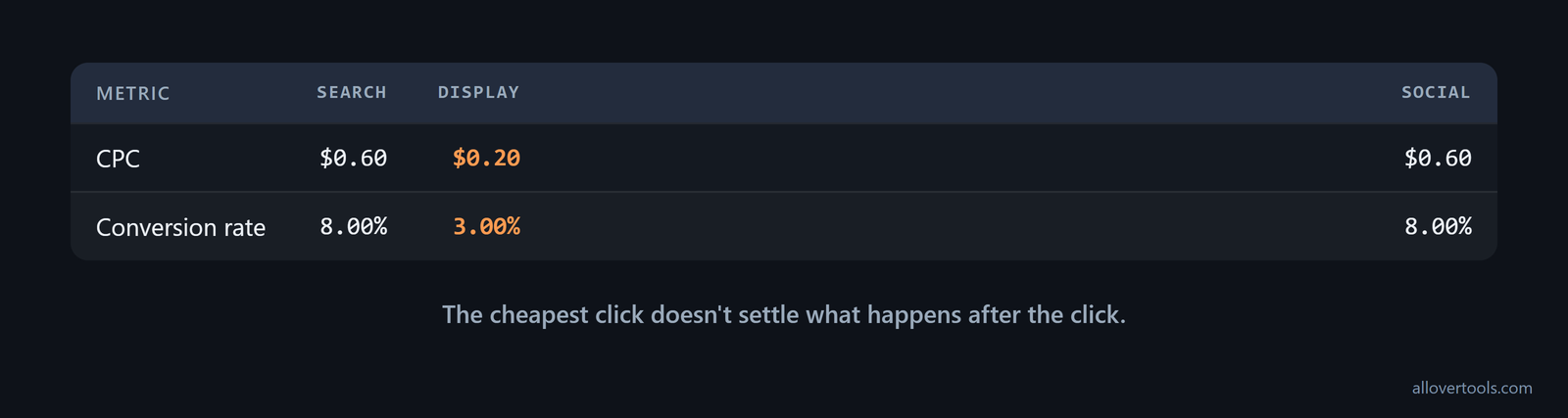
The cheapest click doesn't settle what happens after the click.
For a publisher, CPC is earnings per click, not an advertiser's cost. The advertiser determines the amount, and advertisers can be willing to pay different amounts depending on what they are promoting, according to the AdSense CPC definition. When a publisher compares topics or placements, read CPC as revenue per click and account for the advertiser willingness to pay behind the inventory.
Read CPC beside the next action
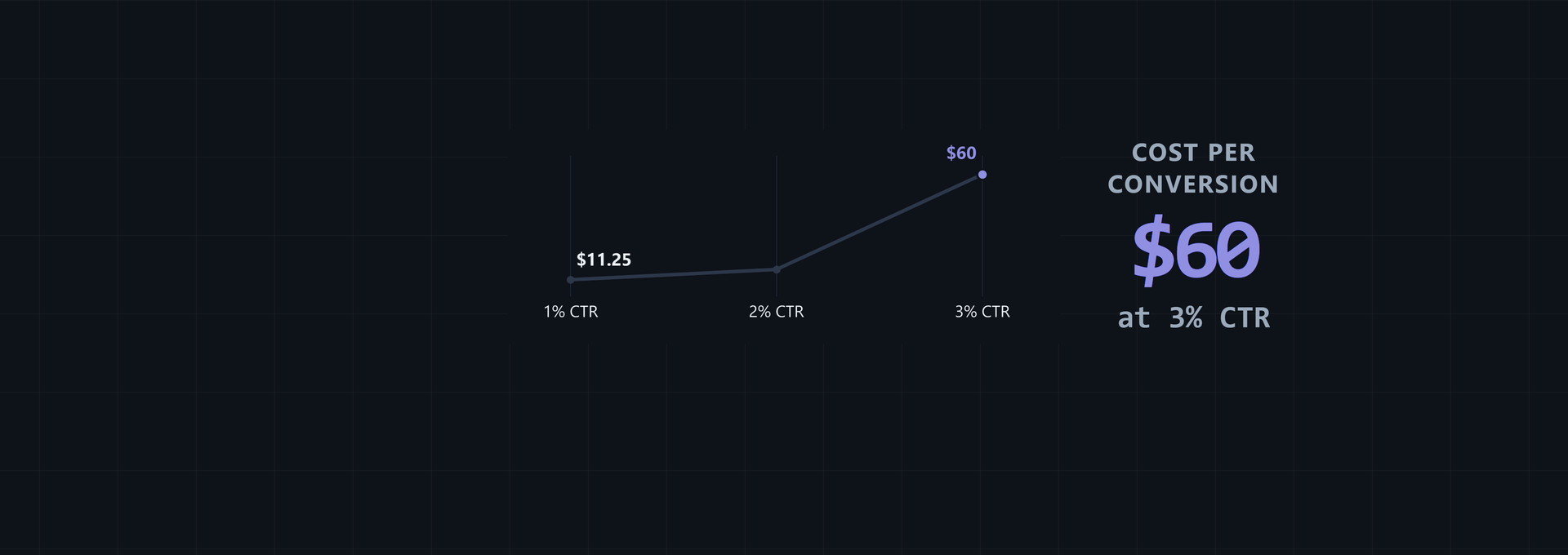
Read CPC beside CTR, then check conversion rate, followed by ROAS, when your next action matters. The click cost is the CPC; those measures show what followed.
Which result matters next? Name your intended action, such as a conversion or sale, then choose the measure that records it.
In the Marketing Metrics Calculator, enter Campaign and Spend. Add Impressions and Clicks, then add Conversions and Revenue; choose Currency and Attribution assumption before selecting Calculate metrics. It shows ROAS and CPM for each row, plus CPC and CTR. Conv. rate appears beside them.
Attribution assumption records the label already reflected in the conversions and revenue you enter. It doesn't assign conversions or connect to ad platforms. Its workflow doesn't post visitor figures to a server.
CPC in retail, native, and in-app placements
Retail placements can change CPC through the adjusted bid and the ad's location. Amazon describes final CPC as usually auction-determined from the advertiser's adjusted bid plus additional factors. Its maximum CPC is the highest amount that could be charged and includes the base bid plus settings such as dynamic bidding or cost controls.
More in-demand keywords and more visible placements, such as top of search instead of lower positions, generally lead to higher advertising costs, as Amazon's CPC guide sets out. When reading an Amazon CPC, record keyword demand and placement alongside the bid.
CPC also applies to native ads and content recommendations, not only search results or social feeds. In these units, advertisers bid on particular keywords or placements, and competition for those slots sets the cost per click, according to Outbrain's native-ad definition. Read the surrounding editorial-style placement as context for the click, not as evidence that the pricing model has changed.
App campaigns can use either a negotiated flat CPC or bid-based pricing. With a fixed price, the advertiser and publisher agree on the amount in advance. In a bid-based campaign, the advertiser sets a maximum CPC and a desired click volume.
That gives flexibility but exposes the advertiser to variable traffic quality as the network fills inventory to meet that goal, as AppsFlyer's pricing overview explains. Identify the arrangement in force before comparing an app CPC with an auction report.
The same formula works for a concrete app placement: Hotels.com paid British Airways $5,000 for ads in the airline's app and received 20,000 clicks, producing a CPC of $0.25. The placement appeared after a flight purchase and promoted hotel deals for the destination, a context described in AppsFlyer's campaign example. When using such a case for comparison, record the spend, clicks, and placement context together.
How auction systems affect the CPC you pay
An auction decides which eligible ad receives a placement and what charge is recorded when someone clicks. Eligible advertisers compete under the platform's rules.
One impression, one contest.
CPC can change between opportunities because competition and eligibility can change, while targeting and placement can also alter the charge; bid limits and quality signals can alter it too. No universal auction equation applies everywhere.
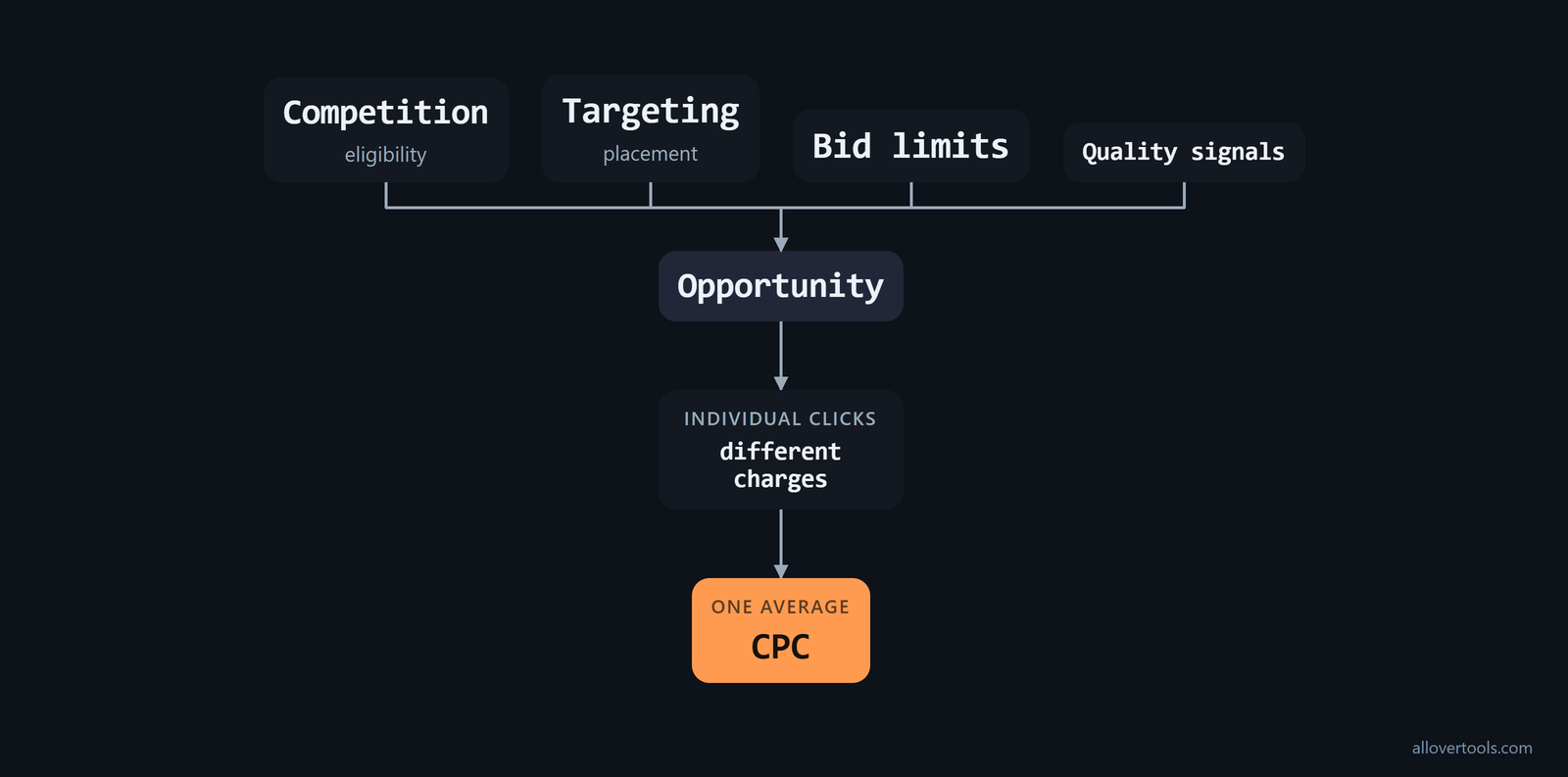
These inputs change the opportunity being priced. A campaign can report one average CPC even when individual clicks carry different charges.
When you compare reported CPC, match the audience and placement first. Then match scope and period.
Why CPC varies from one opportunity to another
CPC varies when market pressure or eligibility varies. Targeting and placement matter too. Bid limits can vary, and so can ad relevance and quality signals. The mix can change between placements.
Competition changes which advertisers enter the same opportunity. Targeting changes which audience or placement can receive the ad.
A bid or bid limit changes the amount an advertiser is prepared to enter. Relevance or quality signals can also affect how a platform evaluates eligible ads.
Choose the bidding mode before diagnosing a CPC change. With manual CPC bidding, you set bid amounts yourself, including max CPC values for keywords or placements. With automatic bidding, the system sets bids to try to get the most clicks within your budget. The platform can then raise or lower bids without you editing each value, as Google's CPC bidding guidance explains.
Before treating a higher CPC as a bid problem, check the non-bid inputs that feed Ad Rank. Google identifies auction-time ad quality and the following factors as part of the process that influences actual CPC:
- expected clickthrough rate, ad relevance, and landing page experience;
- the max CPC bid and Ad Rank thresholds;
- auction competitiveness and the search context; and
- the expected impact of assets and other ad formats.
In a CPC review, check relevance, landing page experience, assets, context, and competition alongside the bid, as Google's Ad Rank explanation details.
Reported CPC is not a bid recommendation
Reported CPC is a post-campaign figure: spend over the clicks actually recorded. A target CPC is a planning limit or comparison value, not a guaranteed price.
Once you enter the optional Target CPC field, the CPC Calculator shows the per-click gap and total-spend gap at the entered click volume for this calculation. It doesn't recommend a bid.
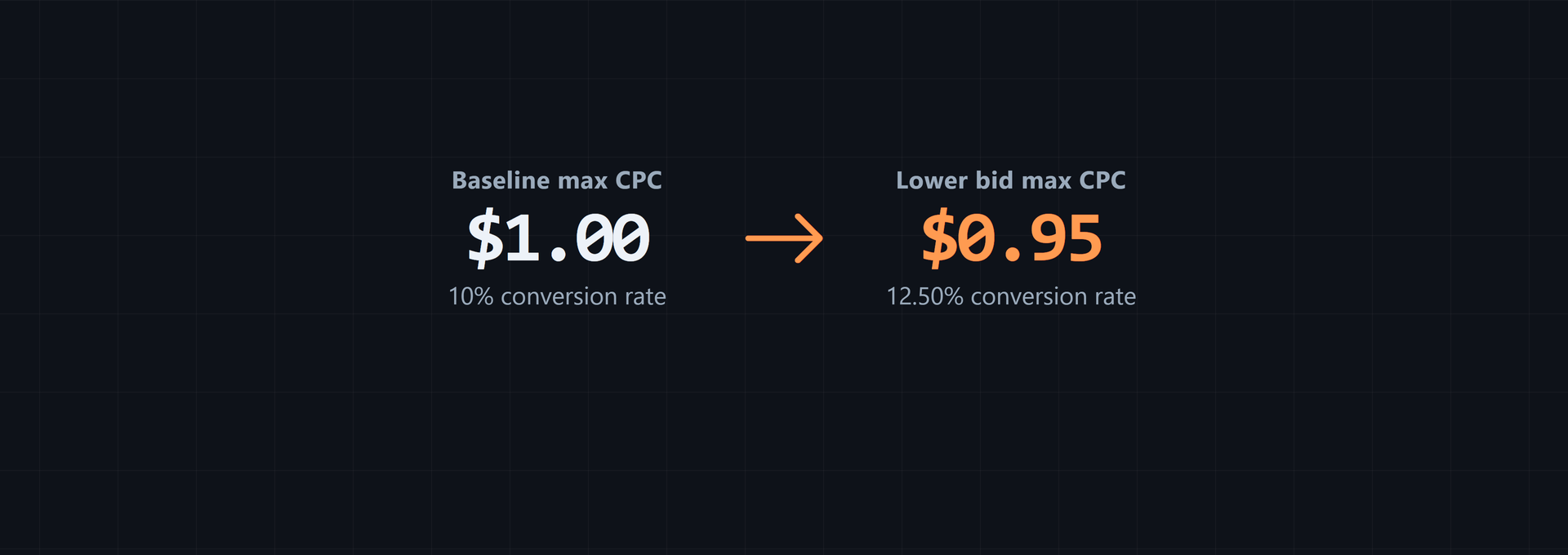
Keep the max CPC you're willing to pay separate from the actual CPC charged for a click. Max CPC is a bid limit set in advance. Actual CPC is often lower because the auction charges only what is needed to clear Ad Rank thresholds and beat the next competitor; with no competitor below you, it may charge only a reserve price.
Enhanced CPC or bid adjustments can sometimes raise bids beyond the original limit for particular auctions, so actual CPC can sometimes exceed max CPC. Read the bid setting and the charged CPC as separate fields, as Google's actual-CPC guidance explains.
Compare your target and reported CPC over the same scope and period. Then check conversions or revenue before treating a low CPC as useful.
CPC versus CPM, CPA, conversion rate, and ROAS
Each metric divides a different numerator by a different denominator. Choose the denominator that matches your question.
Which denominator answers your question? Name the event in your denominator before choosing a measure.
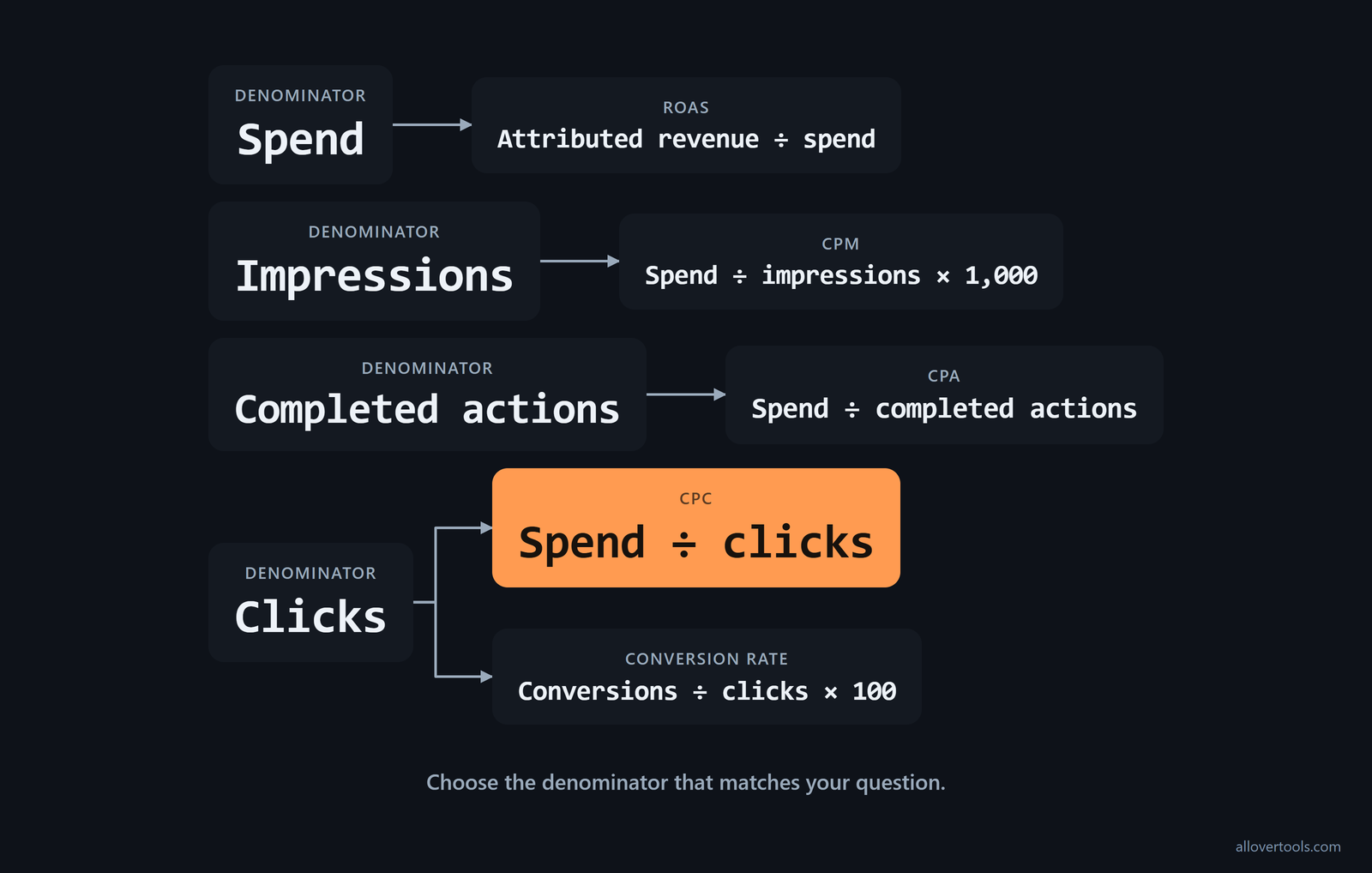
What each pricing or performance metric divides
The table shows what each metric divides and the result it describes.
| Metric | Formula | What it describes |
|---|---|---|
| CPC | Spend ÷ clicks | Cost of generating a click |
| CPM | Spend ÷ impressions × 1,000 | Cost of 1,000 impressions |
| CPA | Spend ÷ completed actions | Cost of an action |
| Conversion rate | Conversions ÷ clicks × 100 | Share of clicks that become conversions |
| ROAS | Attributed revenue ÷ spend | Revenue relative to ad spend |
CPC measures click spend. CPM measures exposure at 1,000 impressions. CPA measures spend for a completed action; conversion rate describes the portion of clicks that convert. ROAS relates attributed revenue to spend.
CPC and PPC aren't interchangeable. PPC names the charging model; CPC reports the per-click amount. A lower CPC isn't automatically better if the clicks don't produce the intended action.
Choose the metric that matches the question
Use CPC for click spend or CPM for exposure when the question concerns a click or an impression in the campaign. Use CPA for an action or conversion rate for post-click efficiency. ROAS covers revenue relative to spend.
The Conversion Rate Calculator divides conversions by the selected denominator, such as clicks. The ROAS Calculator divides attributed revenue by total advertising spend.
The multi-metric calculator places these measures beside one another for campaign rows. With zero clicks, both click measures are undefined or N/A.
A row with zero clicks may still have impressions and spend, but CPC and click-based conversion rate remain N/A. CPM uses impressions, while ROAS uses spend, so those measures need their own valid denominators.
A low CPC is a cost observation, not a verdict on promotion quality. An educational Yandex article says that lower CPC means better promotion performance, but that rule leaves out the conversion rate, revenue per click, and downstream profitability that show what happened after the click; Yandex's CPC guidance states the narrow version explicitly. Keep the CPC comparison beside the post-click measures already listed here.
Frequently asked questions
Is CPC the same as PPC?
No. PPC is the pay-per-click advertising model, while CPC is the cost assigned to each click or calculated from total spend divided by clicks.
Can I calculate CPC if a campaign has no clicks?
No meaningful CPC exists when clicks are zero because division by zero is undefined. The CPC Calculator therefore requires Total clicks to be greater than 0.
Why can two campaigns with the same CPC produce different results?
CPC measures click cost only, and campaigns can differ in conversion rates or definitions. They can also differ in revenue or audiences. Placements and auction conditions can differ too, so compare CPC with CTR. Then check conversion rate and ROAS when those inputs are available.
Does a lower CPC always mean a better campaign?
No. A lower click cost can still produce less valuable traffic or fewer conversions, so CPC must be read with the campaign objective and downstream metrics.
What does a target CPC comparison show?
It subtracts the chosen target from the calculated CPC and, at the current click volume, shows the corresponding total-spend gap. It's a transparent arithmetic comparison, not bidding advice.