Marketing metrics basics help a business judge whether a campaign moved people from exposure to action. The useful part is the chain: spend, impressions, clicks, conversions, and revenue. Give each number a clear definition and period, and the report can show where results changed and what to check next.
Use a steady set of measurable values for a defined period to check the health of the whole marketing plan, not just a single campaign. Treat the comparison like a regular health check: consistent readings show whether the plan is healthy, improving, or declining, as OpenStax's marketing-plan guidance describes.
What are marketing metrics and KPIs?
A marketing metric is a measured value from a campaign or channel, which becomes a KPI once you choose it for a business goal and use it to decide whether the campaign needs a change. That gives the number a job.
Metrics are both customer signals and internal scorecards. Page views, email opens, click-throughs, leads, sales, and retention show how customers respond to messaging and where friction appears. Adobe's customer-signal explanation treats that response as an ongoing feedback loop.
Spend and impressions are input or leading measures. Clicks are another. They help you find where a campaign starts to change.
Conversions and revenue are outcome measures. ROAS is another. They show what the campaign produced.
Every KPI needs a definition and a time period. It also needs a denominator and a goal. Set those details up front, so that number stays readable across reports and campaign rows. It remains readable across channels without guesswork later.
Marketing metrics versus marketing KPIs
A metric becomes a KPI when you select it for one goal, so if your goal is revenue efficiency, ROAS can be the KPI because it compares revenue with spend.
Impressions may still help as a diagnostic metric. They show the reach and cost of exposure, but they may not drive your next decision. Your label follows the question, not the number.
What are you trying to learn? For exposure cost, impressions or CPM may matter more than revenue.
Separate the outcome you're trying to grow from the actions that influence it. A North Star metric measures the success of the growth marketing strategy and the outcomes in its growth model; input metrics measure the actions that drive that North Star. Define what the North Star measures, which values count, and the measurement timeframe. Then choose a small set of input metrics to monitor and optimize toward it, as Reforge's metric framework sets out.
Define the North Star with three details: the unit of value, the quality of value that counts, and the frequency of measurement. Write down whether the unit is an active account, whether the quality filter is paying accounts or engaged sessions, and whether the period is daily, weekly, or monthly. Reforge's KPI definition uses these three parts to keep the outcome clear and measurable.
Input metrics versus outcome metrics
Input metrics describe what enters the campaign path. Outcome metrics describe what comes out. Spend and impressions lead to clicks; campaign traffic is another input or leading signal.
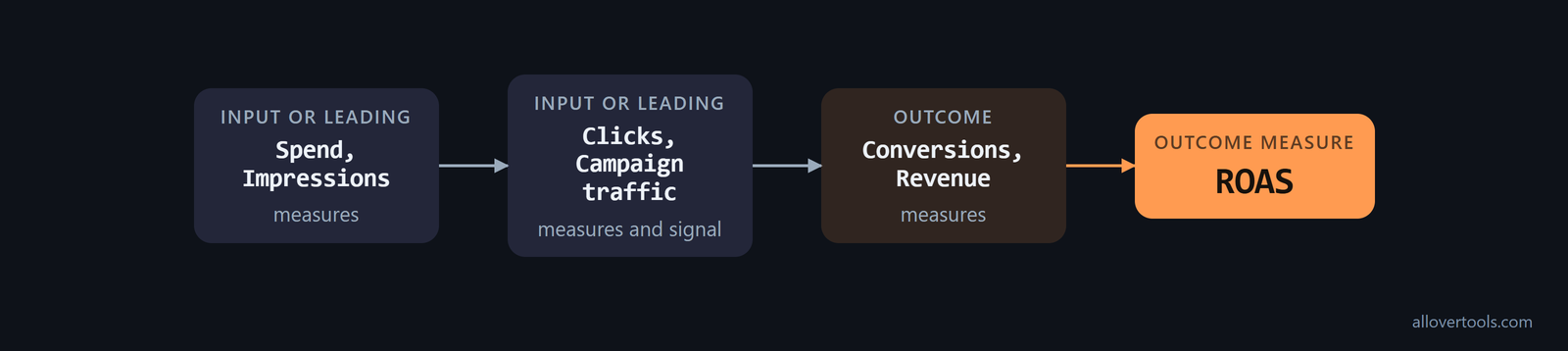
Outcomes include conversions and revenue. ROAS is another outcome measure. Read both groups together.
A weak outcome can follow from low traffic or a low action rate. It can also follow from changed revenue after conversion.
That split shows where you look next. It doesn't prove the cause.
Marketing metrics examples across email, social and web
Fields differ, but you need the same event and period. Email can supply delivered messages and clicks. Social reports spend and impressions.
It also supplies clicks, conversions, plus revenue. Web can supply visitors or sessions, then report clicks and conversions, with revenue.
The denominator must match the event. A click rate uses clicks over impressions. A conversion rate can use conversions over clicks or visitors.
Leads or sessions can also serve. So can another total. Keep your source and period aligned.
These digital marketing metrics turn channel counts and money values into ratios within a defined scope. For a web conversion rate, use the Conversion Rate Calculator with the denominator that matches your conversion definition.
What to collect from each channel
You need message and action counts for email. Social needs spend and delivery figures for the campaign. Web needs the visit or session count matching the conversion event.
Don't combine unlike denominators. Clicks in one row can't explain conversions divided by visitors in another. Before comparing rows, record the source and period, then check the event and scope.
Impressions alone don't show how much potential reach was missed. Calculate impression share by dividing campaign impressions by the total impressions the campaign could have made. Alongside impressions and CPM, it can show whether low delivery comes from limited budget, low bids, or poor rank against available inventory, according to Adobe's impression-share guidance.
When leads are the output, carry the funnel past the first on-site action. Lead-to-customer conversion rate counts the leads that become customers. It tests demand quality, not just lead volume, and can reveal a gap where leads are plentiful but rarely close, as Adobe's lead-quality metric explains.
Channel coverage can include measures outside the five-ratio calculator. Collect the fields that fit each channel:
- Email: track opens, forwards, and unsubscribes.
- Social media: collect follower count and engagement rate.
- Website and content: track bounce rate, time on site, blog traffic, and content downloads.
- Video and streaming TV: ad impressions and total time viewed.
- Sales: response time from the sales team, sales call volume, and sales call reviews.
These examples expand the report beyond ad delivery and web conversion to content consumption, viewing, and sales-process signals, as Amazon's channel metrics guide lists.
The five formulas used in the campaign calculator
The calculator uses revenue and spend. It also uses impressions and clicks. Conversions complete the five inputs, which produce five ratios. Here are the formulas.
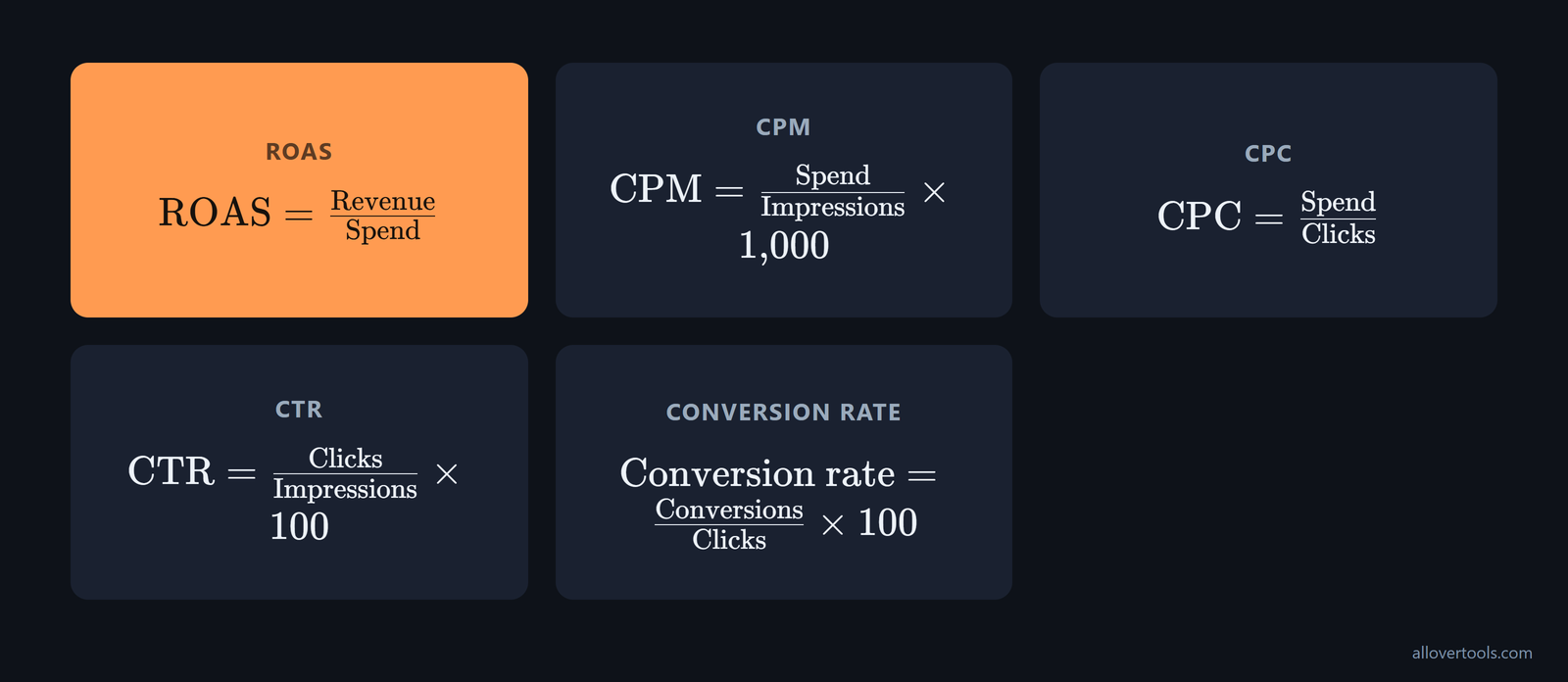
ROAS = Revenue / Spend
CPM = (Spend / Impressions) x 1,000
CPC = Spend / Clicks
CTR = (Clicks / Impressions) x 100
Conversion rate = (Conversions / Clicks) x 100
ROAS shows revenue for each unit of spend. CPM shows spend per 1,000 impressions. CPC shows spend per click. When you read CTR and conversion rate, each is a share of a different base: impressions for CTR and clicks for conversion rate in your report.
A zero denominator produces N/A for the affected metric. If spend is zero, ROAS is N/A; if impressions are zero, CPM and CTR are N/A; if clicks are zero, CPC and conversion rate are N/A.
How to evaluate campaign performance with multiple metrics
Enter figures from one period. Calculate the five ratios, then read each result with its numerator and denominator. You can judge an outcome more fairly when the earlier steps sit beside it, because the chain shows where the result began to move or stalled.
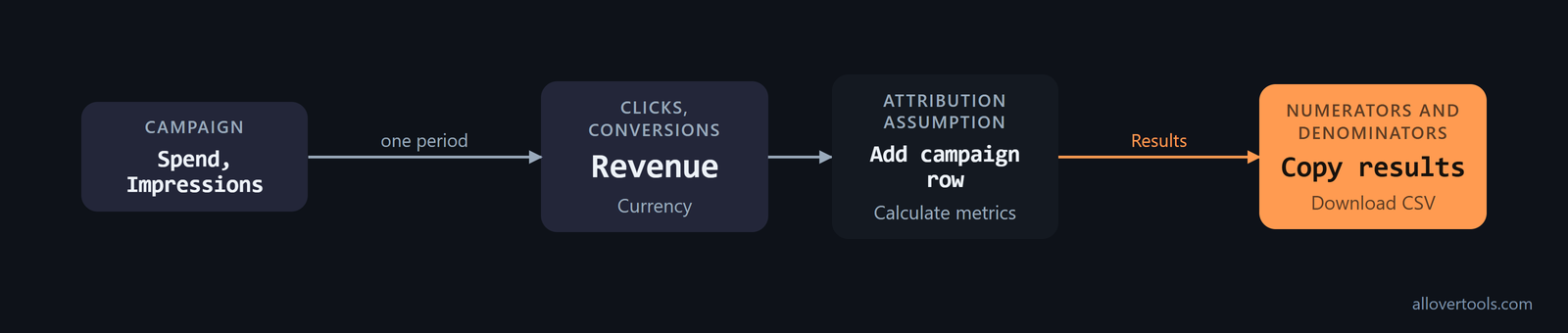
Which fields matter first? Use these controls:
- Enter one campaign's values in Campaign, then fill in Spend and Impressions; enter Clicks, then Conversions, plus Revenue.
- Choose Currency. It labels the money display, but it won't convert the amounts.
- Choose Attribution assumption. It records the model reflected in the supplied conversion and revenue figures. It doesn't assign conversions.
- Select Add campaign row to add a second campaign or ad set. It can also add a channel. Keep each row within the same period.
- Choose Calculate metrics. Then read Results. Open Numerators and denominators for the source values.
- Use Copy results or Download CSV to keep your inputs and outputs.
Blank numeric fields become 0. Entered values must be finite and non-negative, so if your export leaves a field blank, the tool treats it as zero, which differs from a measured zero until you check the source before you use the result.
The calculator doesn't send entered figures through fetch, XMLHttpRequest, sendBeacon, or form post. Arithmetic happens in the browser. Copy and CSV use browser functions.
Prepare one consistent campaign row
Keep five inputs within one campaign and period. A row mixing weekly spend with monthly revenue still produces ratios, but they describe mismatched inputs.
You choose Currency; it sets the display label. Attribution assumption records the model used for supplied conversions and revenue. Neither changes the numbers.
Do the five values describe one slice of activity? If the answer is unclear, fix the source row first.
Calculate, inspect, and save the result
Choose Add campaign row, then choose Calculate metrics. The Results table shows ROAS, CPM, CPC, and CTR beside each campaign. Conv. rate appears there too.
Read Numerators and denominators with results. That table shows each ratio's source values, so a surprising percentage gives you somewhere concrete to investigate.
Open the calculator for five. Use Copy results for text or Download CSV for a file of inputs and metrics.
Worked marketing metrics example
Your example uses chosen illustrative values, not reported campaign data. Set Currency to USD ($) and Attribution assumption to Not specified, then name the row Baseline campaign.
Baseline campaign inputs and results
Your baseline inputs are Spend 1,200 and Impressions 60,000. Clicks are 1,500; Conversions are 90, and Revenue is 3,600. Apply the formulas to get the outputs below.
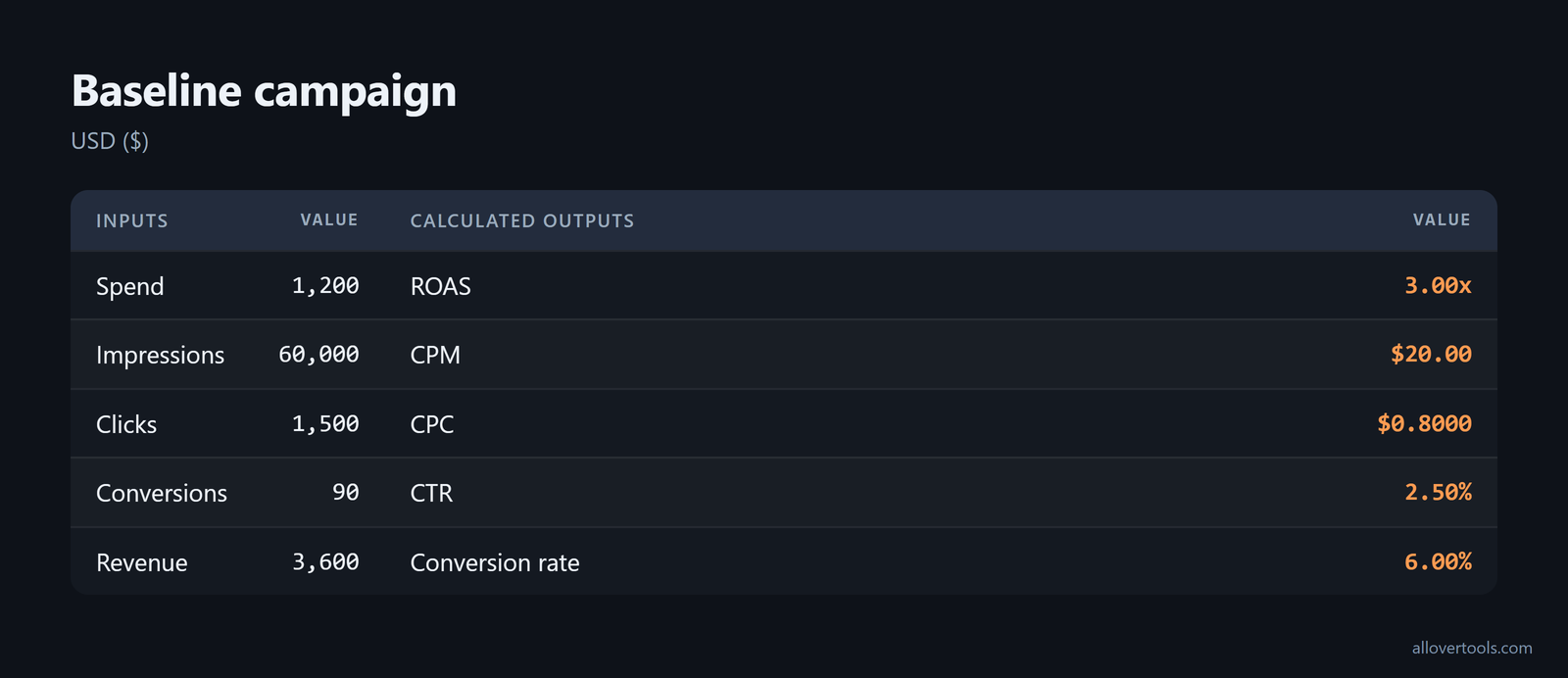
ROAS = 3,600 / 1,200 = 3.00x
CPM = (1,200 / 60,000) x 1,000 = $20.00
CPC = 1,200 / 1,500 = $0.8000
CTR = (1,500 / 60,000) x 100 = 2.50%
Conversion rate = (90 / 1,500) x 100 = 6.00%
Enter those chosen values in one Baseline campaign row. After you choose Calculate metrics, Results shows the outputs, while Numerators and denominators shows the inputs behind each ratio. Both views show numbers for checking.
Change the inputs and read what moved
The second chosen input scenario is named Higher-response scenario. Spend stays 1,200. Impressions stay 60,000.
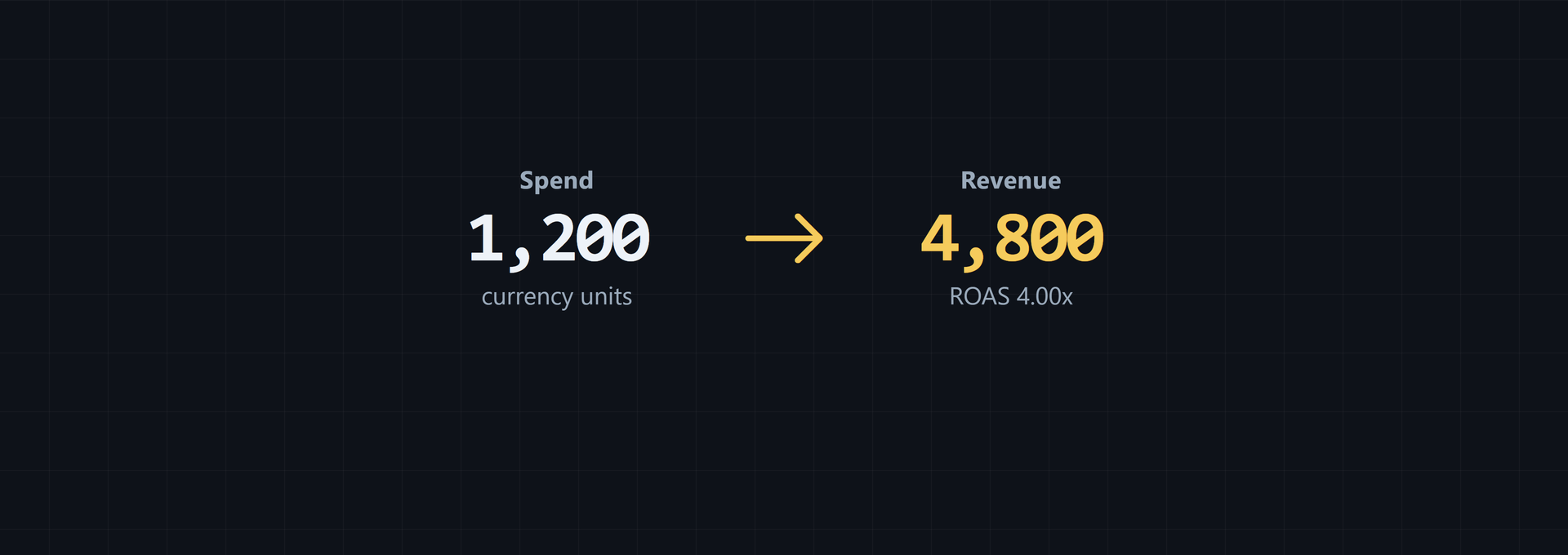
Clicks rises to 1,800. Conversions rise to 120. Revenue rises to 4,800.
ROAS = 4,800 / 1,200 = 4.00x
CPM = (1,200 / 60,000) x 1,000 = $20.00
CPC = 1,200 / 1,800 = $0.6667
CTR = (1,800 / 60,000) x 100 = 3.00%
Conversion rate = (120 / 1,800) x 100 = 6.67%
Spend and impressions remain unchanged, so CPM stays at $20.00. Higher revenue raises ROAS, while more clicks lower CPC and raise CTR; the new conversions-to-clicks ratio lifts conversion rate from 6.00% to 6.67% in the second row.
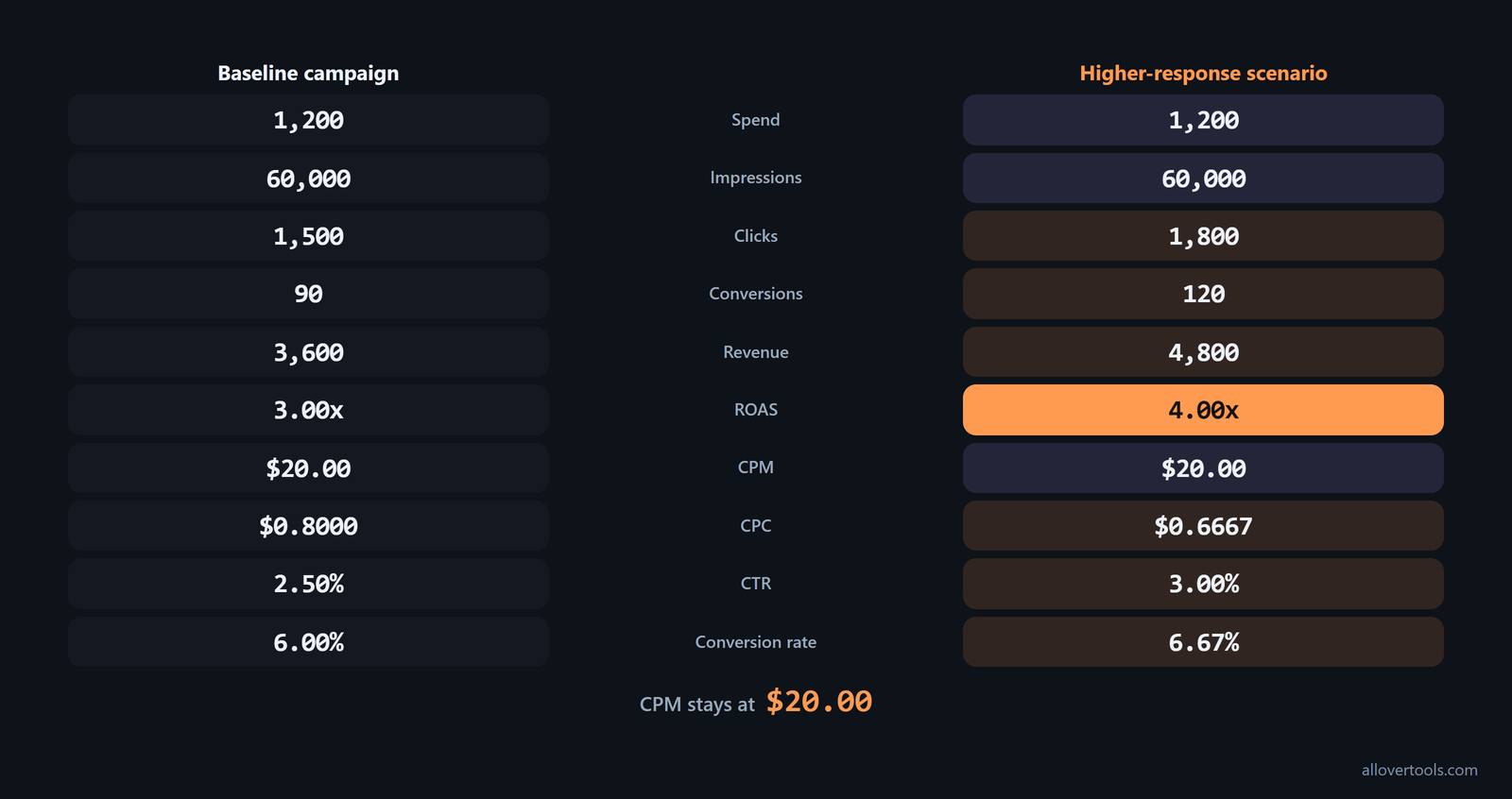
For both rows, select the Add campaign row control. Next, choose Calculate metrics. Compare them in Results and Numerators and denominators; the formulas explain each change.
Choose marketing KPIs that match the business goal
Start with your business question and choose the metric for that stage of the journey. Exposure cost, traffic response, action rate, and revenue efficiency require different measures.
Don't turn the dashboard into a catalogue of every way marketing affects the business. Start with the specific outcome, then keep the metrics that measure performance against it. Salesforce's focused-metrics guidance warns that too many KPIs dilute the insight and make reports harder to interpret.
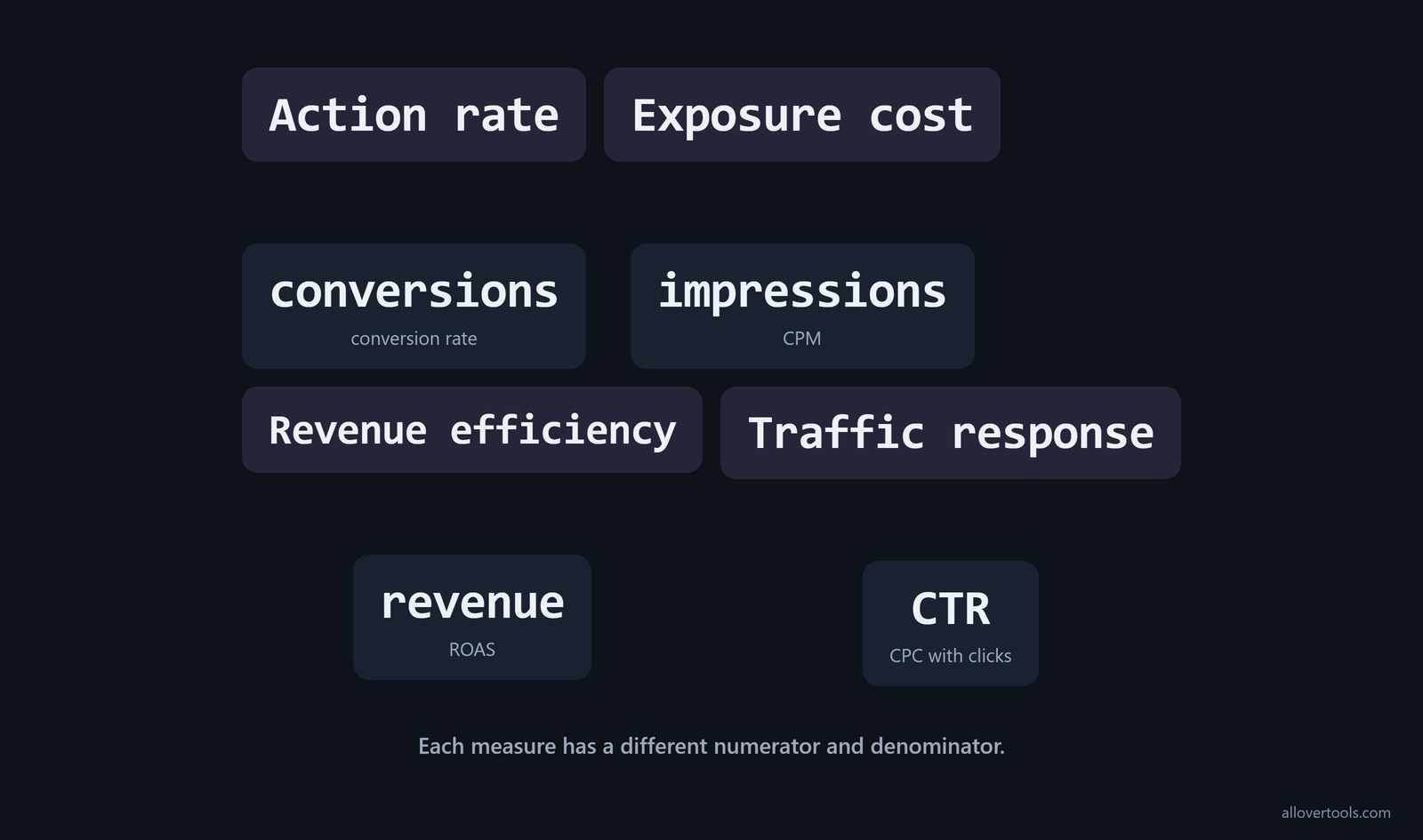
For exposure cost, use impressions and CPM. For traffic response, use CTR and CPC with clicks. For action rate, use conversions with the conversion rate. For revenue efficiency, use revenue and ROAS.
Use CPC Calculator, CPM Calculator, CTR Calculator, or Conversion Rate Calculator for one formula. ROAS Calculator is another. Use Marketing Metrics Calculator when the question spans several measures.
Group the wider dashboard by what each metric is meant to answer. Brand awareness metrics cover visibility and engagement. Pipeline metrics cover sales-qualified leads and deals closed from marketing.
Conversion metrics cover conversion rate and value per visit. Performance metrics cover cost per lead, marketing ROI, CLV/CAC ratio, churn, and customer LTV. This classification from Planful's metric categories keeps an awareness question from being judged only by a profitability measure.
Revenue, funnel performance, and customer satisfaction are still common measures. Teams also increasingly track customer referrals, acquisition costs, and engagement with content. Add those signals when the goal includes advocacy, acquisition efficiency, or deeper content interaction, following the trend described in Salesforce's metrics overview.
Match the KPI to the question
Ask what you need to learn before choosing a number. CPM answers your cost of exposure. CTR and CPC show how clicks relate to impressions and spend.
Conversion rate answers how clicks become conversions. ROAS answers how revenue relates to spend. Each measure has a different numerator and denominator, so you change the question when you replace one with another.
Need a traffic answer? Start with CTR and CPC, then check clicks.
Use customer lifetime value when the business goal includes the whole relationship, not just the first sale. CLV is the total value of a customer over the entire lifetime of that relationship: the amount the customer is expected to spend while with the business. It's relevant to campaigns focused on retention, upsell, and loyalty, as Salesforce's CLV explanation states.
Pair acquisition cost with that longer-term value. CAC is marketing and sales cost divided by new customers. The LTV:CAC ratio is customer lifetime value divided by customer acquisition cost. Use the two measures to judge whether the cost of acquiring customers is sustainable given their long-term value, using OWOX's unit-economics formulas.
Count CAC as a total acquisition expense, not just media spend. Include marketing, advertising, and sales efforts, including salespeople, tools, and closing costs, because ThoughtSpot's CAC definition includes the downstream sales work required to acquire a customer.
Use a metric chain instead of one headline number
Follow the path from spend to impressions, then clicks and conversions, followed by revenue. The chain connects an outcome to the inputs that produced it and shows where your campaign gains or loses.
ROAS may look strong even when click volume or conversion rate is weak. CTR can look strong while conversions or revenue fail to follow. One metric can't replace the rest of the chain.
Keep ROAS and ROI separate when the question is profitability. ROAS is revenue from ads divided by ad cost and is usually shown as a multiple. ROI is (return minus cost) divided by cost, multiplied by 100%, and is the broader net-return measure. Use ROAS for channel-specific ad-spend efficiency and ROI for the wider profitability question, as OWOX's formula comparison distinguishes them.
Limits and mistakes that change the reading
Campaign metrics change meaning when a denominator is zero or a field is missing. They also change when rows use different scopes or periods. Check those conditions before you draw a conclusion from the calculator.
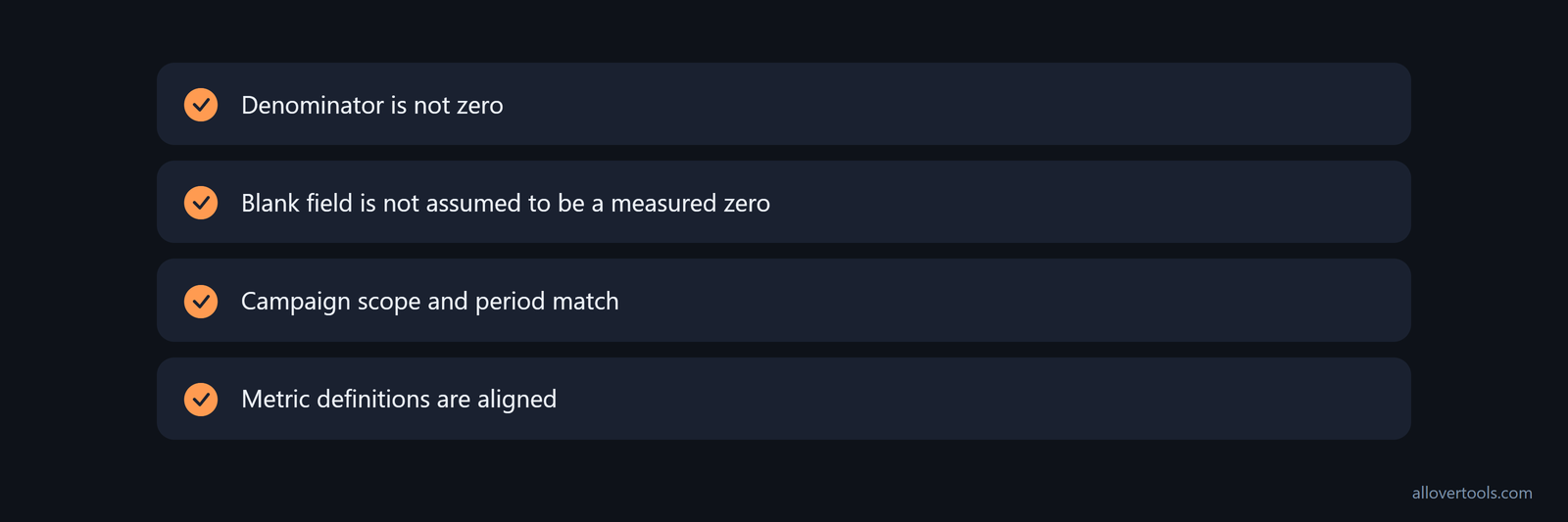
The tool accepts numbers of 0 or more. A zero denominator makes the affected result N/A. A missing value becomes 0, so an empty export isn't the same as a measured zero.
Zero denominators and missing fields
Zero spend makes ROAS N/A. Zero impressions makes CPM and CTR N/A. Zero clicks leaves CPC N/A and makes conversion rate N/A.
This prevents a ratio when its base is zero. Review the source before changing a blank field to a real zero, because the calculator can't tell whether your export was incomplete.
Labels are not attribution or currency conversion
Currency is a display label, not a conversion. Selecting USD ($) changes how money values appear, but it doesn't translate a value from another currency.
Attribution assumption is a recorded label, not automatic attribution. It describes the model behind the entered conversions and revenue, while the calculator only applies the ratios.
Before comparing rows, check that the campaign scope and period match, then check the metric definitions. Use several aligned metrics and inspect Numerators and denominators before drawing conclusions.
Attribution is a choice about how to allocate credit, and it changes how you read conversion and revenue metrics. Multitouch attribution divides the value of a sale by the number of touchpoints a customer may have encountered. That lets emails, ads, and content views share credit instead of giving all credit to one click or impression; Adobe's multitouch model describes that approach.
Use metrics alongside analytics when the report needs to guide spending, not only describe the past. An integrated analytics approach can measure the impact of each investment, forecast results, check activities against defined milestones, optimize marketing in real time, and help frame, justify, grow, and defend activities and budgets, as Marketo's analytics guidance explains.
Frequently asked questions
What is the difference between a metric and a KPI?
A metric is any measured campaign value. A KPI is the metric selected for a specific business goal, so the same number can be diagnostic in one report and a KPI in another.
Which marketing metrics show whether a campaign made money?
Read revenue with ROAS for the revenue-efficiency view, then check spend, clicks, conversions, and conversion rate alongside them. ROAS is Revenue divided by Spend, so it doesn't replace the other funnel measures.
What should I do when a marketing metric has no denominator?
Check that the required input is present and covers the same campaign period. In the calculator, a zero denominator appears as N/A instead of producing a ratio.
Can I use the calculator for more than one campaign?
Yes. Use Add campaign row and enter each campaign's inputs. Select Calculate metrics.
Compare rows in Results. The Numerators and denominators view shows the values behind each metric.
Does the calculator use live ad data?
No. The tool calculates from the figures entered in the browser, records the selected attribution label, and doesn't connect to an ad platform or fetch campaign data.