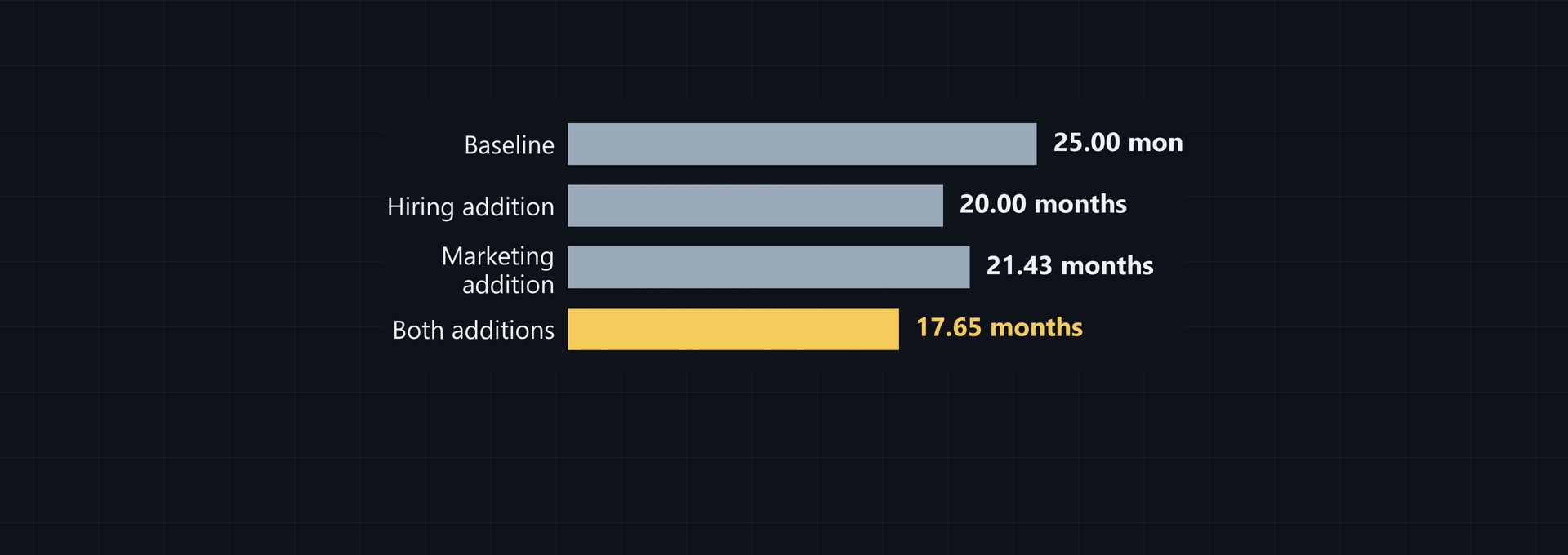
To reduce burn rate downturn risk, a startup needs a clear view of cash, revenue, and spending. Then it can test what happens if revenue falls, choose cuts that protect essential work, and set a runway target the team can manage.
Diagnose your current burn rate and runway
Begin with cash on hand, revenue collected, and cash operating expenses from the same period. Gross burn is total monthly cash operating expense. Net burn is monthly expense minus cash revenue. Divide cash balance by positive net burn to get runway in months.
Separate gross burn from cash runway
Use cash available for operations, not total assets. Use revenue that has been collected, not revenue that has only been booked, and match it to the expense period. The formulas are:
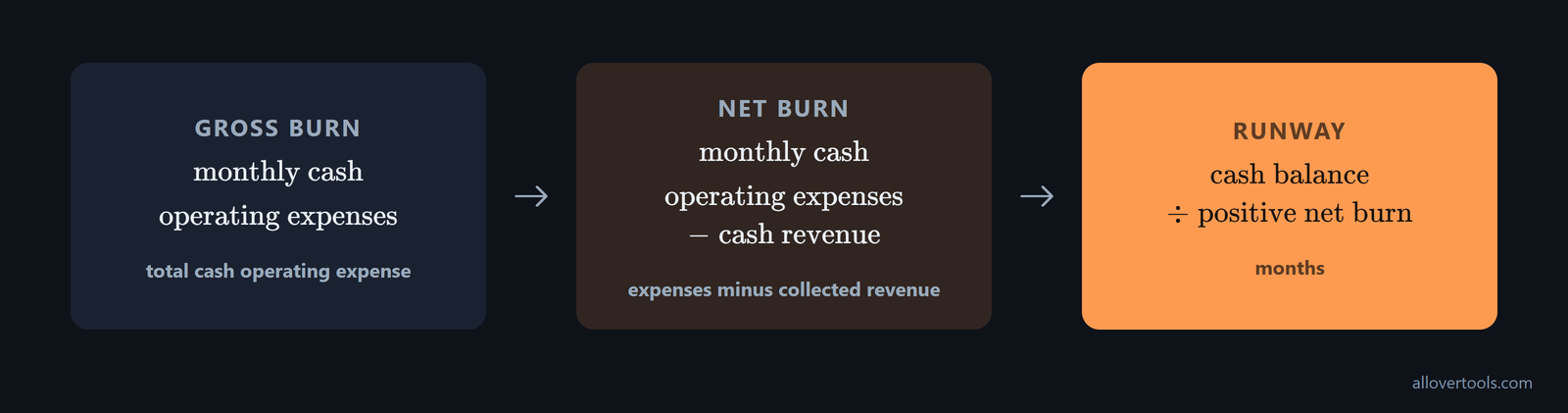
Gross burn = monthly cash operating expenses
Net burn = monthly cash operating expenses - cash revenue
Runway (months) = cash balance / positive net burn
Here is a worked example:
Cash balance: $480,000
Monthly revenue collected: $30,000
Monthly expenses: $90,000

Gross burn: $90,000
Net burn: $90,000 - $30,000 = $60,000
Runway: $480,000 / $60,000 = 8.00 months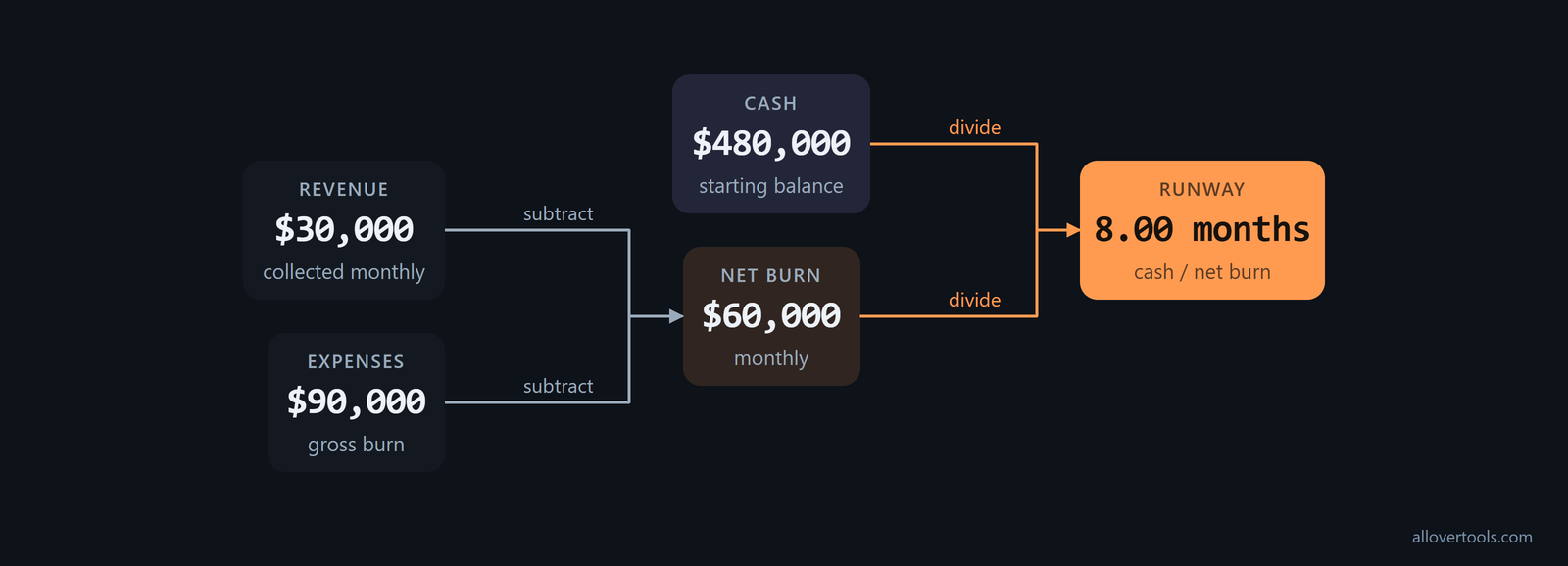
For a normalized calculation, use the Burn Rate Calculator. Enter Current cash balance, Revenue for this period, Total expenses for this period, and Period for revenue & expenses below. The tool converts quarterly, annual, weekly, and custom-period entries to monthly values. Currency symbol only labels the result; it does not convert the amounts.
Check the assumptions behind the number
- Reconcile cash on hand with the balance available for operations.
- Include payroll, rent, tools, and other cash operating expenses.
- Set one-time charges apart from recurring spending.
- Record the revenue that was actually collected in the selected period.
This run-rate result is a starting point, not a forecast. It assumes revenue and expenses stay constant. It does not account for seasonality, one-time charges, financing events, or later changes. That limitation matters when reviewing burn rate in recession conditions. The calculator uses the figures entered in the browser, and its code makes no fetch, XMLHttpRequest, sendBeacon, or form post of those figures.
Model lower revenue before deciding what to cut
Build two cases before making a reduction: one where revenue falls and expenses do not change, and another where spending falls in response. For this example, use $480,000 starting cash, $24,000 month-1 revenue, $65,000 month-1 expenses, monthly revenue growth of -5%, and monthly expense growth of -2%.
The Cash Runway Calculator accepts Monthly revenue (month 1), Monthly expenses / burn (month 1), Monthly revenue growth rate (optional), Monthly expense growth rate (optional), and Months to show in projection table. It applies these formulas each month:
Revenue in month m = month-1 revenue x (1 + revenue growth rate)^(m - 1)
Expenses in month m = month-1 expenses x (1 + expense growth rate)^(m - 1)
Net burn in month m = expenses in month m - revenue in month m
Ending cash = prior cash - net burn in month m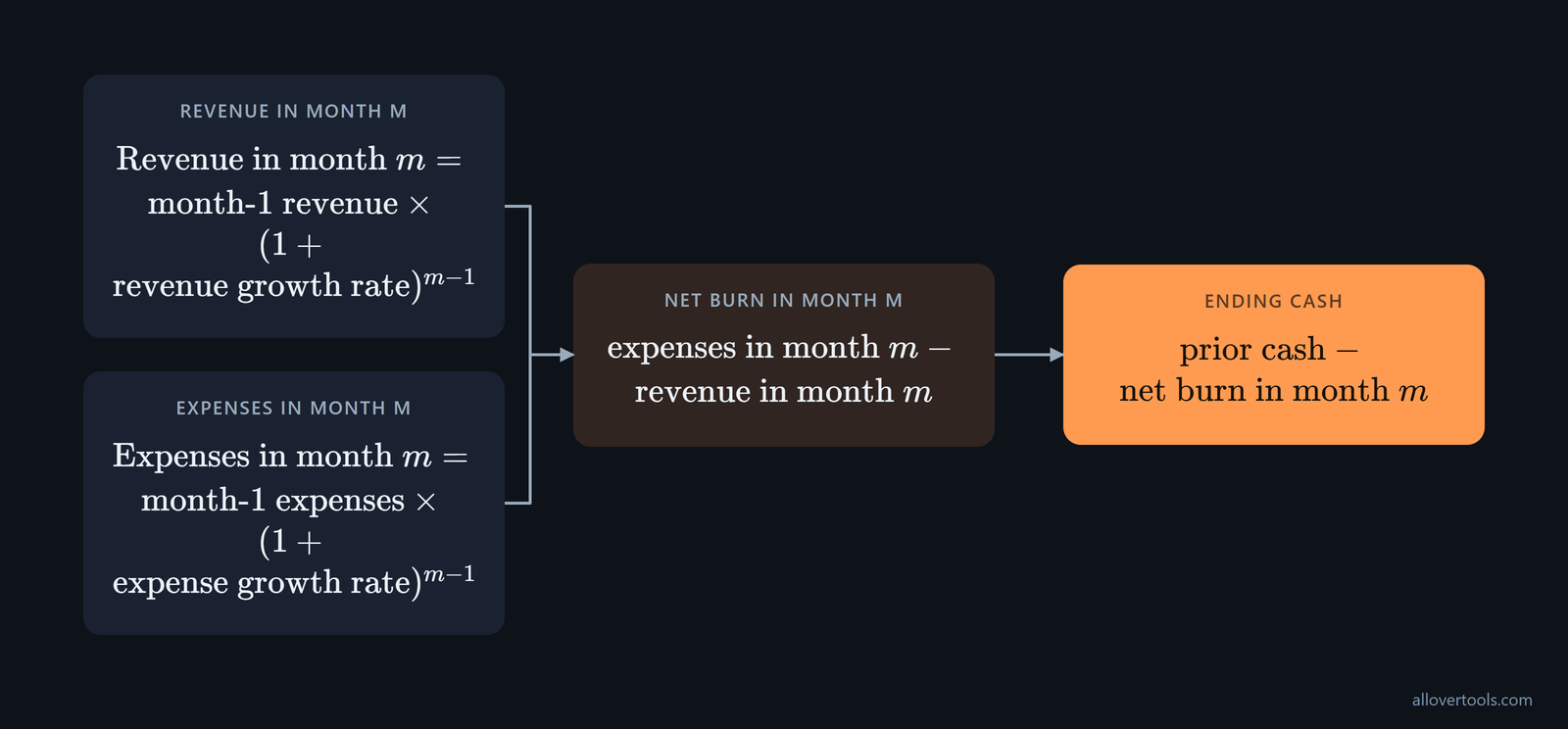
With the cost response in place, month-1 net burn is $65,000 - $24,000 = $41,000. After 12 projected months, $956.51 remains. The first depletion is in month 13, with interpolated runway of 12.03 months.
Use a revenue-downside case
Enter a lower month-1 revenue and a negative monthly revenue growth rate, but leave expenses unchanged at first. Using $90,000 expenses, $480,000 cash, $24,000 revenue, -5% revenue growth, and 0% expense growth, month-1 net burn is $66,000. The first depletion occurs in month 7, at an interpolated 6.93 months.
This isolates the revenue shock. The cash result shows what the downturn does before any cost response reduces the apparent burn.
Add the cost-response case
Replace the unchanged $90,000 expense base with the $65,000 response. Keep revenue at $24,000, revenue growth at -5% per month, and expense growth at -2%. The results are $41,000 month-1 net burn, $956.51 ending cash after month 12, and month-13 depletion interpolated to 12.03 months.
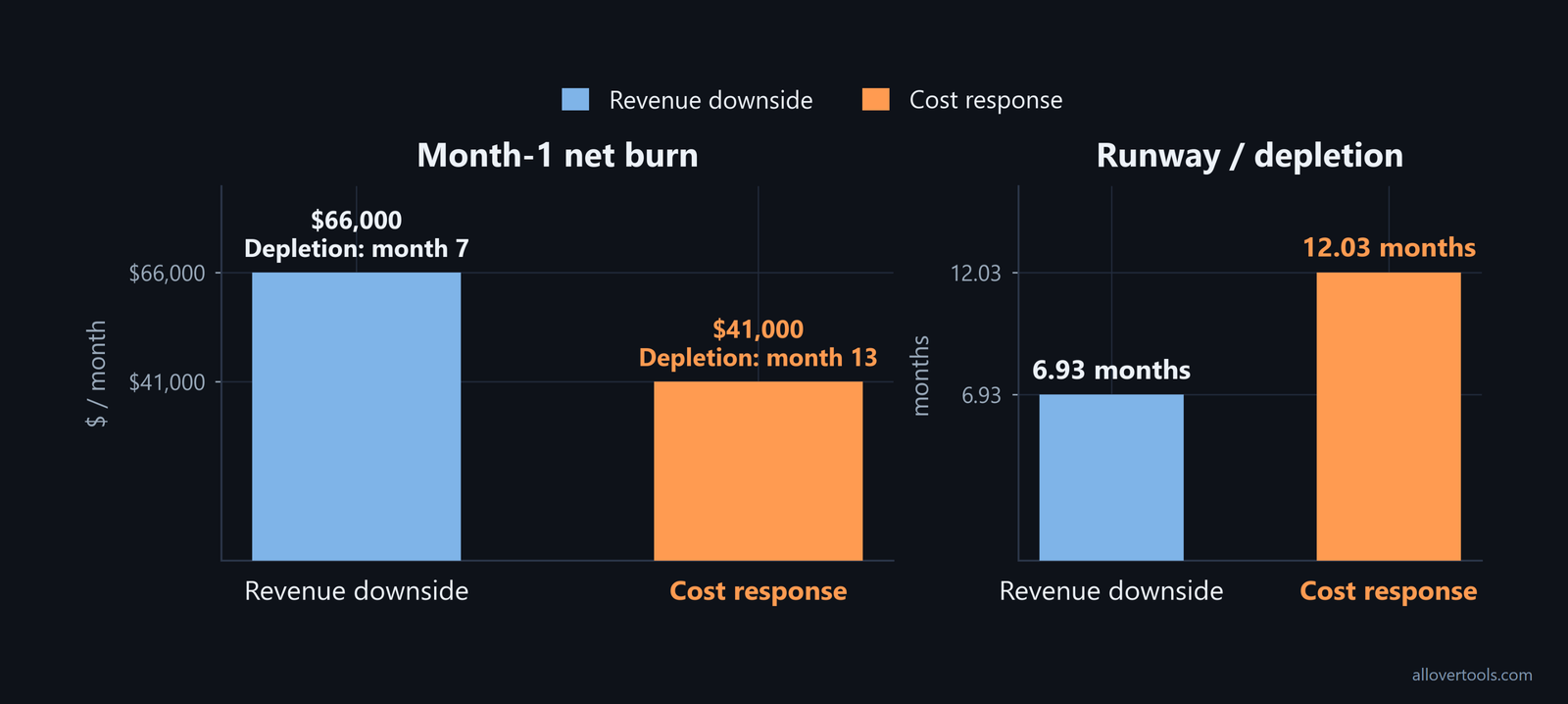
Months to show in projection table can be 6, 12, 24, 36, or 48. The runway search checks up to 600 months. When month-1 revenue covers or exceeds expenses, the tool reports runway as not applicable unless a later projection depletes cash. Negative growth rates are inputs, not promises. Compare cash remaining, runway, and the work still funded in each case before choosing a cut.
Prioritize expense cuts by runway impact
List each recurring and one-time cash expense. Mark whether it is essential to delivery, required for compliance or security, tied directly to revenue, or deferrable. For each possible cut, estimate the monthly saving and note what the business would lose or delay.
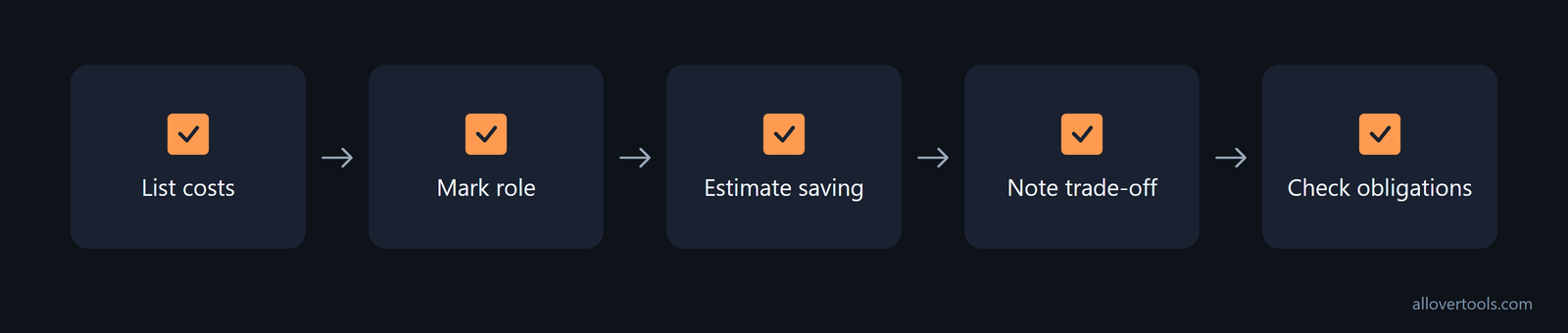
Review non-headcount spending as a separate group. Pause low-yield acquisition, renegotiate vendors, remove unused tools, defer office or travel commitments, and stop projects that do not support the survival case. Check contractual, tax, employment, and customer obligations before acting.
Start with non-headcount spending
The reductions in this example save $11,000 per month. Check unused capacity before cutting tools, direct revenue impact before reducing marketing, notice terms before changing contractor work, and customer or operational impact before reducing travel and office spending.
Compare headcount changes with their side effects
Review hiring freezes, reduced contractor scope, redeployment, reduced hours where lawful, and role reductions alongside non-headcount options. The $14,000 payroll reduction below is an example, not a recommendation. Before making a people decision, identify the critical work that remains, assign an owner, state what will be delayed or lost, and explain how roles and priorities will change.
Payroll may produce a larger saving, but it can also reduce delivery capacity, morale, and recovery speed. A cut helps only when the cash saved is worth more than the revenue, delivery, compliance, or recovery capacity it removes.
Read the before-and-after runway
All values in this table are chosen values.
| Category | Before | Chosen reduction | After | Consequence |
|---|---|---|---|---|
| Payroll | $60,000 | $14,000 | $46,000 | Less team capacity; assign remaining critical work. |
| Tools | $8,000 | $3,000 | $5,000 | Check unused capacity before removing access. |
| Marketing | $12,000 | $4,000 | $8,000 | Check direct revenue contribution and customer pipeline. |
| Contractors | $6,000 | $2,000 | $4,000 | Check notice terms and delayed deliverables. |
| Travel/office | $4,000 | $2,000 | $2,000 | Check customer commitments and operating need. |
| Total | $90,000 | $25,000 | $65,000 | Chosen expense response. |
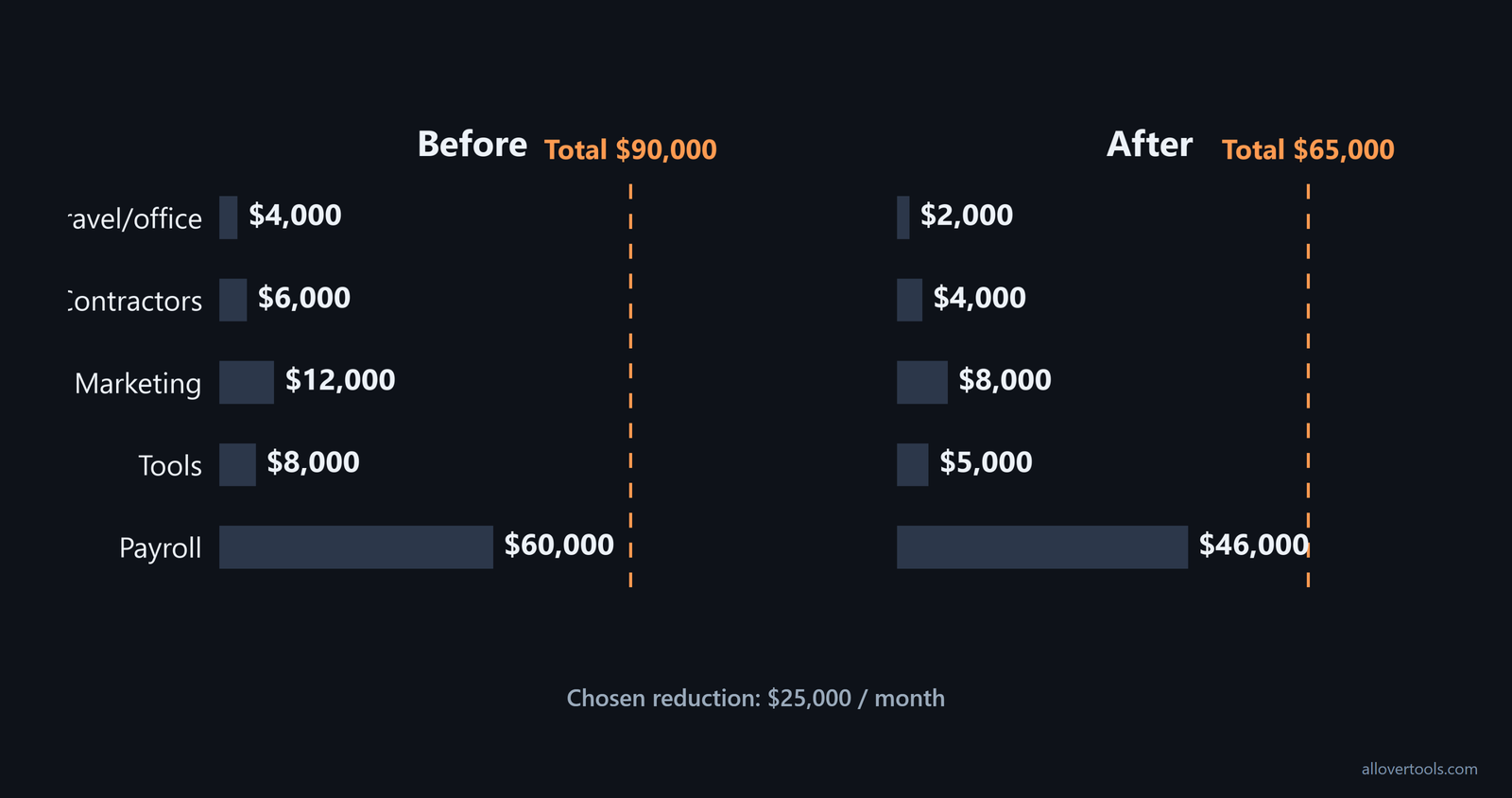
With $480,000 cash and $24,000 monthly revenue, the after-cut plan has $65,000 gross burn, $41,000 net burn, and $480,000 / $41,000 = 11.71 months of runway. Revenue is $24,000 here rather than the $30,000 used in the diagnostic example, so compare this result with the lower-revenue case instead of treating the extension as guaranteed.
Set a runway extension target and new burn guardrails
Choose a target based on the next financing, revenue, or operating milestone. Then turn that target into a maximum net burn:
Target net burn = cash balance / target months
$480,000 / 12 = $40,000 maximum net burn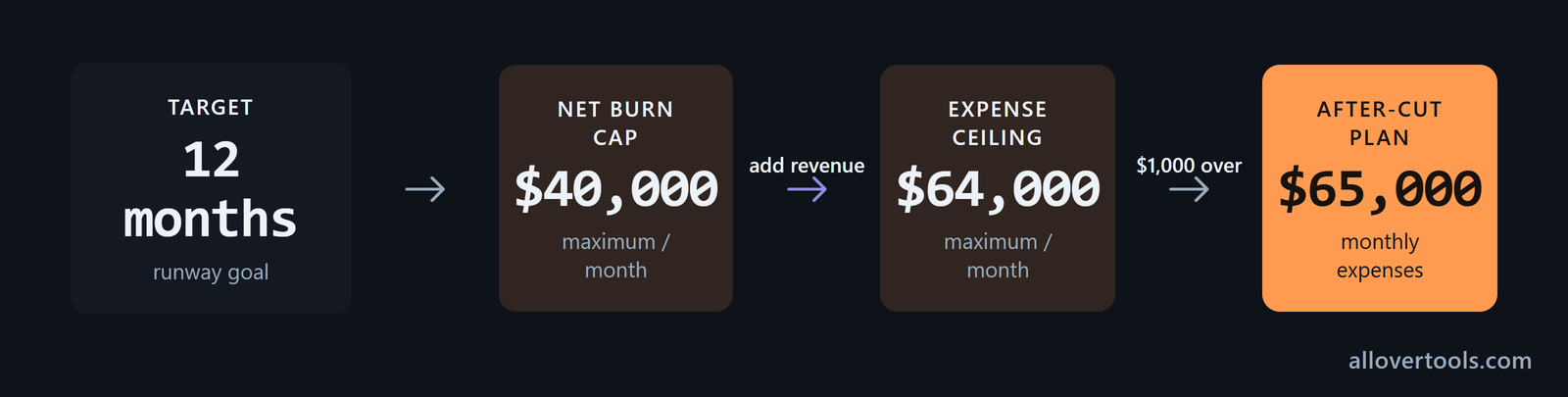
In the lower-revenue case, monthly revenue is $24,000. To keep 12 months of runway, maximum expenses are $24,000 revenue + $40,000 net burn = $64,000. At that expense level, gross burn is $64,000, net burn is $40,000, and runway is 12.00 months. The $65,000 after-cut plan is $1,000 above the monthly expense limit.
Convert months of runway into a spending ceiling
Use the Burn Rate Calculator to recalculate normalized burn and runway after changing the period or amounts. Keep committed costs separate from discretionary spending so the ceiling shows what can still move.
Review guardrails on a fixed cadence
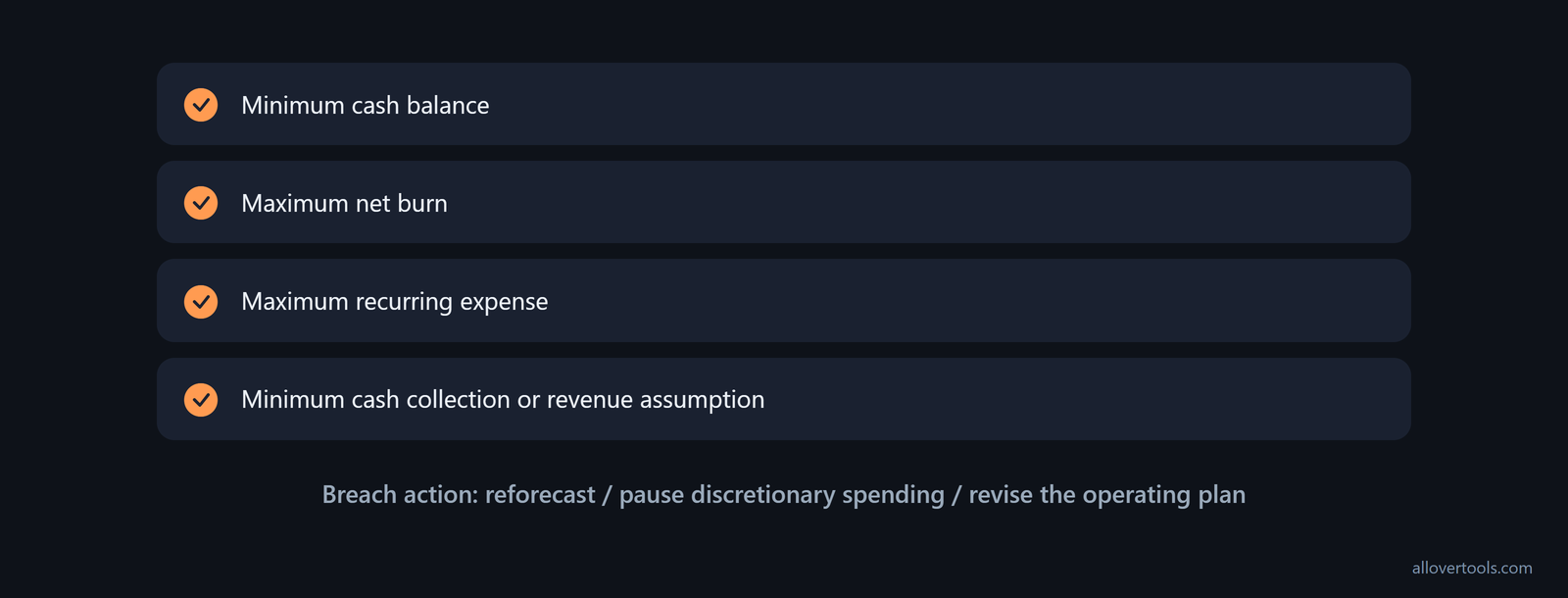
Track a minimum cash balance, maximum net burn, maximum recurring expense, and minimum cash collection or revenue assumption in a monthly operating sheet. Name the action to take when a limit is breached: reforecast, pause discretionary spending, or revise the operating plan. Recalculate after every material change using actual cash, collected revenue, and paid expenses.
Rebalance growth, fundraising, and team communication
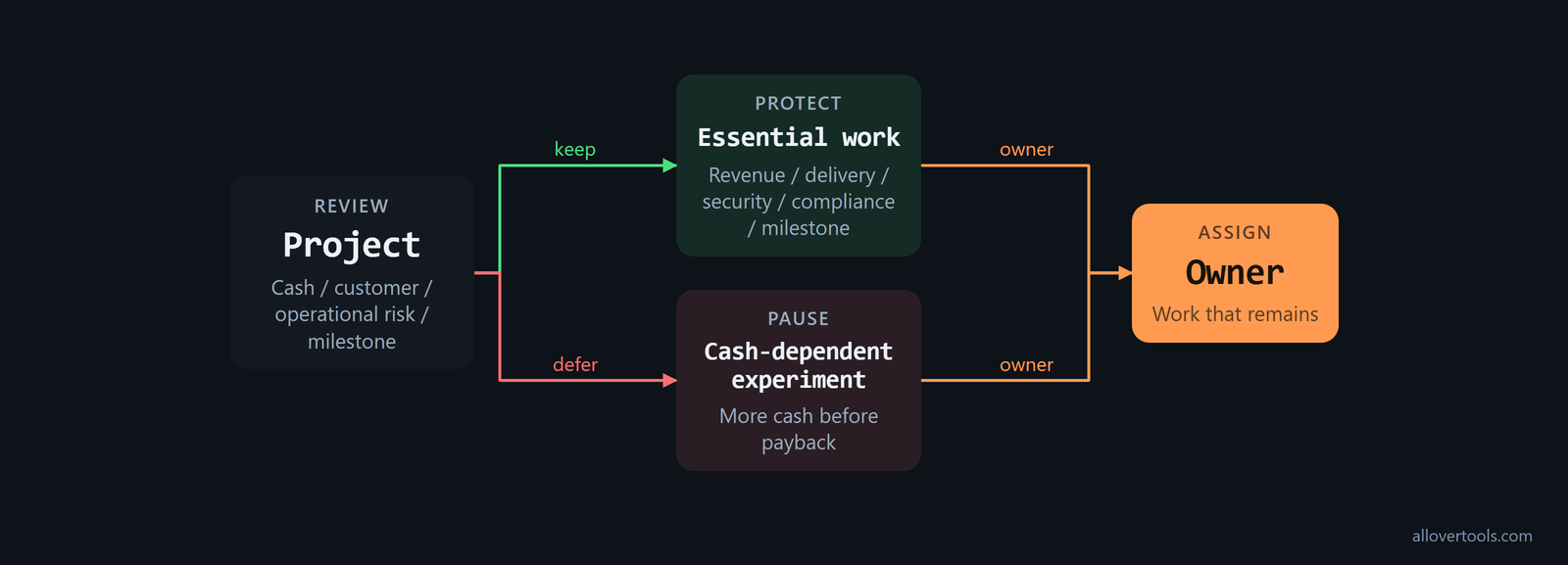
Keep work that protects current revenue, customer delivery, security, compliance, or the next financing milestone. Defer experiments whose payoff depends on more cash or a stronger market. Each decision has a cost, so record what the business gives up when it cuts or pauses work.
Protect survival work before growth bets
Use cash protection, customer obligation, operational risk, and milestone relevance to review each project. A project that protects a customer obligation may stay even if it does not create immediate revenue. An experiment that needs more cash before it can pay back may be paused. Assign an owner to the work that remains.
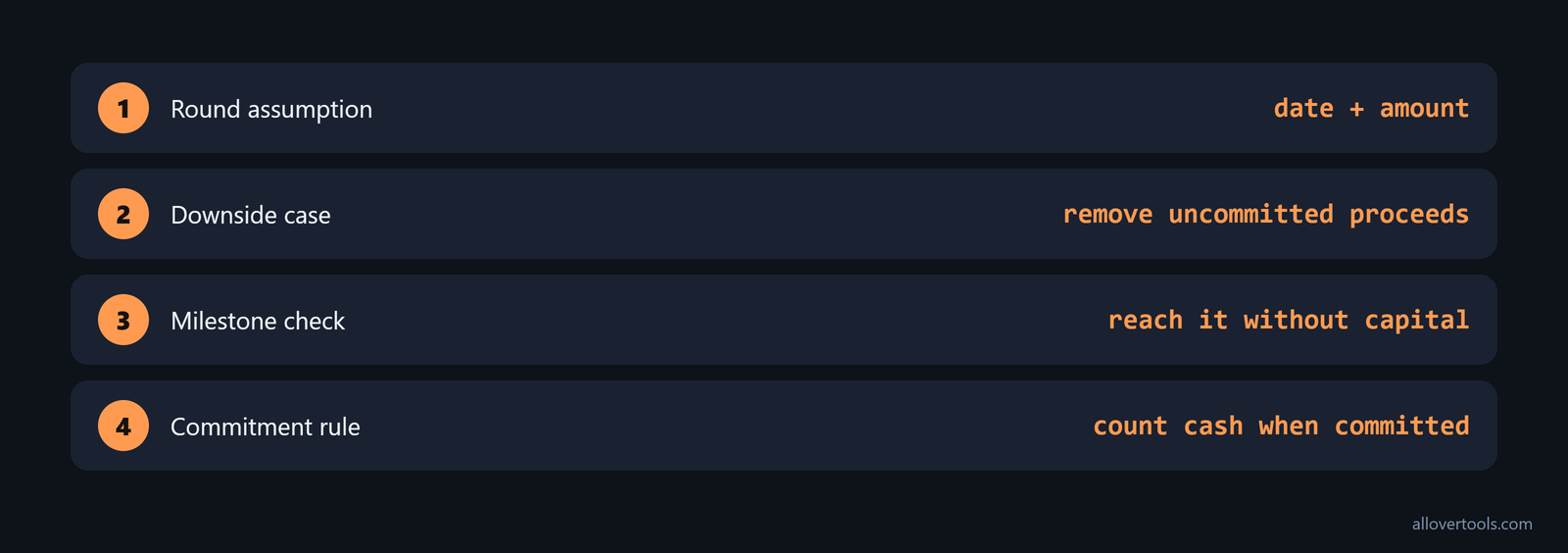
Revisit fundraising assumptions by replacing the expected round date and amount with a downside assumption. Remove uncommitted proceeds from the runway model and identify the milestone that must be reached without that capital. The Cash Runway Calculator can show the month-by-month effect of the revised assumption. Do not count a future round as available cash until it is committed.
Communicate the new plan clearly
Explain the cash and runway problem in plain language. State the runway target and guardrails, then describe protected work, paused work, owners, and changes to roles or priorities. Invite questions and repeat the update when actuals change.

Do not announce a cut without its operating reason, hide the scenario assumptions, present a forecast as certain, or ask teams to take on more work without removing priorities. Record the before-and-after plan, run the lower-revenue scenario, set the guardrails, and schedule the next review.
Frequently asked questions
How much should a startup reduce burn during a downturn?
There is no universal percentage. Calculate the net-burn ceiling implied by the runway target, model lower revenue, and choose cuts whose cash saving is greater than the delivery, revenue, compliance, or recovery capacity they remove.
Should I cut headcount or other expenses first to extend runway?
Review non-headcount and headcount categories together, but document the operational consequence of each option. A larger payroll saving can also remove the capacity needed to retain customers or reach the next milestone.
How do I stress test runway when revenue is falling?
Use a month-by-month case with lower month-1 revenue and a negative monthly revenue growth rate, then compare ending cash and the depletion point with the cost-response case. The Cash Runway Calculator supports those inputs and interpolates the depletion month.
What burn-rate guardrails should a startup set?
Set a minimum cash balance, maximum net burn, maximum recurring expenses, and a conservative revenue or cash-collection assumption. Recalculate them from actual cash and paid expenses whenever the forecast breaches a limit or a material cost or revenue assumption changes.