New ARR vs renewal ARR separates two parts of subscription growth. New ARR is recurring revenue annualized from brand-new customer wins. Renewal ARR is the recurring base that remains after renewals and churn. A period bridge keeps the two views apart, shows expansion and contraction separately, and gives the next-period forecast a clear starting point.
What is new ARR vs renewal ARR?
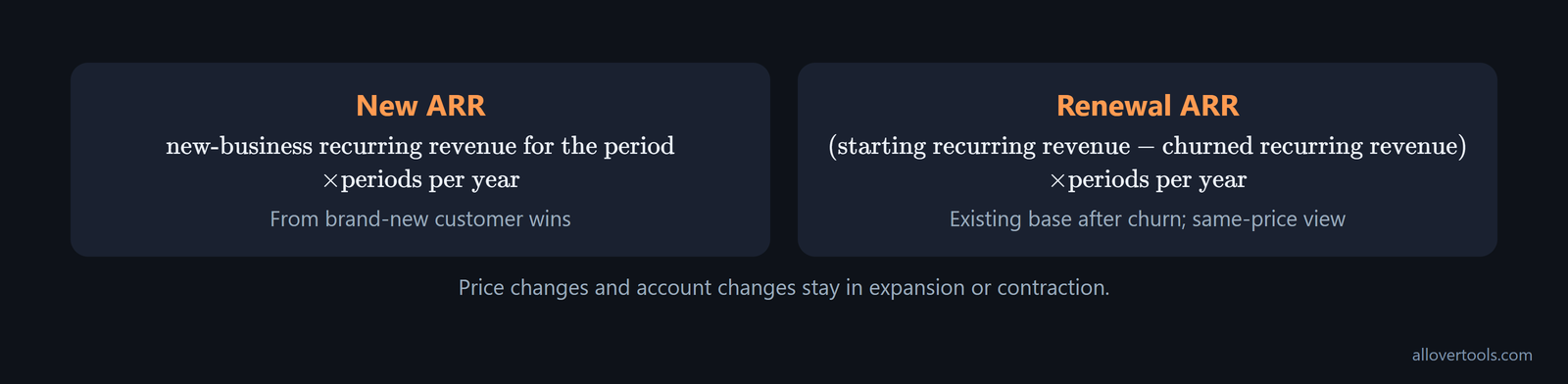
ARR is annualized recurring revenue. New ARR comes from new-business recurring revenue in the period, multiplied by the number of periods in a year. Renewal ARR is the part of the starting recurring base that remains after churn, assuming renewing contracts keep the same recurring value. Price increases, upgrades, and downgrades belong in expansion or contraction. One-time fees do not belong in recurring revenue.
Use these formulas:
New ARR = new-business recurring revenue for the period x periods per year
Renewal ARR = (starting recurring revenue - churned recurring revenue) x periods per year
The first formula gives a new ARR growth metric. The second gives a same-price view of the retained base. It does not hide price changes or account changes inside renewal ARR.
To annualize a recurring amount, the ARR Calculator uses recurring revenue per period x billing periods per year x number of subscriptions. One-time fees, setup charges, and non-recurring discounts are not part of that amount.
New ARR comes from new customer wins
The SaaS Metrics Calculator labels this input New business recurring revenue. Its help text defines it as recurring revenue from brand-new customers acquired in the period. If that amount is $2,000 per month, a 12-month annualization gives:
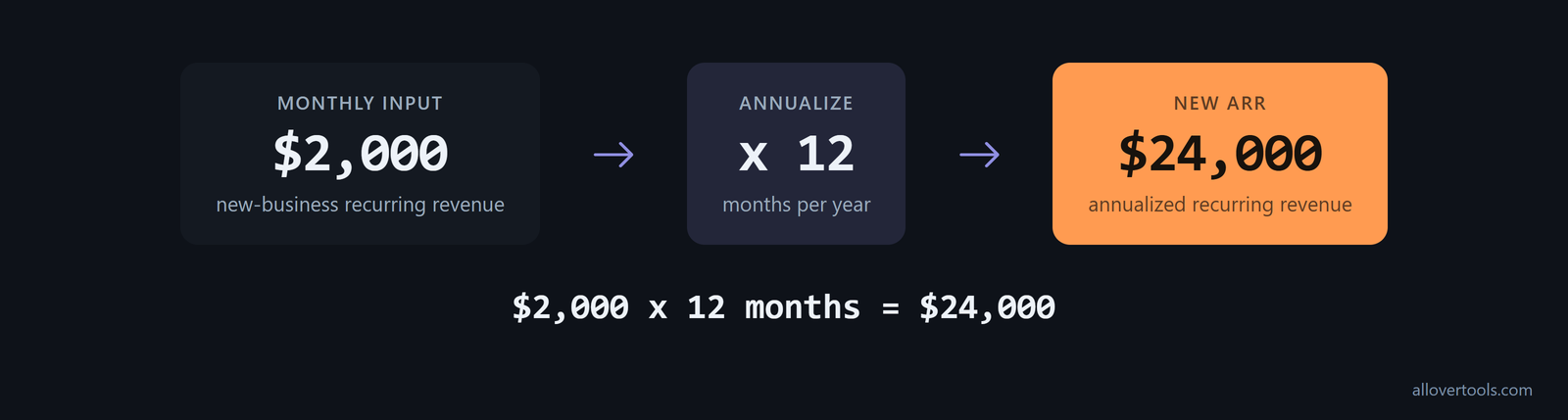
$2,000 x 12 months = $24,000 new ARRThat is ARR from new customers. An upsell from an existing customer belongs in expansion ARR because it changes the recurring revenue of an existing account.
Renewal ARR keeps the existing base visible
Renewal ARR is the starting recurring base after churn is removed. Under the same-price assumption, subtract churned recurring revenue, then annualize what remains. Expansion and contraction show changes in existing accounts. Churned revenue shows what left. That distinction prevents every dollar in ending ARR from being labeled renewal ARR.
How do you separate new and renewal ARR in a report?
Build a period to period ARR bridge with one line for each movement:
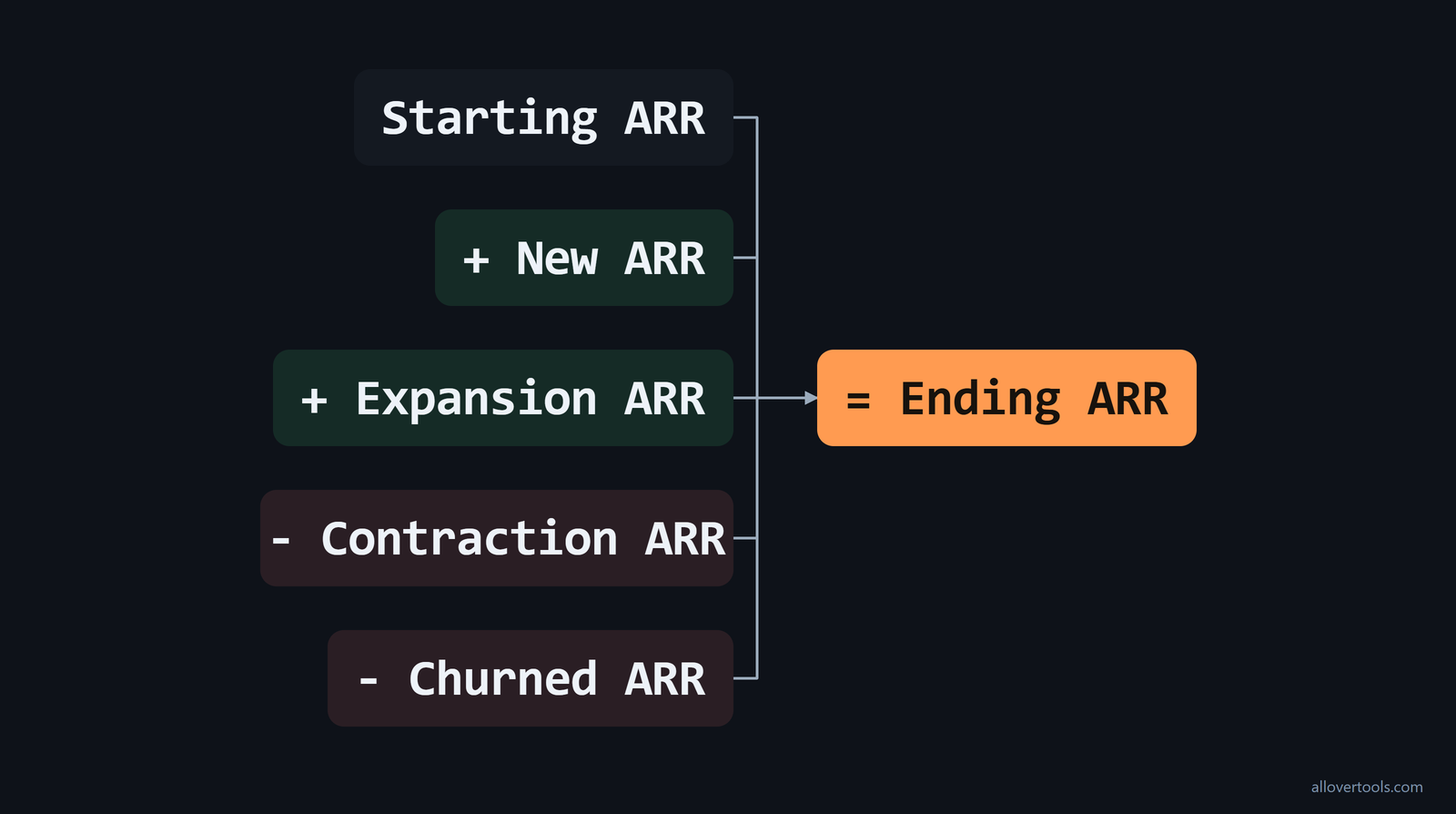
Starting ARR
+ New ARR
+ Expansion ARR
- Contraction ARR
- Churned ARR
= Ending ARR
For the retained-base view, renewal ARR equals Starting ARR - Churned ARR. The bridge still keeps new customer wins, upgrades, downgrades, and lost accounts separate. The reconciliation is:
Ending ARR = Starting ARR + New ARR + Expansion ARR - Contraction ARR - Churned ARRThis ARR bridge shows where the change came from. Renewal ARR is a derived view of the existing base; the bridge still preserves churn, upgrades, and downgrades as separate movements.
When a former customer returns, give that movement its own label. If a churned customer comes back during the period, classify the contract value as Reactivation ARR, not New ARR or Renewal ARR. That keeps win-back activity separate from first-time acquisitions and ordinary renewals. Nomi's ARR bridge definition uses the same separate line.
Use the same taxonomy in every report. ARR up for Renewal is ARR from expiring customer contracts. A renewal view shows what remains from that base. Keep New ARR, Expansion ARR, Reactivation ARR, Contraction ARR, and Churned ARR on their own lines. Then base renewals, upsells, and win-backs reconcile to total ARR, as this ARR overview shows.
Make the split reproducible at customer level. In a subscription-level export, compare each customer's prior ARR with its current ARR, then aggregate the movements. The CSV bridge rules classify the rows as follows:
- New business: prior ARR is 0; current ARR is greater than 0.
- Expansion: current ARR is greater than prior ARR, and prior ARR is greater than 0.
- Contraction: current ARR is less than prior ARR, and prior ARR is greater than 0.
- Churn: prior ARR is greater than 0; current ARR is 0.
These row-level rules make the split auditable. It does not depend on a high-level CRM label. They also give the report a direct way to investigate an account when its movement does not reconcile to the billing export.
In the SaaS Metrics Calculator, enter Period type, Starting recurring revenue, New business recurring revenue, Expansion recurring revenue, Contraction recurring revenue, and Churned recurring revenue. The calculator uses the values entered in the browser and has no billing-system connection. Currency changes the display label; it does not convert an amount.
Use one period and one ARR basis
Choose Monthly or Annual in Period type. Enter every movement for that same period. Monthly inputs are annualized when you read ARR. A monthly starting amount and an annual new-business amount cannot go in the same bridge.
Blank numeric fields in the SaaS Metrics Calculator count as zero. A zero denominator makes the affected metric N/A. The calculator leaves the rate undefined instead of showing a percentage that cannot be calculated.
Keep the bridge components additive
Each component has a separate job. New ARR explains acquisition. Renewal ARR shows the retained base. Expansion and contraction show account changes, while churned ARR shows lost base. Check that the ending total reconciles to the bridge before using it to explain growth.
Build the bridge each month or quarter. Compare consecutive bridges instead of looking at a single annual total. Rising churn or contraction, or falling expansion, can reveal weaker renewal dynamics even while net ARR is growing. RevenueLab's cadence advice calls for quarterly tracking so losses are flagged before a surprise reconciliation.
What do new customer wins and renewals look like in ARR?
Use the following values with the SaaS Metrics Calculator set to Monthly:
Starting recurring revenue:             $10,000
New business recurring revenue:          $2,000
Expansion recurring revenue:               $500
Contraction recurring revenue:             $300
Churned recurring revenue:                 $700
The calculations are:

Ending recurring revenue = $10,000 + $2,000 + $500 - $300 - $700
                         = $11,500

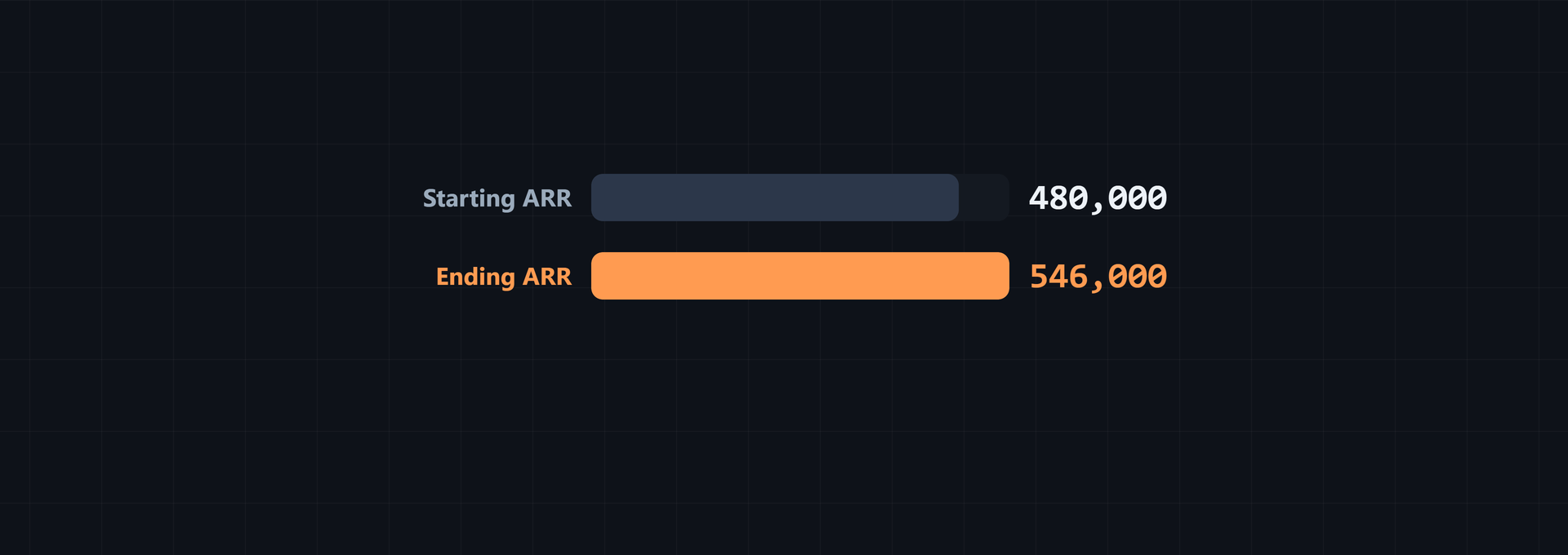
Starting ARR = $10,000 x 12 = $120,000
New ARR = $2,000 x 12 = $24,000
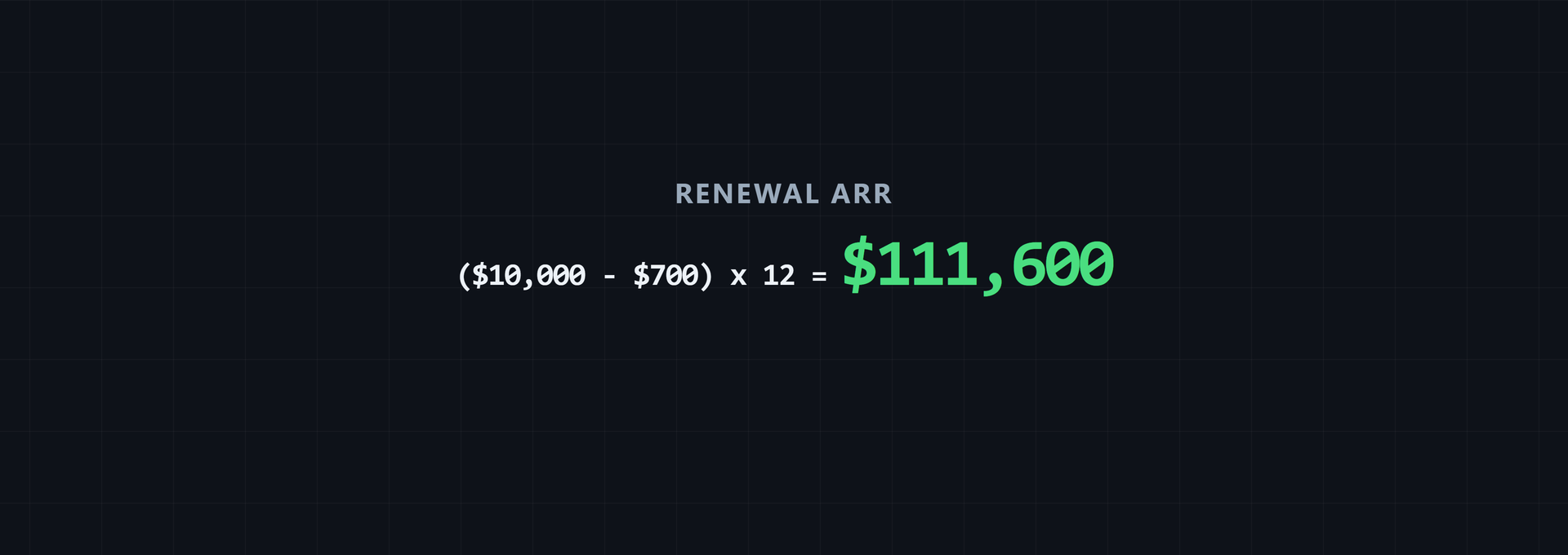
Renewal ARR = ($10,000 - $700) x 12 = $111,600
Ending ARR = $11,500 x 12 = $138,000
Net new recurring revenue = $2,000 + $500 - $300 - $700 = $1,500
ARR increase = $138,000 - $120,000 = $18,000
ARR increase rate = $18,000 / $120,000 x 100 = 15%
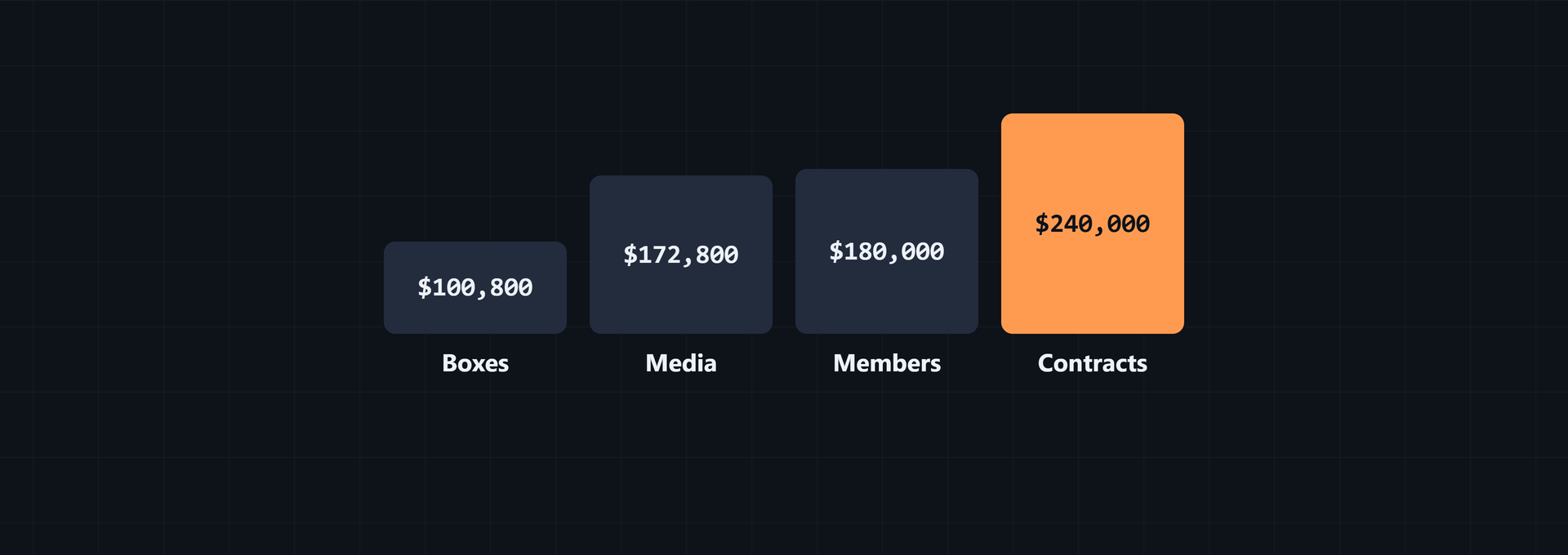
These are chosen values, not a benchmark. The starting base is $120,000 of ARR. Churn removes $8,400, leaving $111,600 of renewal ARR. New customer wins add $24,000, expansion adds $6,000, and contraction removes $3,600. The ending ARR is $138,000.
Enter the five movement values in the SaaS Metrics Calculator and read its ARR, net new recurring revenue, gross revenue churn, and net revenue churn outputs. The result breakdown shows each numerator and denominator. Select Copy results for text or Download CSV for the metric and value rows.
Tell growth and retention as two separate stories
The acquisition story is simple: new customers added $24,000 of ARR. The retention story is different: the starting base retained $111,600 after $8,400 of churn. Each sentence describes a different movement.
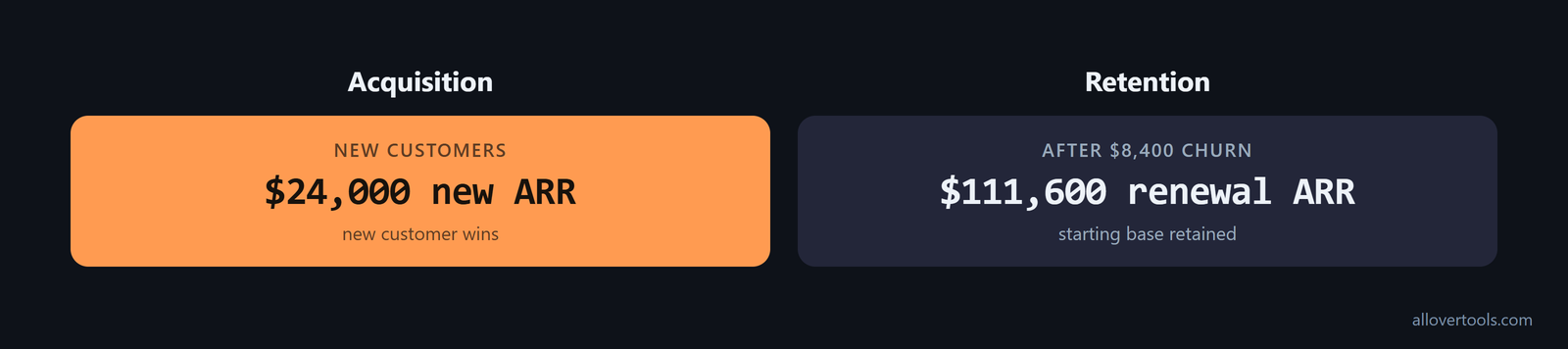
The $18,000 net ARR increase alone cannot show whether growth came from new logos or from keeping the existing base. The bridge supplies that split.
Look at the mix of gains and losses, not only the net result. High new-ARR alongside high churned ARR points to a leaky business that relies on acquisition spend to grow. Also track expansion ARR as a share of total growth. A rising expansion share indicates a healthier company, and more expansion with less reliance on new logos points to more durable economics, as this growth guide explains.
How do renewal rates and churn affect ARR stability?
For the example above:
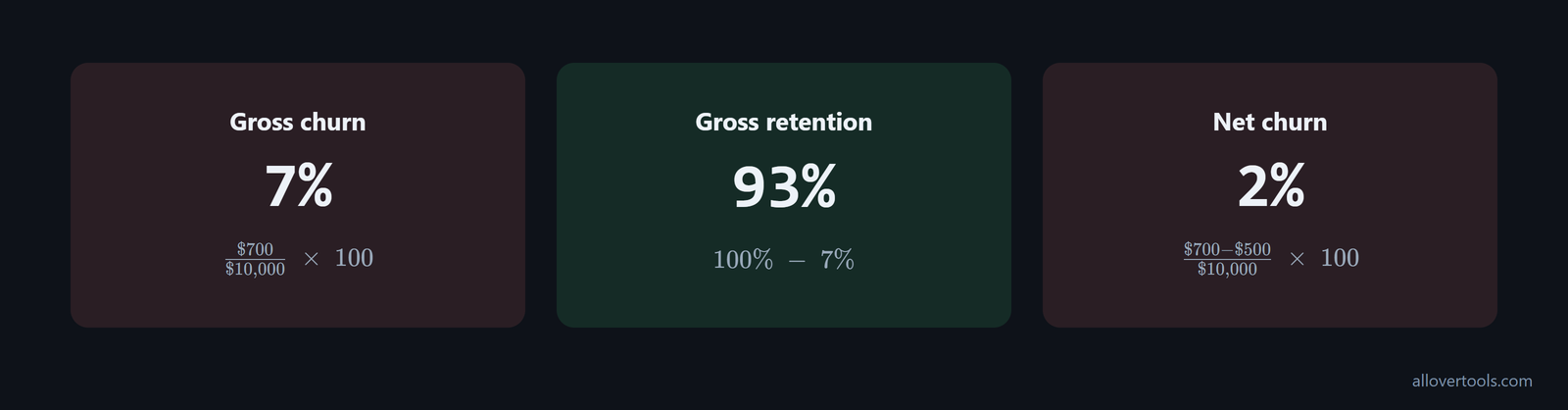
Gross revenue churn = $700 / $10,000 x 100 = 7%
Gross retention = 100% - 7% = 93%
Net revenue churn = ($700 - $500) / $10,000 x 100 = 2%
Gross churn measures lost recurring revenue. Gross retention is the remainder after that loss. Net revenue churn subtracts expansion from churn, and the SaaS Metrics Calculator does not include contraction in that formula. A larger renewal contribution makes the next period less dependent on new logos. Churn reduces the base available to renew.
Pair a renewal ARR retention metric with churn so the report shows what stayed and what was lost. For a lost-versus-starting check, use the Churn Rate Calculator, choose Revenue churn (amount), and enter recurring revenue as the starting and lost amounts for the same period.
Include contraction in retention math when the report needs to match board or investor metrics. The formulas are Gross Revenue Retention (GRR) = (Beginning ARR - Churn - Contraction) / Beginning ARR and Net Revenue Retention (NRR) = (Beginning ARR - Churn - Contraction + Expansion) / Beginning ARR, as the bridge formulas set out. If you leave contraction out, you understate revenue loss and overstate how much of the starting base truly renews.
For a trailing-twelve-month view, add churn, contraction, and expansion across the 12 months. Divide each retention calculation by the Beginning ARR from 12 months ago. The same bridge components are used, and seasonality is smoothed. Renewal stability then has a broader base than one quarter alone; ARRGuide's TTM method describes that denominator.
Pair renewal ARR with gross and net churn
Start with renewal ARR or gross retention to assess the existing base. Then check gross revenue churn to see the loss and net revenue churn to see whether expansion offsets it. Do not call net negative churn a renewal rate. It includes expansion.
A zero starting recurring base gives revenue churn and growth no denominator. The SaaS Metrics Calculator displays N/A for those affected metrics.
Treat contraction as an early warning in the renewal cohort, not just as a completed loss. Watch it before churn: downgrades precede cancellations, and rising contraction signals that churn is coming. Use the segment and account detail behind the bridge to guide pricing, packaging, or customer-success intervention before full cancellations hit renewal ARR, following this contraction guidance.
How can you forecast renewals into future ARR?
For a simple scenario, apply the 93% gross retention rate from the example to the current ending ARR of $138,000. Then add planned new ARR of $24,000:
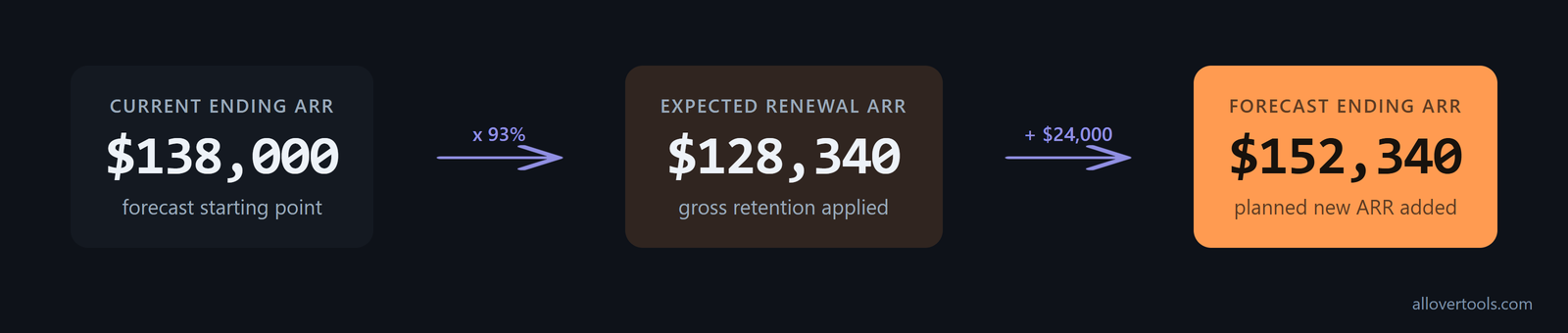
Expected renewal ARR = $138,000 x 93% = $128,340
Forecast ending ARR = $128,340 + $24,000 planned new ARR = $152,340
This forecast excludes additional expansion, contraction, and unexpected churn beyond the 93% retention assumption. Apply the rate to the renewal-eligible cohort, not to every dollar of revenue.
Keep the historical explanation separate from the forward plan. The ARR bridge looks backward and shows where growth came from. The ARR build looks forward and projects where growth will come from. Use the bridge for actual starting ARR, new, expansion, contraction, and churn movements. Then use the build to apply assumptions to future new and renewal rates, as this modeling guide distinguishes.
For another scenario, identify the renewal-eligible ARR, choose a documented retention assumption, multiply, add planned new ARR, and then add separate expansion and contraction assumptions. The SaaS Metrics Calculator can check the bridge for each scenario. Its monthly annualized growth warning compounds one month's growth over 12 months, so it is a rough projection, not a forecast.
Separate the renewal assumption from the acquisition plan
With the same numbers:
$138,000 current ARR x 93% = $128,340 renewal ARR
$128,340 renewal ARR + $24,000 planned new ARR = $152,340 forecast ending ARR
Changing the retention assumption changes the renewal portion. Changing planned new ARR changes the acquisition portion. Keeping them separate shows which assumption changed the result.
What are the common mistakes when mixing new and renewal ARR?
These mistakes are common:
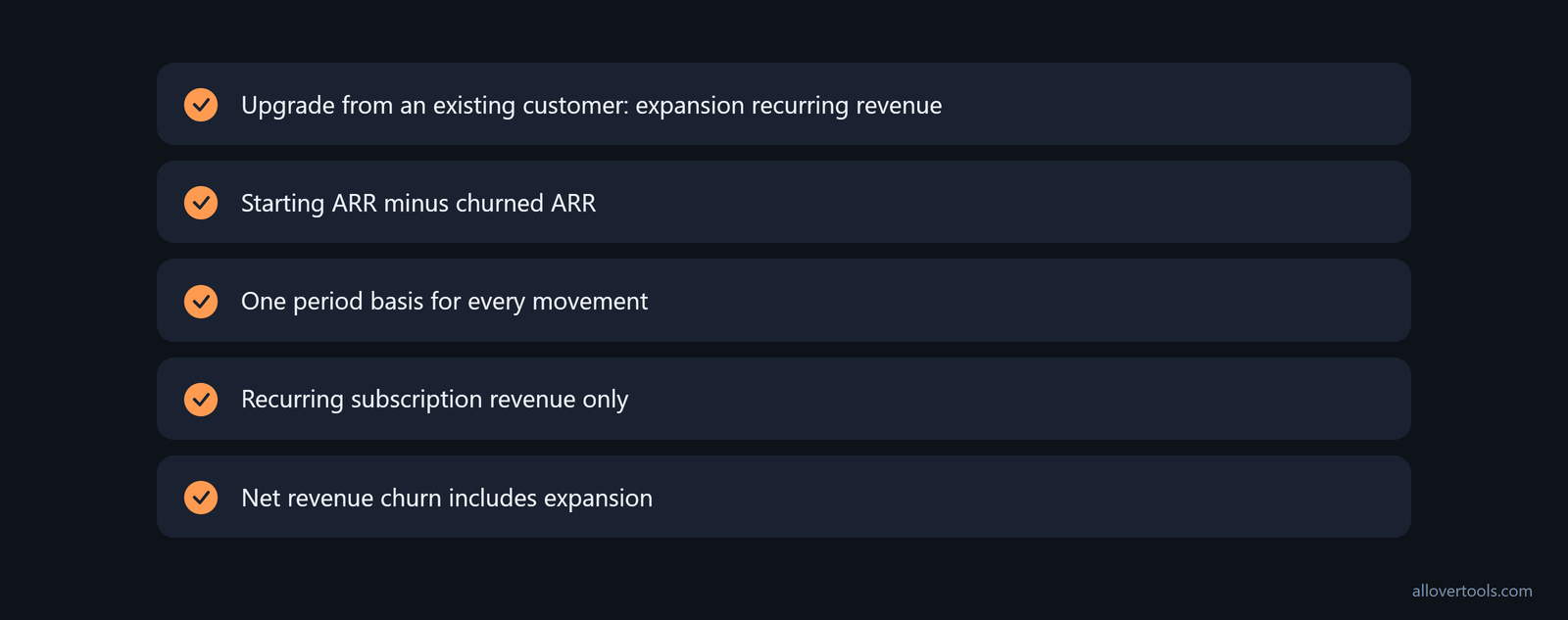
- Calling an upgrade from an existing customer new ARR. Put it in expansion recurring revenue.
- Calling all starting ARR renewed. Subtract churned ARR before calculating the retained-base renewal view.
- Mixing MRR and ARR in one period. Choose one period basis and annualize consistently.
- Including one-time fees, setup charges, or non-recurring discounts. ARR uses recurring subscription revenue.
- Using net revenue churn as a pure renewal rate. The formula includes expansion, so it measures more than renewals.
Partial renewals and price changes need explicit contraction or expansion treatment. A zero denominator should remain N/A. Recheck annualization in the ARR Calculator when the disputed line is the recurring amount or billing-period factor.
Use the billing system as the authority for new-versus-renewal ARR. If the bridge does not match reported ending ARR, reconcile the gap instead of forcing the CRM closed-won total to fit. Check account-ID merges, customer renames, and churn classified as a downgrade. When billing and CRM are not synced, the new-logo line can diverge, so FinanceOS's reconciliation guidance says to flag the variance explicitly.
Keep the timing label clear. ARR and recognized revenue are not interchangeable. A churned customer drops out of ARR immediately but can continue generating revenue until service ends. Renewal ARR is therefore a point-in-time subscription measure, not recognized revenue. The bridge's churn and contraction values are also the inputs used to assess gross revenue retention, as this ARR-to-revenue explanation makes clear.
For investor diligence, compare both sides of the bridge. One practical guardrail says New ARR plus Expansion ARR should exceed Churn plus Contraction by at least 20%, while Churned ARR stays below 12% annually. Higher churn is treated as a red flag in the diligence heuristic described in this ARR diligence example. Use these figures as an external check on whether renewal ARR looks stable, not as a replacement for customer-level reconciliation.
Before using the report, check the period basis, reconcile every component, label the new and renewal views, pair churn with retention, and state the forecast assumptions.
Frequently asked questions
How is new ARR different from renewal ARR?
New ARR is recurring revenue annualized from brand-new customer wins. Renewal ARR is the portion of the existing recurring base that remains after churn, with expansion and contraction shown separately.
How do you calculate renewal ARR?
Under a same-price retained-base view, subtract churned recurring revenue from starting recurring revenue and annualize the result. State the period and keep price changes, upgrades, and downgrades as separate bridge movements.
How should churn be used with new and renewal ARR?
Use gross revenue churn to measure lost recurring revenue against the starting base, then use gross retention as its complement. Net revenue churn also subtracts expansion, so it should not be described as a pure renewal rate.
Does the SaaS Metrics Calculator calculate renewal ARR directly?
It has fields for starting, new business, expansion, contraction, and churned recurring revenue, but no dedicated renewal ARR field. Derive the retained-base renewal view from starting recurring revenue minus churned recurring revenue, then annualize it consistently.