
ARR Forecasting SaaS: How to Project Growth
Learn how to build an ARR forecast from contracts, new sales, churn and expansion, then connect scenarios to burn, cash runway and valuation.

12 articles explaining how to use the ARR Calculator, with examples and answers to common questions.
Learn how to build an ARR forecast from contracts, new sales, churn and expansion, then connect scenarios to burn, cash runway and valuation.

Learn to split recurring revenue from new customer wins and contract renewals, connect retention to churn, build a period bridge, and forecast forward.
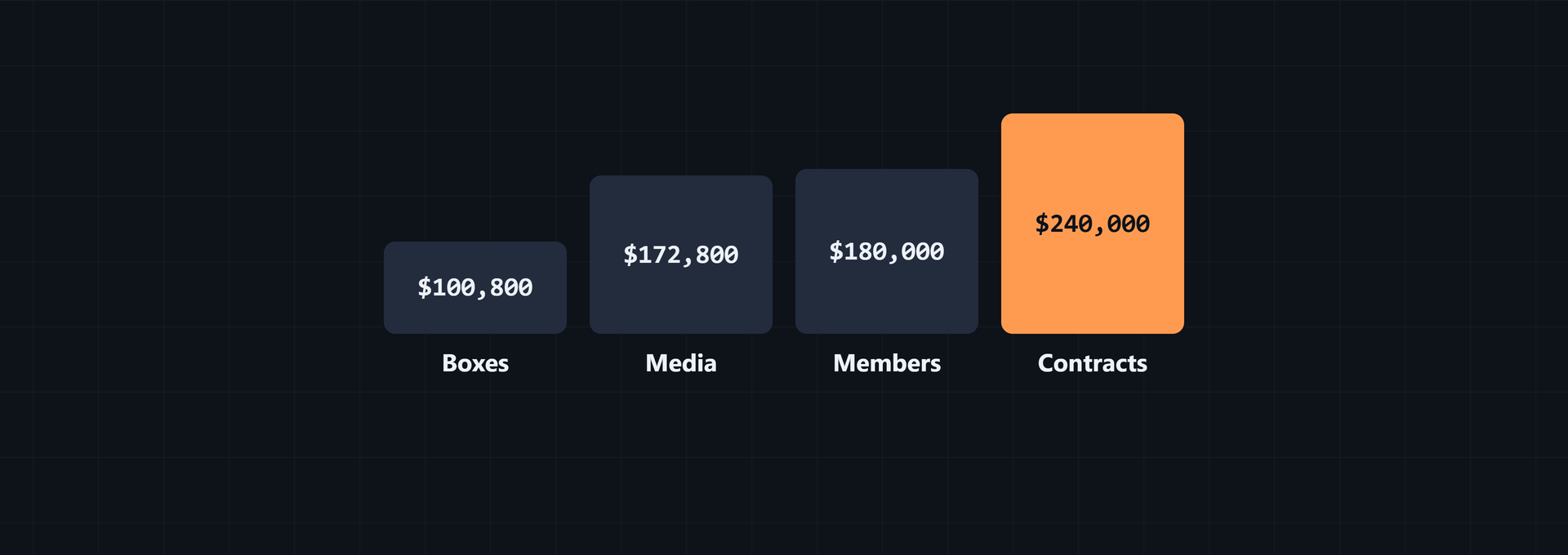
Learn how to annualize subscription boxes, media, memberships, and service contracts, forecast recurring revenue, and check margins and profit.

Learn how to annualize 2-year, 4-year, quarterly, mixed, upgraded, and downgraded contracts into one consistent ARR reporting method.
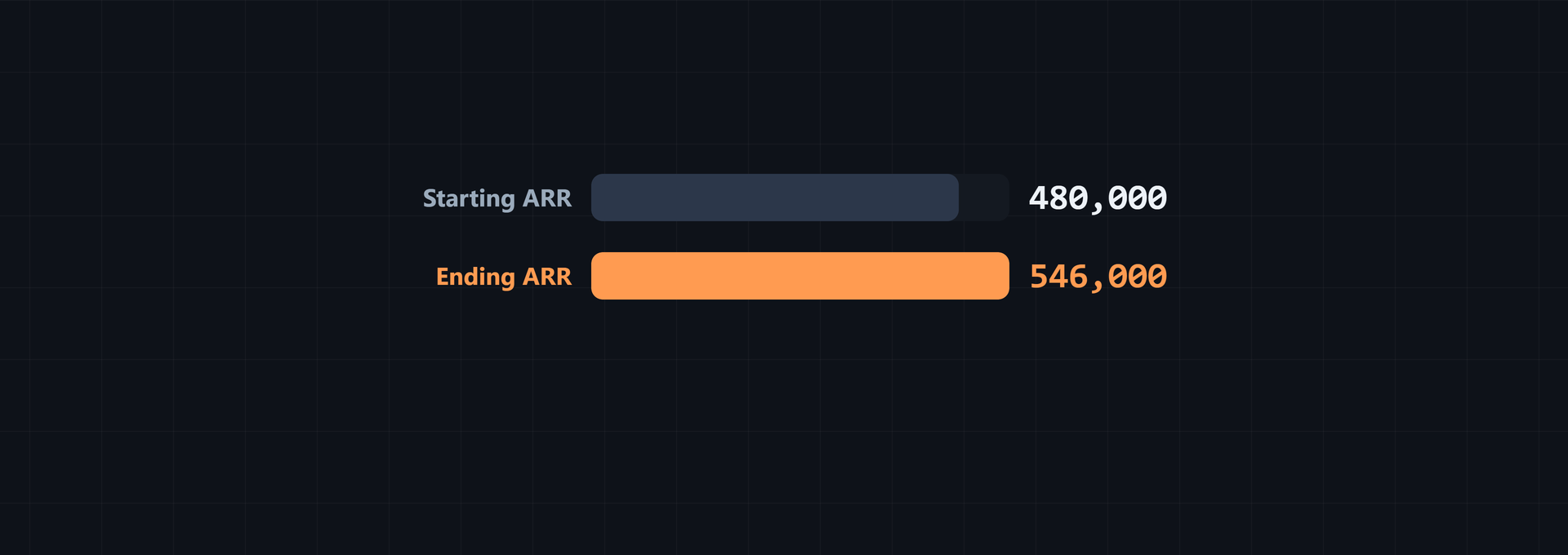
Learn how SaaS teams define recurring revenue, disclose inclusions and exclusions, build ARR bridges, and pair them with churn, growth, retention, and profit.

Learn the EV divided by ARR formula, work through SaaS valuation examples, use the multiple in fundraising, and cross-check it with DCF and ROI.
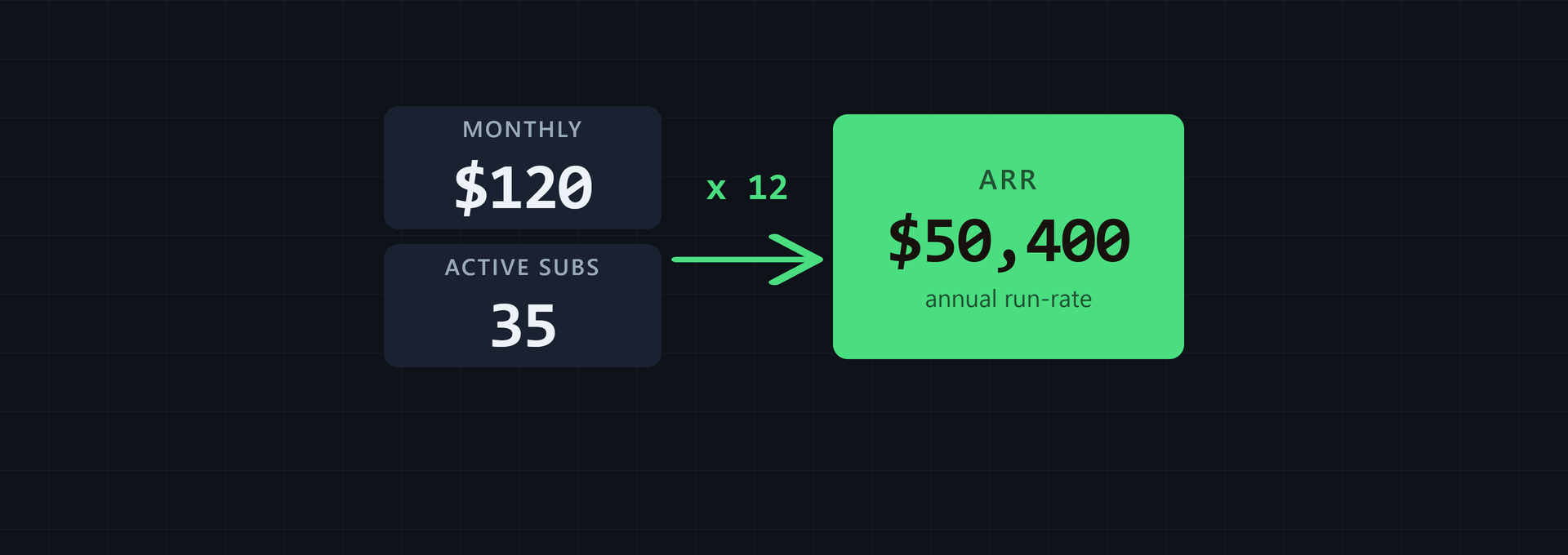
Learn how subscription businesses annualize monthly and annual plans, separate recurring from one-time income, and use ARR without confusing GAAP revenue.

Learn how to annualize recurring revenue from monthly, quarterly, annual, and multi-year contracts, then adjust for upgrades, churn, and one-time fees.
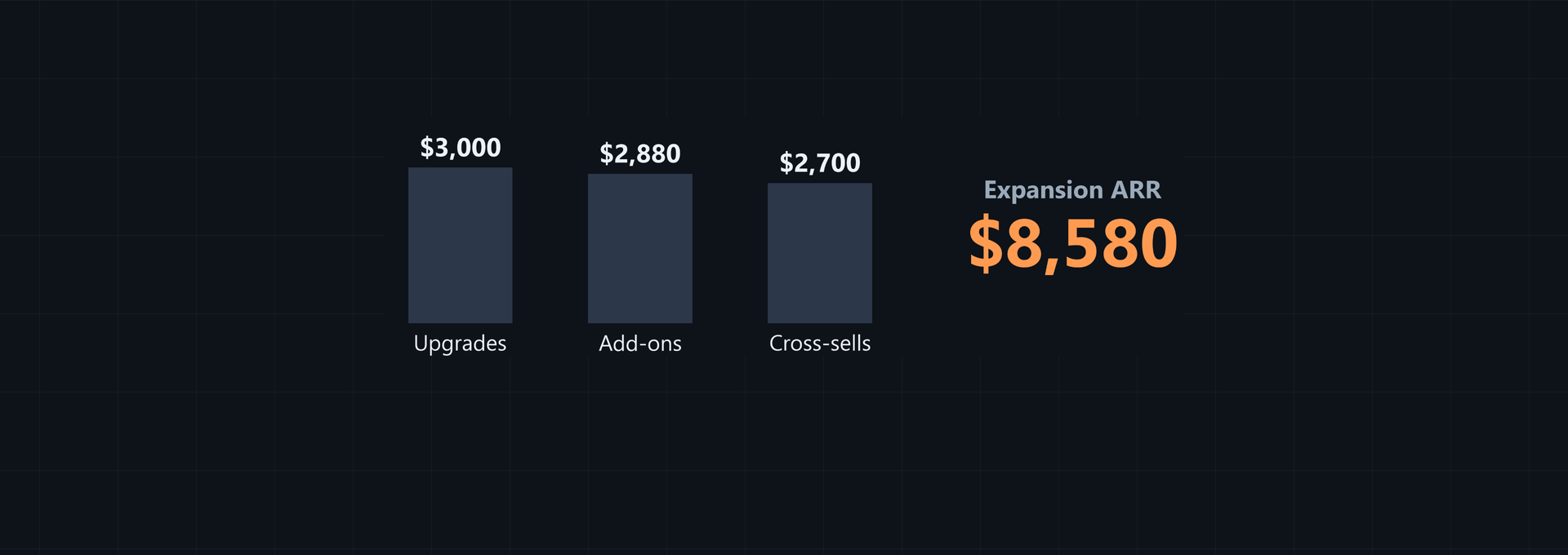
See how upgrades, seat increases, feature plans, add-on bundles and cross-sells become expansion ARR, with formulas, worked examples and reporting steps.
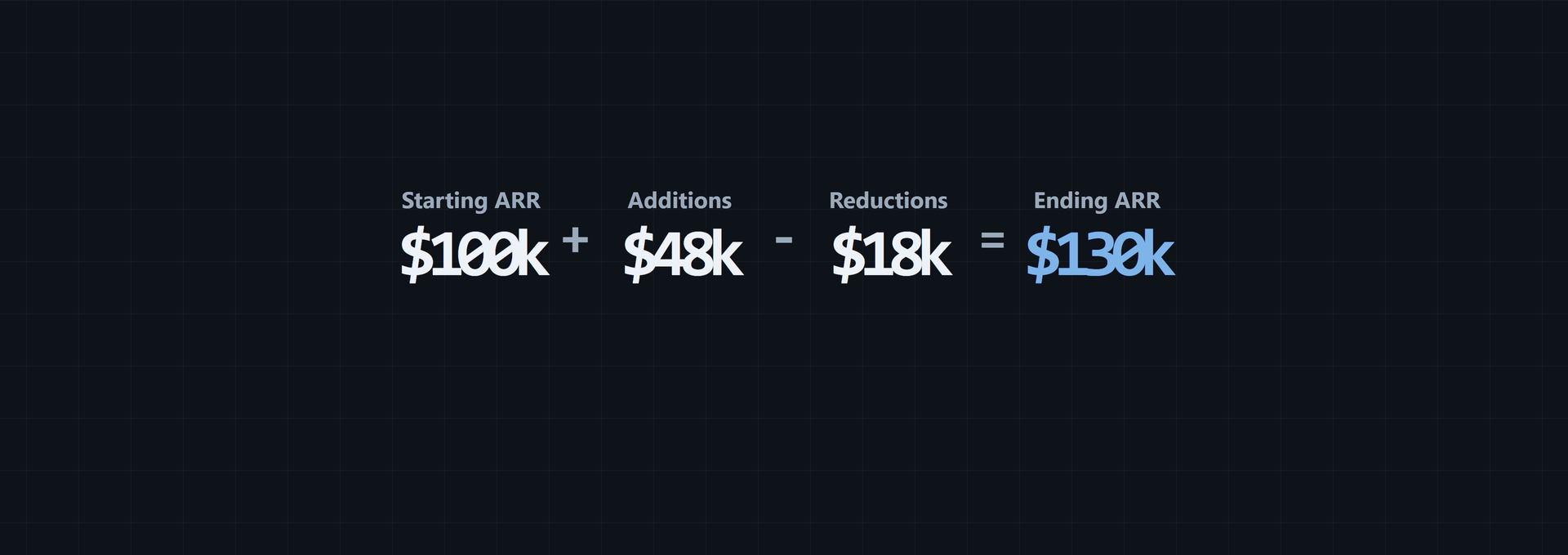
Learn how to calculate new, expansion, renewal, contraction, churned and reactivation ARR, then reconcile them in a worked bridge and calculator check.

Separate recurring run-rate revenue from total revenue and bookings, then classify setup, hardware, and one-off service income before reporting ARR.
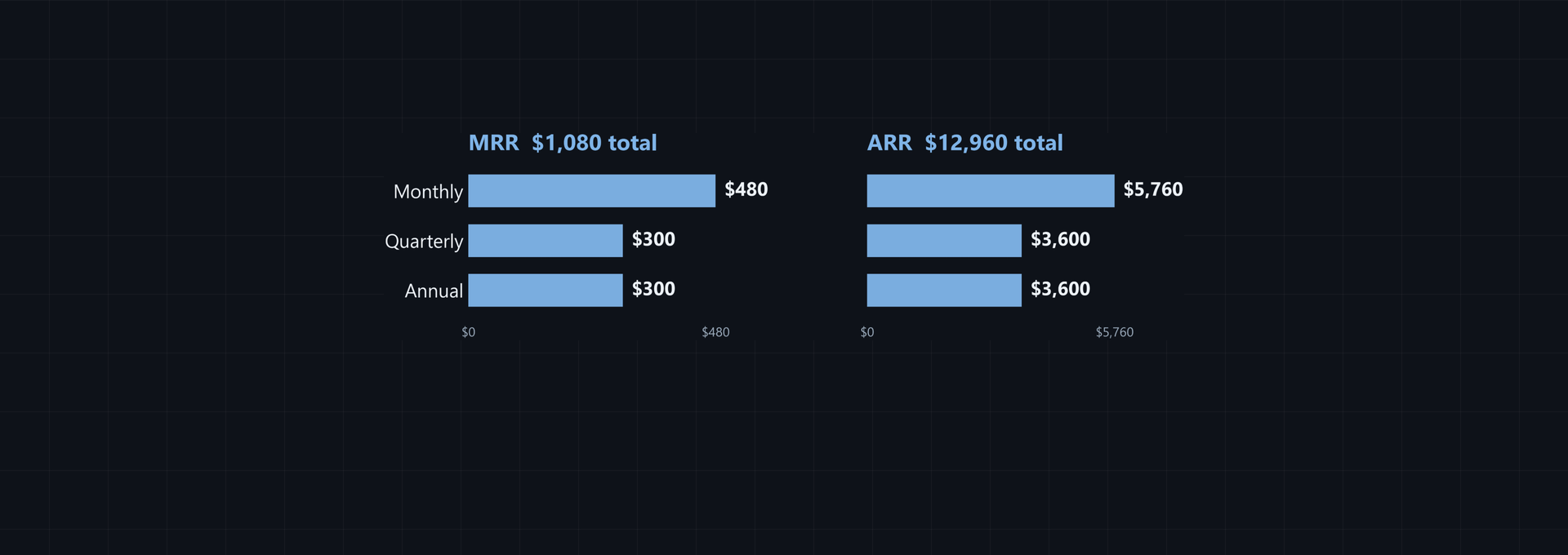
Normalize monthly, quarterly, and annual recurring revenue into ARR, reverse the calculation, and use calculators to check month-end SaaS reporting.