To set a salary to billable rate, start with the employee's full annual cost. Then account for hours that cannot be invoiced and add the profit the firm needs. Salary by itself is only a pay figure; the client rate must cover benefits, overhead, and the smaller pool of hours that can actually be billed.
Start with the full annual employee cost
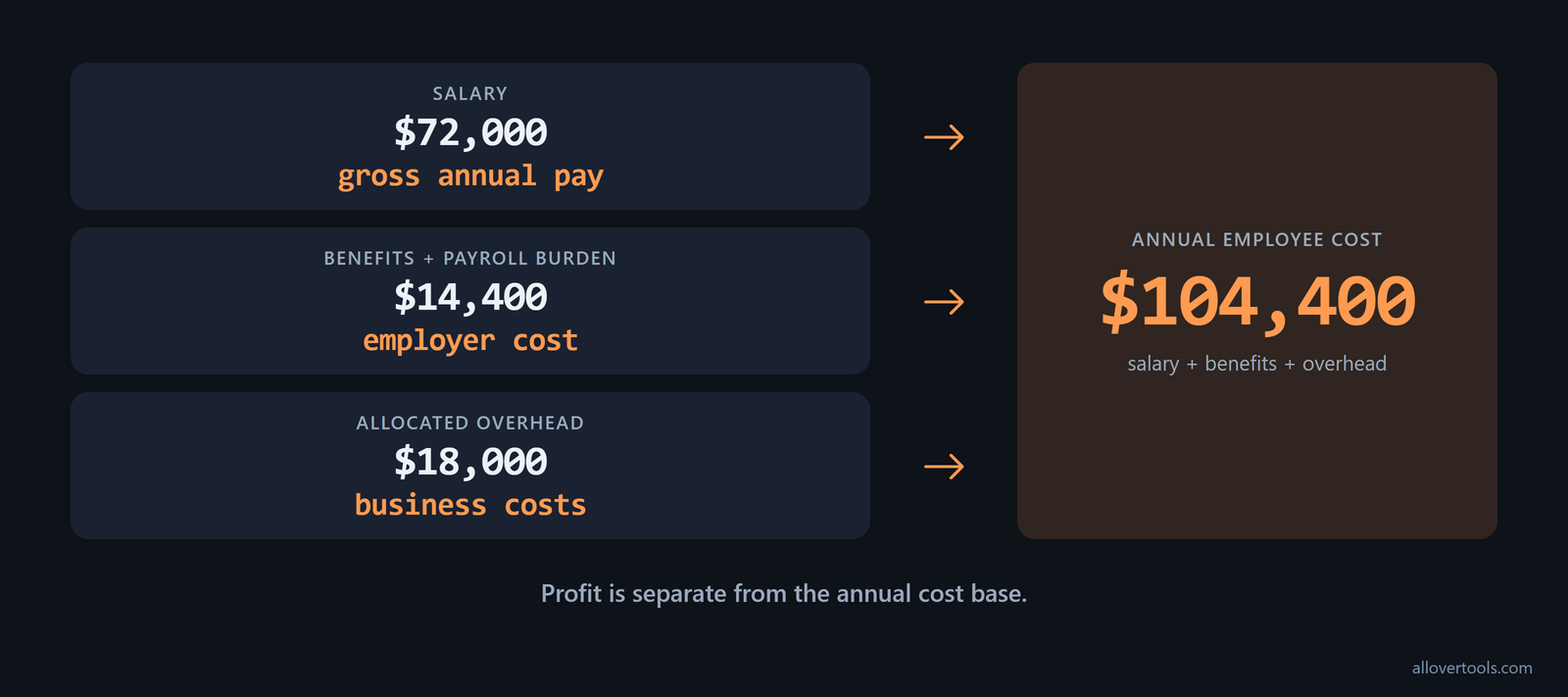
All figures below are chosen values for the example. Annual employee cost is gross salary plus employer-paid benefits or payroll burden plus the employee's allocated share of overhead. Profit is separate and comes later. With a salary of $72,000, benefits and payroll burden of $14,400, and allocated overhead of $18,000, the annual cost base is $104,400.
For a billable employee, salary often makes up only about two thirds of the real employment cost. A fully loaded cost of roughly 1.4 to 1.5 times base salary gives you a quick check, according to this cost benchmark. If total annual cost for a professional-services role falls well below that range, check benefits, payroll taxes, software, insurance, office, and other overhead before using the figure in the rate formula.
Separate salary, benefits, and overhead
Salary is the employee's gross annual pay. Benefits and payroll burden are employer costs attached to that employee. Overhead is the allocated share of software, insurance, office costs, equipment, and similar business costs. The calculation is:
$72,000 salary
  $14,400 benefits and payroll burden
  $18,000 allocated overhead
= $104,400 annual employee cost
A salary-only hourly figure is an internal pay equivalent. It does not tell you what a client must be billed because it leaves out the other cost layers and profit.
Use one annual cost base
Use the same $104,400 total in the hourly calculation. Assign benefits and overhead to the employee or team with a stated allocation method, then keep those amounts in that one annual figure. If software, insurance, or office costs are already in allocated overhead, do not add them again when setting the rate.
The 1.25 to 1.4 times salary convention used in small-business planning is a starting point, not a ceiling. Add overhead beyond basic payroll burden and the fully loaded multiple can exceed it. Agencies and consultancies should compare their annual cost with both that convention and the 1.4 to 1.5 benchmark, as the cost guidance notes.
Turn scheduled hours into billable hours
Paid or scheduled hours include work that cannot be invoiced. To convert salary to hourly billing rate, first establish hours actually worked, then reduce that number for non-billable work. The Salary to Hourly Calculator handles the salary-only schedule step with controls for Annual salary ($), Hours per week, Weeks per year, and Paid time off (days per year, optional).
Convert salary into worked hours
Use $72,000 salary, 40 hours per week, 52 weeks per year, and 15 paid time off days. The tool divides paid time off by five, subtracts those weeks from the year, and multiplies the remainder by weekly hours:
PTO weeks = 15 / 5 = 3
Working weeks = 52 - 3 = 49
Hours worked per year = 49 x 40 = 1,960
Salary-only hourly equivalent = $72,000 / 1,960 = $36.73
The $36.73 figure is rounded to two decimals for display. Because the tool uses only salary and schedule inputs, it does not add benefits or overhead. Those costs stay in the separate annual cost base.
The familiar 2,080-hour shortcut gives a salary baseline. Dividing annual salary by 2,080 assumes a full-time schedule and leaves overtime, benefits, taxes, and other compensation factors outside the result, as salary-converter guidance notes. For a $104,000 salary, it produces $50 per hour. A freelancer still needs to charge more to cover taxes, expenses, and unbilled time.
Do not use an employee's salary-only equivalent to set freelance prices. One comparison adds a $78,000 income target, $15,000 overhead, a $24,000 benefits substitute, and a $27,000 tax reserve for a total of $144,000 before profit. At 1,500 realistic billable hours, the billable rate is $96.00; $78,000 divided by 2,080 is $37.50. The hourly-versus-salaried example shows the gap.
Apply utilization to get billable hours
Apply the chosen 80% utilization to the 1,960 worked hours:
Billable hours = 1,960 x 0.80 = 1,568
The remaining time covers administration, sales, training, leave, and other non-billable work. Use the firm's own time pattern when choosing utilization. Do not treat every working hour as billable, and do not divide this scenario by 2,080 scheduled hours because the 15 paid time off days already reduce the total to 1,960.
Available hours should reflect actual working capacity after time off, public holidays, and planned leave. Do not use theoretical 40 hours times 52 weeks as the denominator, Kantata's utilization guidance stresses. Gross hours make utilization look lower and can distort staffing decisions. The hours entered here must match the schedule used to derive the employee's working hours.
Accounting guidance uses the same rule: utilization is total billable hours divided by total available working hours, with approved leave, holidays, and other exempt time excluded, according to NetSuite's definition. Subtract leave once when you set available hours. Then apply utilization without subtracting that same time again.
Calculate the client billing rate from cost and margin
Once the annual cost and billable hours are set, calculate hourly cost first and apply the target margin second:
Cost per billable hour = Annual employee cost / Billable hours
Required billing rate = Cost per billable hour / (1 - Desired profit margin)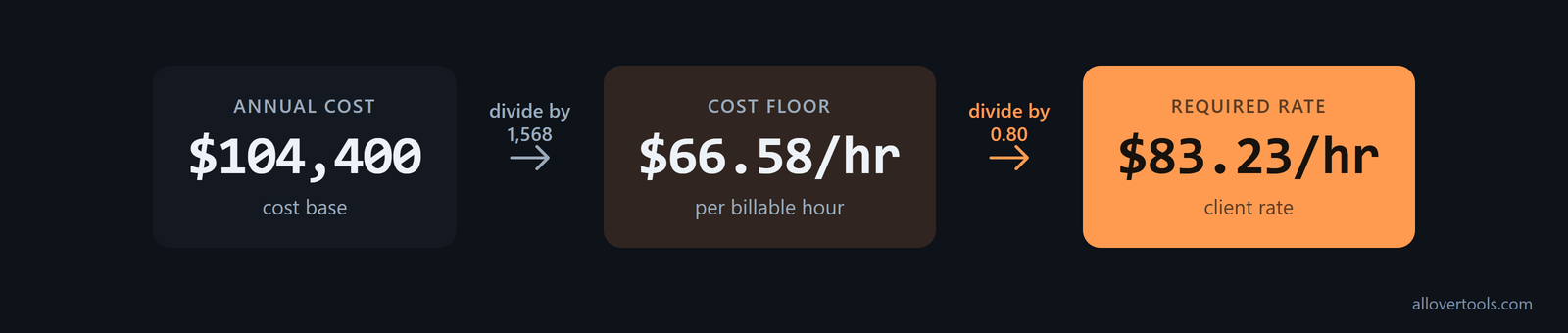
Find cost per billable hour
Spread the chosen $104,400 annual cost across 1,568 billable hours:
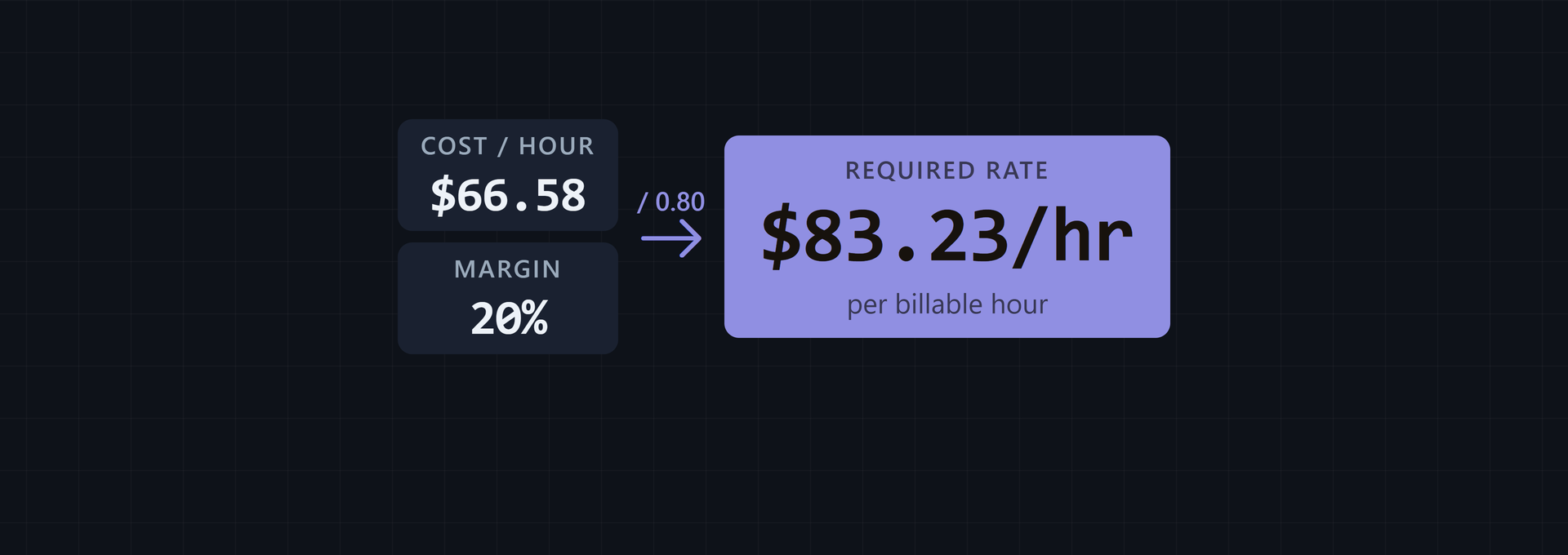
$104,400 / 1,568 = $66.58163265
Displayed cost per billable hour = $66.58
This is the internal cost floor before profit. It includes salary, benefits, payroll burden, and allocated overhead, divided by billable hours rather than all scheduled hours.
Convert a margin into a billing rate
To leave a 20% profit margin on client revenue, divide by 0.80:
$66.58163265 / 0.80 = $83.22704082
Displayed required billing rate = $83.23 per hour
Profit per billable hour = $83.22704082 - $66.58163265 = $16.64540816
Annual profit = $16.64540816 x 1,568 = $26,100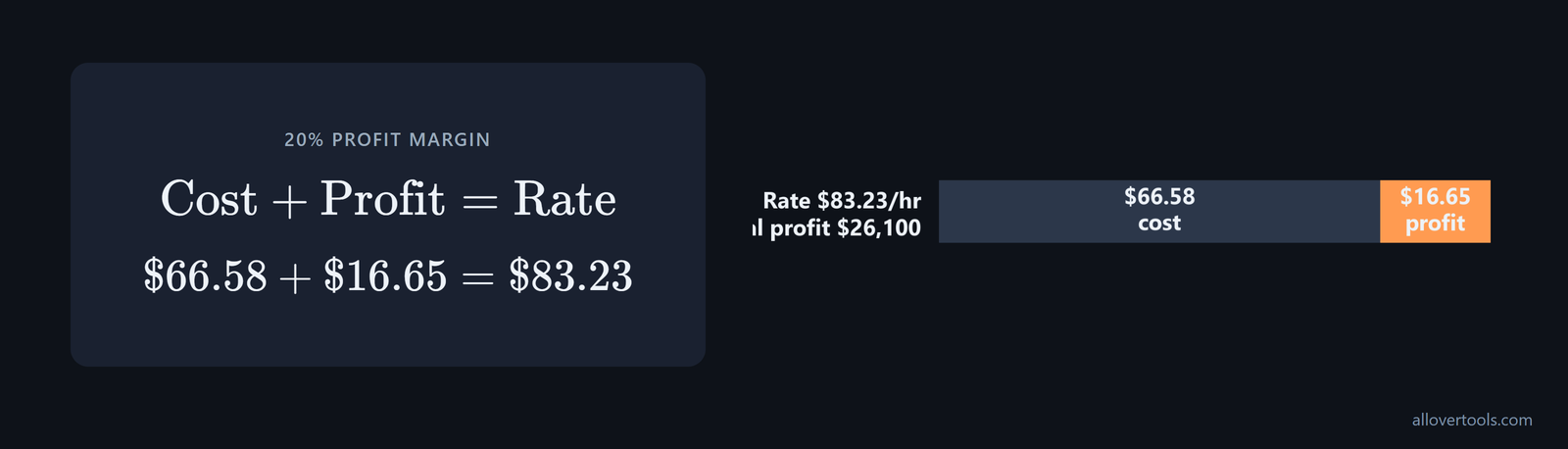
Markup uses a different calculation. A 20% margin divides cost by 1 minus 20%; a 25% markup multiplies cost by 1.25. Both give $83.23 in this example, but the percentages refer to different bases.
The 20% margin here is an example, not a universal target. Delivery margin is profit left after delivery costs. Scoro's services guidance recommends aiming for a 70% delivery margin. If that is the firm's target, enter 70% in the margin step and let the denominator change. Do not treat 20% as a default because it appears in the worked example.
A separate end-to-end case shows the effect of the margin and utilization inputs. For a consultant paid $95,000, the fully loaded annual cost is about $140,268, or roughly 1.48 times salary. At 70% utilization, the break-even rate is $102 per hour. Maintaining a 70% delivery margin requires about $340 per hour, according to the worked cost example. Use those figures when checking a rate card: a client-facing number can look high and still be required by the cost and margin assumptions.
Verify the result with the billable-rate calculator
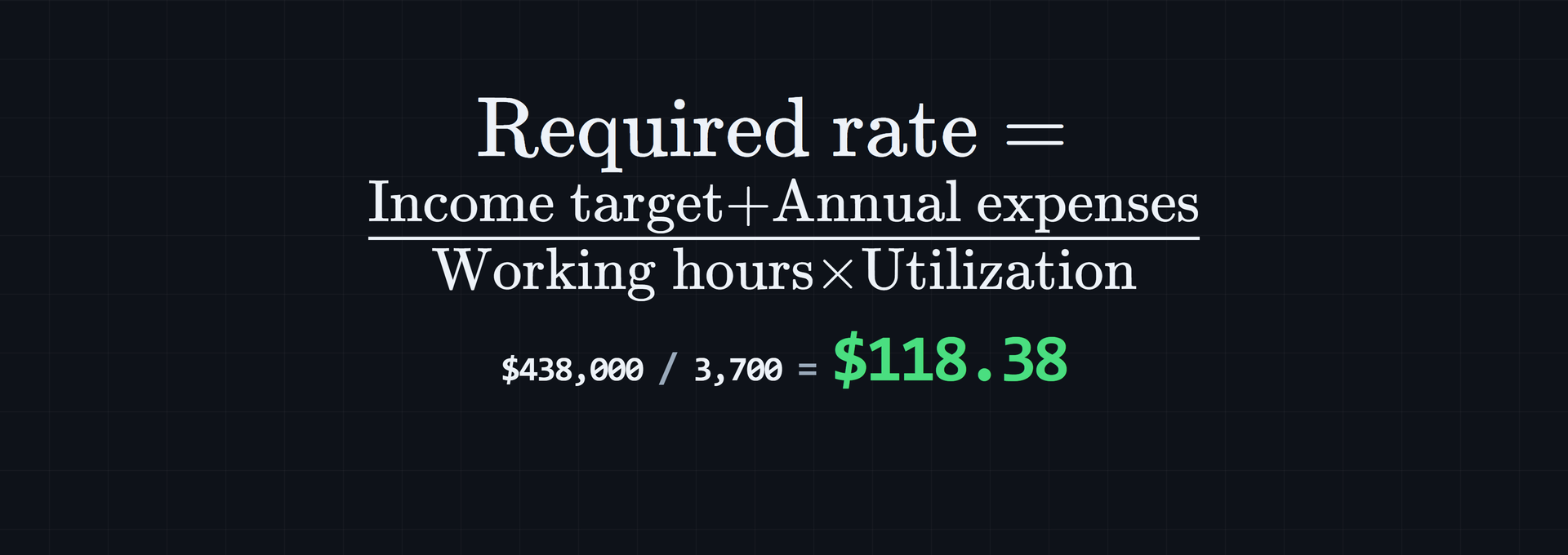
Run the same scenario through the Billable Hourly Rate Calculator using Annual income target $26,100, Annual business expenses $104,400, Total working hours per year 1,960, and Utilization rate (%) 80.
Billable hours per year = 1,960 x 0.80 = 1,568
Total revenue required per year = $26,100 + $104,400 = $130,500
Required billable hourly rate = $130,500 / 1,568 = $83.23/hr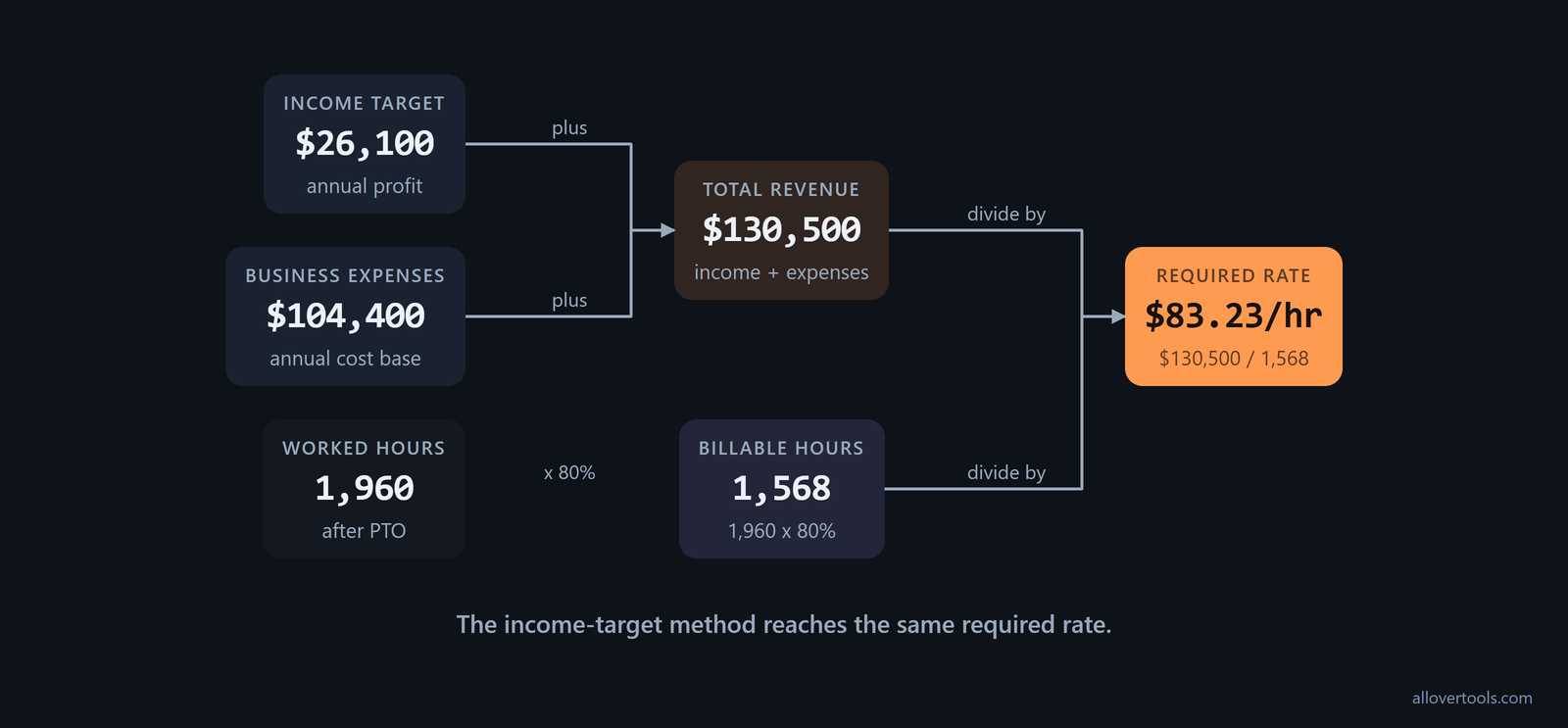
The calculator performs the calculation in the browser from the numbers entered. Its code contains no fetch, XMLHttpRequest, sendBeacon, or form-post request with those values. Currency symbol changes display formatting only; it does not convert the amounts.
Build a professional services rate card
A professional services rate card makes the cost floor visible by role. Every number in this illustrative table is chosen for the example, not a market benchmark. Each client rate uses the same 20% margin formula, cost per billable hour / 0.80.
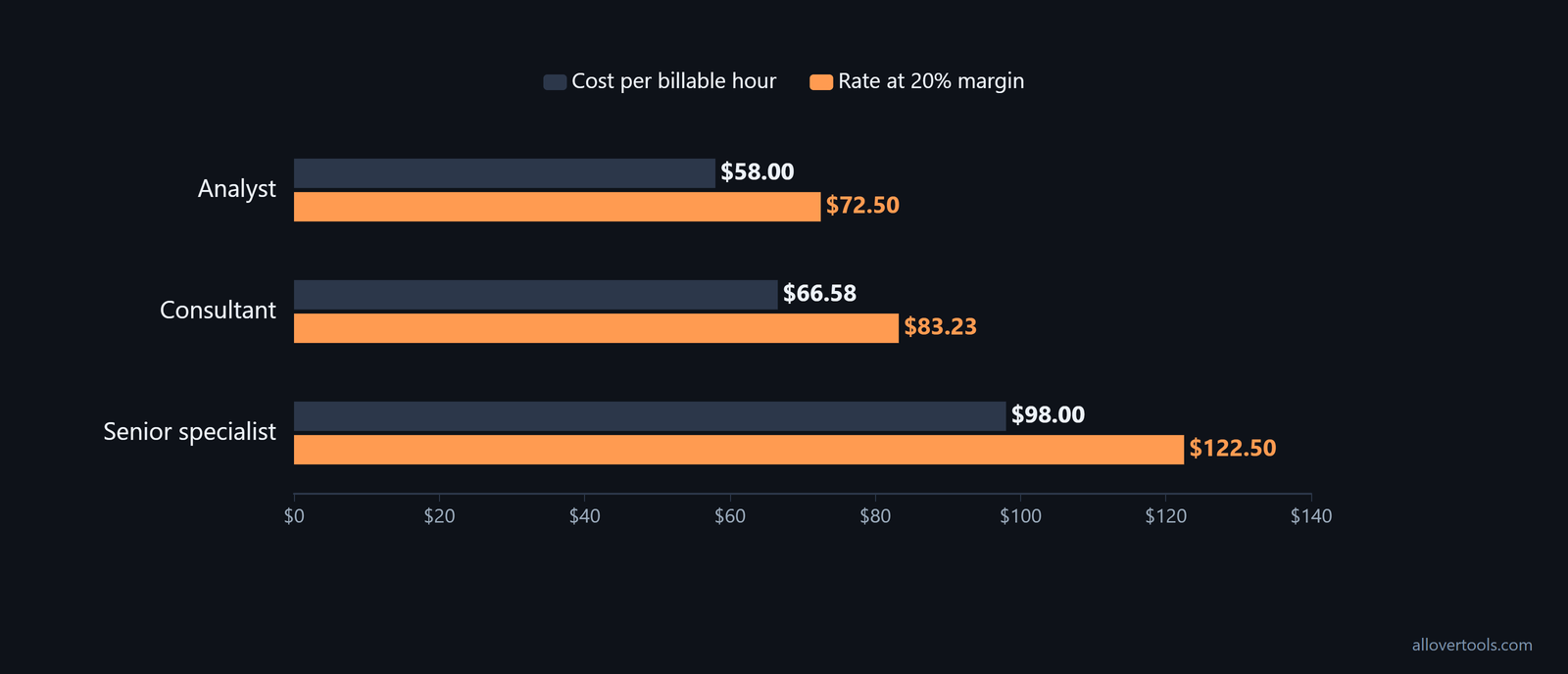
Illustrative role rates
| Role | Salary | Benefits | Overhead | Billable hours | Cost per billable hour | Rate at 20% margin |
|---|---|---|---|---|---|---|
| Analyst | $60,000 | $12,000 | $15,000 | 1,500 | $58.00 | $72.50 |
| Consultant | $72,000 | $14,400 | $18,000 | 1,568 | $66.58 | $83.23 |
| Senior specialist | $96,000 | $19,200 | $22,000 | 1,400 | $98.00 | $122.50 |
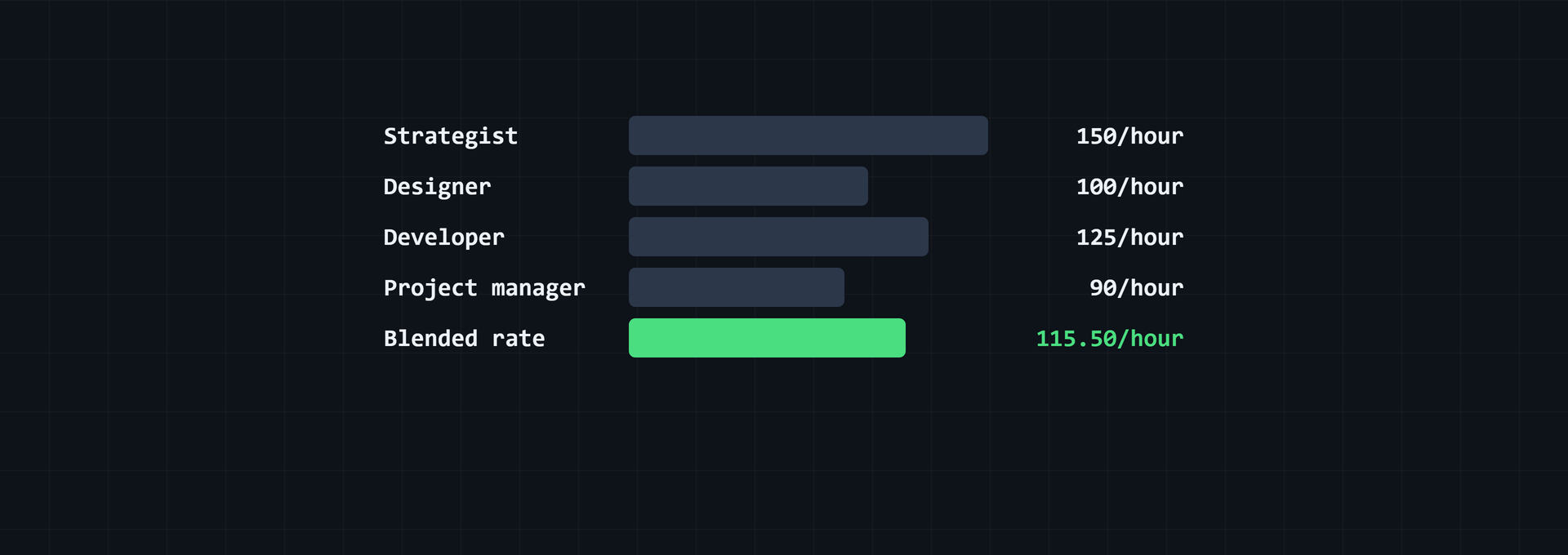
If a project mixes roles but the client wants one number, calculate each role first, then blend them by approved billable hours. For example, 20 specialist hours at $180 per hour plus 12 coordinator hours at $120 per hour produces $5,040 over 32 hours. The blended billable rate is $157.50 per hour, using Everhour's blended-rate method. This keeps senior and junior work visible; an unweighted average would hide the actual hour mix.
Treat the rate as a floor for quoting
These rates are the minimum implied by the selected costs, billable hours, and margin assumptions. They are not market prices. The quoted rate still needs to match the scope and billable work being sold. A change in utilization, scope, or target margin changes the floor.
For firms that sell blended work across a team, team-level Average Cost Per Hour (ACPH) gives another view of the cost floor. Add salaries, benefits, overhead, and regular freelancer costs to total annual costs, then divide by total annual capacity. In Scoro's example, $397,000 divided by 8,575 hours produces an ACPH of $46 per hour. Compare that blended cost with the project rate before setting one team price, as the ACPH example shows.
Check realized rates and update the calculation
Compare the planned rate with invoices and time records after the work is billed. That comparison helps separate a pricing gap from a utilization gap.
Compare planned and realized hourly rates
With $120,000 in invoiced revenue and 1,500 invoiced billable hours:
Realized rate = $120,000 / 1,500 = $80.00/hr
Planned rate = $83.23/hr
Shortfall = $83.22704082 - $80.00 = $3.22704082, displayed as $3.23/hr
Shortfall percentage = $3.22704082 / $83.22704082 x 100 = 3.88%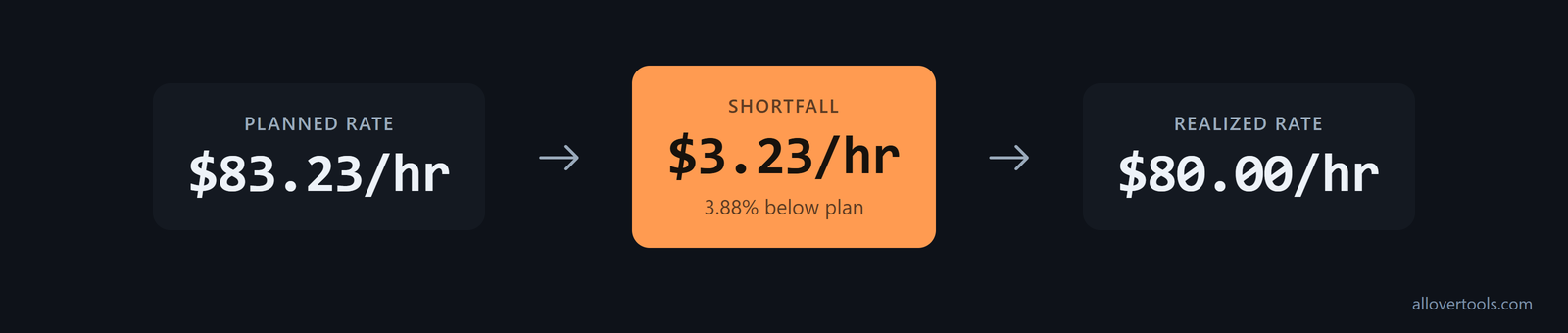
Check invoices, discounts, write-offs, and time records. Those details show whether the gap came from the price charged or from fewer billable hours. The realized rate alone does not identify the cause.
Track realized billing rate as a named KPI: billed services revenue divided by billable hours, the formula defined by Accelo's KPI formula. Keep it beside the planned rate, utilization, and margin. The review can then show whether the calculation holds up in actual billing, not just in a spreadsheet.
Effective hourly rate offers a second view of worker economics. It equals total earnings divided by total hours worked, including billable and non-billable time; the rate gap is quoted rate minus effective rate, according to Toggl's rate framework. If non-billable time or overtime grows, compare that effective figure with the client-facing rate before deciding whether the quoted rate is sufficient.
Recalculate when costs change
Update the same formula when salary or another cost changes. With salary at $75,000, benefits at $14,400, overhead at $18,000, billable hours at 1,568, and margin at 20%:
Annual cost = $75,000 + $14,400 + $18,000 = $107,400
Cost per billable hour = $107,400 / 1,568 = $68.49489796, displayed as $68.49
Required rate = $68.49489796 / 0.80 = $85.61862245, displayed as $85.62
Increase from original displayed rate = $85.62 - $83.23 = $2.39/hr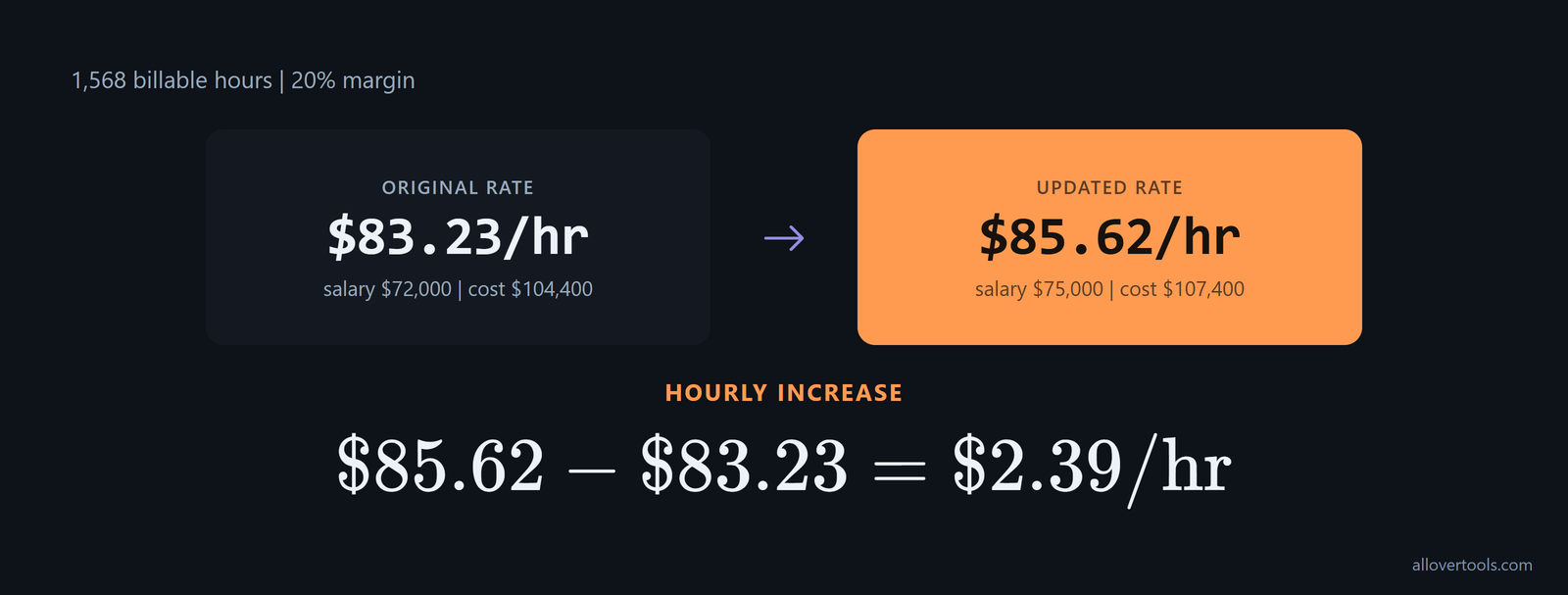
Avoid denominator and margin mistakes
Near-zero utilization pushes the required rate up sharply because the annual cost is spread across fewer billable hours. Do not subtract paid time off and other non-billable time twice. Do not add benefits or overhead twice. Keep the margin denominator, 1 minus margin, separate from the markup multiplier, 1 plus markup. The result depends on the cost, hours, utilization, and margin assumptions supplied.

Frequently asked questions
How do I convert salary to a billable hourly rate?
Add salary, benefits or payroll burden, and allocated overhead. Divide that annual cost by expected billable hours, then divide by 1 minus the desired profit margin. The chosen example produces $83.23/hr.
What costs should be included in employee cost?
Include gross salary, employer-paid benefits or payroll burden, and the employee's allocated share of overhead such as software, insurance, equipment, or office costs. Count each cost once and keep profit separate.
How many billable hours should I use for a staff member?
Start with hours actually worked after paid time off, then apply a utilization percentage that removes administration, sales, training, leave, and other non-billable work. Do not use all scheduled hours as billable by default.
What is the difference between markup and profit margin in a billing rate?
Markup is added to cost. Margin is the share of the final client rate left as profit. Use rate = cost / (1 - margin) for a target margin and rate = cost x (1 + markup) for a target markup.
Why is my realized hourly rate lower than the calculated rate?
Realized rate is invoiced revenue divided by invoiced billable hours. It can fall below the plan because of discounts, write-offs, underbilling, or fewer billable hours. Reconcile invoices and time records before changing the rate.